How we compared Azure AI Foundry connected agents and multi-agent workflows
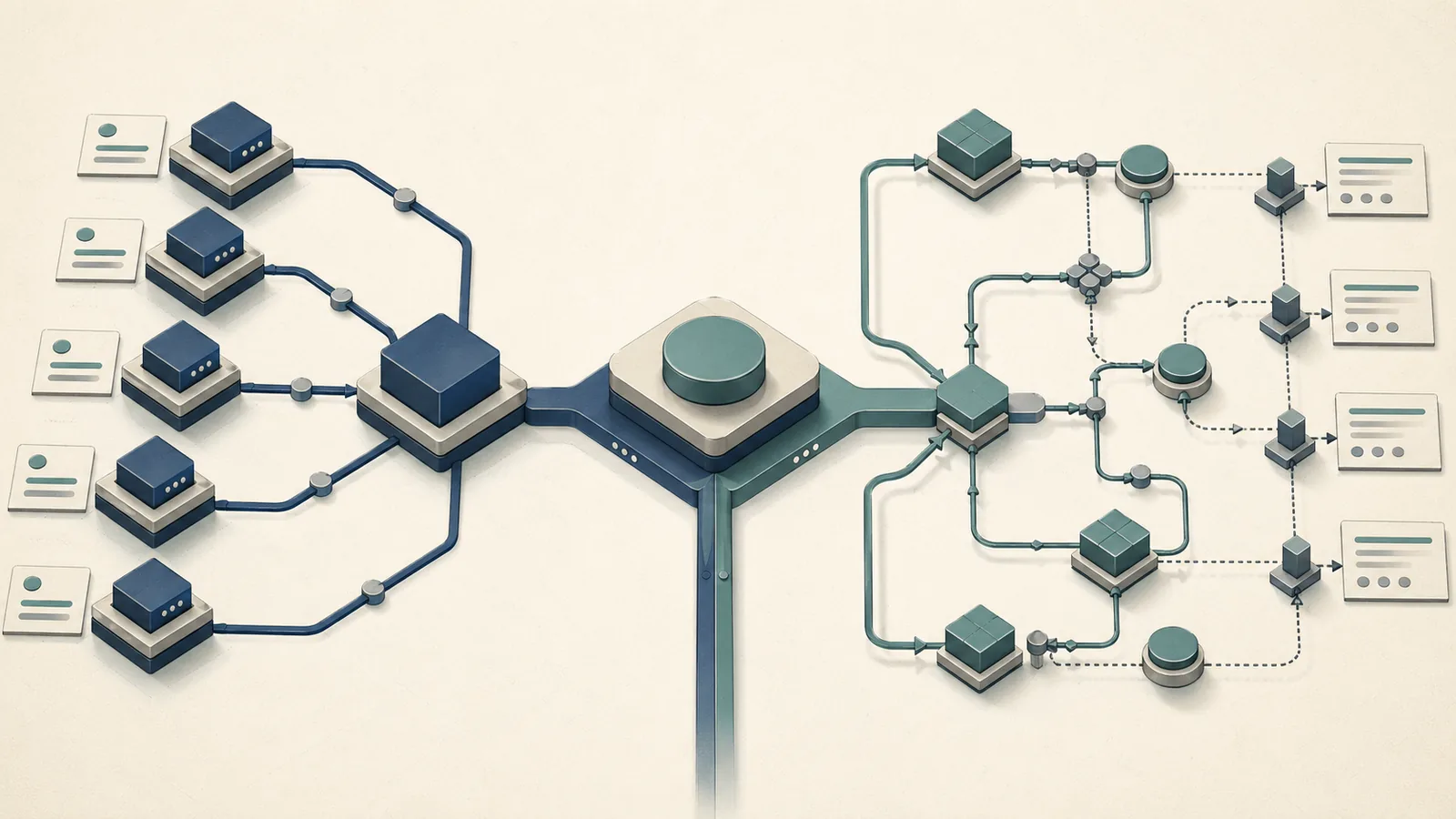
The core architectural split in Azure AI Foundry is between delegation and orchestration. Connected agents in the Foundry Agent Service remove the need for hand-coded routing: a primary agent receives a task, identifies which specialist subagent handles it, and delegates — no custom orchestrator code required. Multi-agent workflows do the opposite: they expose the execution graph to you directly, giving explicit control over routing, message passing, and event streaming.
As Microsoft states: "Connected agents in Foundry Agent Service let you break down complex tasks into coordinated, specialized roles—without the need for a custom orchestrator or hand-coded routing logic." The workflow documentation draws an equally sharp contrast: "The flow of a workflow is explicitly defined, allowing for more control over the execution path."
| Criterion | Connected Agents | Multi-Agent Workflows |
|---|---|---|
| Routing control | Implicit, model-decided | Explicit, developer-defined graph |
| Auditability | Delegation trace; citations not guaranteed | Full execution path, message routing, event streaming |
| Nesting depth | Maximum 2 | Not artificially capped |
| Tool-calling | No local function-calling; OpenAPI or Azure Functions only | Full tool-calling, including local functions |
| Migration risk | Tied to deprecated 2025-05-15-preview API | Recommended 2025-11-15-preview path |
| Production fit | Simple delegation, ≤2 subagent depth | Complex, multi-stage, external-system integration |
These are not just feature differences — they represent different operational contracts for production systems. The table below maps the comparison criteria that matter most when you are deploying five or more collaborating agents.
At-a-glance decision table for production orchestration
Connected agents cannot run in parallel — the delegation model is sequential by design, with a primary agent handing off to one subagent at a time within the depth-2 constraint. Multi-agent workflows explicitly support both sequential and parallel execution. A Microsoft Learn workflows overview explains the managed graph model, and a Microsoft Q&A answer from March 17, 2026 confirms: "Azure AI Foundry workflows are designed to orchestrate multiple agents either sequentially or in parallel." For any architecture where fan-out matters — parallel research synthesis, concurrent tool evaluation, simultaneous pipeline branches — workflows are the only Azure-native option.
Decision matrix for production orchestration
| Choice | Use it when | Explicit parallelism | Typical fit |
|---|---|---|---|
| Connected agents | You need a single primary agent delegating to one or two specialists with no routing logic to maintain, and the task decomposition is shallow and predictable | No | Prototyping, internal tools, shallow support triage |
| Multi-agent workflows | Your system involves five or more collaborating agents, parallel branches, or stateful retries, and you need deterministic routing with full auditability | Yes | Research synthesis, regulated flows, external-system integration |
| Custom orchestrator | Routing logic cannot be expressed as a directed graph or predefined workflow, or you need bespoke retry and compensation behavior | Yes | Cross-system coordination, custom failure recovery, Azure Container Apps deployments |
Choose connected agents when: - You need a single primary agent delegating to one or two specialists with no routing logic to maintain - Your task decomposition is shallow and predictable - You are prototyping or building an internal tool where the 2027-03-31 retirement timeline is acceptable
Choose multi-agent workflows when: - Your system involves five or more collaborating agents, parallel branches, or stateful retries - External system integrations (CRM, data warehouse, approval systems) are part of the execution path - You need deterministic routing, full auditability, and event streaming for compliance or debugging - You are building anything you intend to run beyond early 2027
Keep a custom orchestrator when: - Routing logic cannot be expressed as a directed graph or predefined workflow - You require failure recovery policies, bespoke retry semantics, or cross-system coordination not covered by the managed service - Your deployment targets Azure Container Apps or another runtime where you need full control over the agent lifecycle
Azure AI Foundry connected agents: when the delegated model is enough
Connected agents handle a well-defined class of production scenarios cleanly: a primary agent receives a request, determines which specialized subagent is relevant, and delegates the subtask without requiring any routing code from the developer. Microsoft positions this as a way to achieve "easier extensibility" and "improved traceability" within the Foundry Agent Service — you add subagents by registering them, not by modifying routing logic.
The model has real production value in constrained systems where the primary agent's judgment about delegation is sufficient and the task graph is shallow. A customer support orchestrator delegating to a billing subagent or a product knowledge subagent fits the pattern well.
| Property | Connected Agents Behavior |
|---|---|
| Delegation mechanism | Primary agent selects subagent based on task; no code routing |
| Traceability | Delegation events are logged; citations across handoffs are not guaranteed |
| Extensibility | Add subagents by registration, not code modification |
| Maximum depth | 2 (primary → subagent; subagent cannot delegate further) |
Where connected agents reduce orchestration overhead
A connected-agents setup eliminates the most tedious part of multi-agent design: the router. Instead of writing conditional dispatch logic, implementing message schemas, and maintaining routing tables, you register subagents against the primary agent and let the model handle task assignment. This is a legitimate overhead reduction for systems where you trust the model's routing judgment and the depth constraint is not binding.
Pro Tip: Use the primary agent as a coordinator that holds the user context and delegates to named specialists — a
research-agent, asummarization-agent, acitation-agent— rather than trying to embed domain logic in the primary agent itself. Connected agents are strongest when each subagent has a narrow, well-defined capability boundary that makes the primary agent's routing decision unambiguous.
Where connected agents break down in production
The depth-2 ceiling is the hardest constraint. A subagent cannot delegate further — which means any architecture that requires a research agent to spin up a web-search agent and a document-analysis agent simultaneously is structurally incompatible with connected agents. For five-plus-agent systems, this constraint alone eliminates connected agents as a viable option.
Watch Out: Three compounding production risks apply to connected agents today: 1. Maximum depth of 2 — subagents cannot delegate to further subagents; multi-hop coordination is impossible 2. No local function-calling — connected agents cannot invoke local functions via the function-calling tool; all tool integration requires OpenAPI tools or Azure Functions, adding latency and infrastructure overhead 3. Retirement deadline — Agents (classic) are deprecated and retire on March 31, 2027; any system built on connected agents in the 2025-05-15-preview API requires migration before that date — and Microsoft's own docs recommend migrating to the 2025-11-15-preview workflow path now
Additionally, Microsoft explicitly notes that citation passthrough from connected agents to the primary agent is not guaranteed, which creates auditability gaps in regulated environments or systems where source attribution is a product requirement.
Multi-agent workflows in Azure AI Foundry: when explicit orchestration is worth the complexity
Multi-agent workflows in the Microsoft Agent Framework give you direct ownership of the execution graph. A workflow "ties executors and edges together into a directed graph and manages execution. It coordinates executor invocation, message routing, and event streaming." That is the right abstraction for production systems where you cannot afford to let routing be a model-time decision.
The complexity cost is real: you define nodes, edges, and routing conditions. But for systems involving human-in-the-loop approval gates, external API integrations, or parallel agent branches, that cost is justified because the alternatives (connected agents' depth limit, custom orchestrators' maintenance burden) are worse.
| Property | Multi-Agent Workflows |
|---|---|
| Routing control | Developer-defined directed graph |
| Parallelism | Sequential or parallel; concurrently orchestrated steps |
| State handling | Explicit; managed by workflow runtime |
| External integration | Multiple agents, human interactions, external systems supported natively |
| Tool-calling | Full tool-calling including local functions |
| API path | 2025-11-15-preview (recommended by Microsoft) |
Production patterns that favor workflows over delegation
The patterns that break connected agents are exactly the patterns that workflows handle well. Fan-out/fan-in is the canonical example: a research synthesis workflow fans out to five parallel sub-agents (web search, arxiv, internal docs, competitor analysis, regulatory scan), collects their outputs, and fans in to a synthesis agent — all within a single workflow execution. Connected agents cannot express this structure.
Pro Tip: Three workflow patterns that address production requirements connected agents cannot meet: - Fan-out/fan-in: Dispatch multiple agents concurrently against different data sources; collect and merge results in a single synthesis step — critical for research firms and intelligence pipelines - Approval gates: Insert human review as an explicit workflow node between autonomous agent steps; the workflow runtime holds state while waiting for the approval event, then resumes — essential for regulated environments and autonomous SDR systems where outbound actions need human sign-off - Stateful retries: Define retry logic at the workflow level with explicit backoff policies; if a subagent call to an external system fails, the workflow retries with context preserved — no message re-construction, no lost state
Workflows also support exposure through standard agent interfaces or HTTP, which matters for teams building agentic services that other systems need to call programmatically.
When a custom orchestrator is still the right answer
Neither connected agents nor managed workflows solve every production coordination problem. Microsoft's own architecture guidance documents a third model: "Custom software that uses Microsoft Agent Framework defines the agent and orchestration behavior, and you deploy the agents in Azure." The platform abstraction stops when routing logic is fundamentally bespoke.
| Scenario | Right Choice | Reason |
|---|---|---|
| Routing depends on runtime state from multiple external systems | Custom orchestrator | Managed workflows cannot express arbitrary conditional logic across heterogeneous external state |
| Failure recovery requires multi-step compensating transactions | Custom orchestrator | Saga-pattern or compensating-action logic exceeds workflow-native retry semantics |
| Agents represent users to other agents with dynamic trust boundaries | Custom orchestrator | Authorization and identity propagation require custom middleware |
| Cross-cloud or cross-region agent coordination | Custom orchestrator | Managed workflow runtime is Azure-scoped |
The decision point is whether the managed workflow's directed graph can express your routing requirements completely. If you find yourself wanting to encode logic in edge conditions that requires external API calls, session state from multiple sources, or runtime-computed routing weights, you have crossed into custom orchestrator territory. Azure Container Apps is a common deployment target for this approach when you need full lifecycle control. Ecosystem teams often evaluate crewAI, LangGraph, and Model Context Protocol alongside Microsoft Agent Framework, but those tools still face the same question here: whether the orchestration contract matches the production control surface you need.
Constraint-by-constraint comparison for production systems
This is the synthesis that ranking pages for this topic omit: a direct, constraint-level comparison across all three orchestration models, mapped to the decisions that matter at deployment.
| Constraint | Connected Agents | Multi-Agent Workflows | Custom Orchestrator |
|---|---|---|---|
| Routing control | Model-decided at inference time | Developer-defined graph, deterministic | Fully bespoke; arbitrary logic |
| Auditability | Delegation events logged; citation passthrough not guaranteed | Full execution path, message routing, event streaming | Depends entirely on implementation |
| Nesting depth | Maximum 2 | Not capped | Not capped |
| Tool-calling | OpenAPI or Azure Functions only; no local functions | Full tool-calling including local functions | Unrestricted |
| Parallelism | Sequential delegation only | Sequential or parallel | Unrestricted |
| Migration risk | High — deprecated API, retire 2027-03-31 | Lower — on Microsoft's recommended path | Low — you own the stack |
| Ops overhead | Low | Medium | High |
| Production fit (5+ agents) | Poor | Good | Best, at highest cost |
Tool-calling, OpenAPI tools, and Azure Functions
Connected agents carry a tool-calling restriction that directly affects integration architecture. Microsoft is explicit: "Connected agents cannot call local functions using the function calling tool. We recommend using the OpenAPI tool or Azure Functions instead."
This means any tool that a connected subagent needs to invoke must be exposed as either an OpenAPI-described HTTP endpoint or an Azure Functions deployment — "a serverless compute service that you can use to extend your Foundry Agent Service agents with custom tools built using code." For teams that already run tool logic as local Python functions in their orchestration layer, this forces an infrastructure change: wrap the function in an Azure Function or expose it via an OpenAPI spec.
Watch Out: The local function-calling restriction applies specifically to connected agents, not to multi-agent workflows. If your subagents need to call functions defined in-process (data transformations, validation logic, custom retrieval), connected agents require you to externalize those functions as Azure Functions or OpenAPI endpoints. That is an additional deployment surface, additional cold-start latency, and additional cost — factor it into your orchestration model selection before committing to connected agents for a system with non-trivial tool needs.
Migration risk, preview APIs, and the classic agents retirement clock
Both orchestration models are on preview API paths, but their risk profiles differ significantly.
Production Note: Three API lifecycle facts every team building on Azure AI Foundry must track: - Connected agents are only available in the
2025-05-15-previewAPI — this is not a stable GA surface - Microsoft highly recommends migrating to the2025-11-15-previewAPI version workflows for multi-agent orchestration, meaning even Microsoft is directing connected-agent users off that path - Agents (classic) are deprecated and will be retired on March 31, 2027 — any production system that has not migrated by that date will stop workingIf you are starting a new multi-agent project today, build on the 2025-11-15-preview workflow path. Starting on connected agents and migrating later is a migration you will be forced to complete under deadline pressure.
Decision matrix: which orchestration model fits which production scenario
The depth-2 constraint on connected agents makes the production-scenario mapping straightforward for five-plus-agent systems: connected agents are the wrong foundation. The table below maps common enterprise deployment scenarios to the appropriate orchestration model.
| Production Scenario | Recommended Model | Deciding Constraint |
|---|---|---|
| Simple Q&A with 1–2 specialist subagents | Connected agents | Depth ≤2; no parallel paths; low routing complexity |
| Research synthesis across 5+ parallel data sources | Multi-agent workflows | Fan-out/fan-in requires parallel orchestration; depth > 2 |
| Autonomous SDR team (prospect research → outreach → CRM update) | Multi-agent workflows | Sequential stages with external system writes; approval gates needed |
| Regulated workflow (loan processing, compliance review) | Multi-agent workflows | Explicit routing for auditability; human-in-the-loop approval gates |
| Multi-stage data pipeline with error compensation | Multi-agent workflows or custom orchestrator | Stateful retries; compensating transactions may exceed workflow-native semantics |
| Cross-system agent coordination (Azure + external cloud) | Custom orchestrator | Managed workflow runtime is Azure-scoped |
| Agents representing users to other agents with trust boundaries | Custom orchestrator | Dynamic authorization logic requires custom middleware |
For the specific pattern of autonomous SDR teams (a use case where vendors like Sierra and Lindy have deployed production systems), the workflow model provides approval gates for outbound actions and stateful tracking of prospect state across multiple agent interactions — neither of which connected agents can support at scale.
Benchmarks and operational signals to validate the choice
Microsoft does not publish numeric latency or throughput benchmarks comparing connected agents to multi-agent workflows in its documentation. Any table claiming specific millisecond latencies or tokens-per-second numbers for these two models would be fabricated. What the documentation does surface are structural operational signals that predict production behavior.
| Operational Signal | Connected Agents | Multi-Agent Workflows |
|---|---|---|
| Routing hops | 1 (primary → subagent, fixed) | Variable; defined by graph edges |
| Parallelism support | None (sequential delegation) | Full (concurrent executor invocation confirmed) |
| Observability depth | Delegation events; citation gaps documented | Full execution path, message routing, event streaming |
| External tool latency risk | Higher (Azure Functions cold starts; OpenAPI round trips) | Lower for in-process tools; equivalent for external |
| Change-failure surface | Low routing code; high migration risk (API deprecation) | Higher routing code; lower migration risk |
The signal that matters most operationally is observability depth. Workflows expose full message routing and event streaming — you can instrument exactly where time is spent across executor hops. Connected agents give you delegation events but cannot guarantee citation passthrough, which means debugging failures in connected-agent systems often requires inferring what the subagent did rather than observing it directly.
What to instrument before rollout
Whichever model you choose, three metrics separate production-ready multi-agent systems from demos: traceability coverage, retry rates, and handoff latency.
Pro Tip: Before rolling out to production traffic, instrument these three signals first: 1. Traceability coverage — what percentage of agent-to-agent handoffs produce a complete, attributable execution trace? For connected agents, this is structurally limited; for workflows, it should approach 100% with proper event streaming configured 2. Retry rates per executor — identify which subagents or workflow nodes fail transiently at what rate; a node with >5% retry rate under normal load is a reliability risk that needs isolation or circuit-breaking before scale 3. Handoff latency — measure the time from when one agent completes to when the next begins executing; in connected-agent systems this includes model decision time; in workflows it includes graph traversal and executor invocation overhead
No official benchmark thresholds are documented by Microsoft for these metrics. Establish baselines during load testing and treat deviations of more than two standard deviations as deployment blockers.
FAQ
What is the maximum depth for connected agents?
The maximum depth for connected agents is 2. A primary agent can delegate to a subagent, but that subagent cannot delegate further. This is a hard architectural constraint documented by Microsoft, not a soft recommendation.
Can connected agents run in parallel?
No. Connected agents use sequential delegation — the primary agent delegates to one subagent at a time within the depth-2 structure. Parallel orchestration (concurrent agent execution) is a feature of multi-agent workflows, confirmed by Microsoft's workflows documentation and a Microsoft Q&A answer from March 17, 2026.
Why are connected agents deprecated in Azure AI Foundry?
Connected agents themselves are not deprecated — the underlying Agents (classic) platform they run on is deprecated, with a retirement date of March 31, 2027. More significantly, Microsoft's own connected-agents documentation recommends migrating to the 2025-11-15-preview workflow API for multi-agent orchestration, signaling that connected agents are not the forward path even before the retirement deadline.
Can connected agents call local functions?
No. Connected agents cannot use the function-calling tool to invoke local functions. Microsoft explicitly recommends using the OpenAPI tool or Azure Functions as the integration path instead.
When does it make sense to use connected agents at all?
Connected agents are a reasonable choice for shallow, predictable delegation patterns: one primary agent, one or two specialists, no parallel paths, no external system writes. They reduce routing code in that specific scenario. For anything involving more than two subagent hops, parallelism, or external system integration, multi-agent workflows are the more appropriate foundation — and the one Microsoft is directing users toward.
Sources and references
- Connected agents in Foundry Agent Service — Microsoft Learn — primary documentation for connected agents; source for depth-2 constraint, tool-calling restriction, and API version
- Microsoft Agent Framework — Workflows overview — core documentation for multi-agent workflow capabilities, routing control, and production fit
- Microsoft Agent Framework — Workflow execution model — technical detail on directed graph execution, message routing, and event streaming
- Microsoft Agent Framework — Overview — decision guidance on when to use workflows versus agents
- Azure AI Foundry Agents — What's new — source for Agents (classic) deprecation and March 31, 2027 retirement date
- Azure Functions tool for Foundry Agent Service — Microsoft Learn — documentation for Azure Functions as a tool integration path for agents
- Multiple agent workflow automation — Azure Architecture Center — architecture guidance for custom orchestrator deployments using Microsoft Agent Framework
- Baseline architecture for Microsoft Foundry chat — Azure Architecture Center — source for codeless/nondeterministic orchestration characterization of Foundry Agent Service
- Develop multi-agent solutions with Azure AI Foundry — Microsoft Learn training — Microsoft Learn training module using connected agents as the baseline multi-agent building block
- Azure AI Foundry workflow parallel agents — Microsoft Q&A, March 17, 2026 — community confirmation that Azure AI Foundry workflows support parallel agent orchestration
Note: No independent engineering blog or third-party community benchmark source was available in the verified source set for this article. The sources above are exclusively Microsoft documentation and official community channels.
Keywords: Azure AI Foundry, Foundry Agent Service, connected agents, multi-agent workflows, 2025-05-15-preview API, 2025-11-15-preview workflow, Azure Functions, OpenAPI tool, Microsoft Agent Framework, parallel orchestration, stateful workflows, Azure Container Apps, crewAI, LangGraph, Model Context Protocol