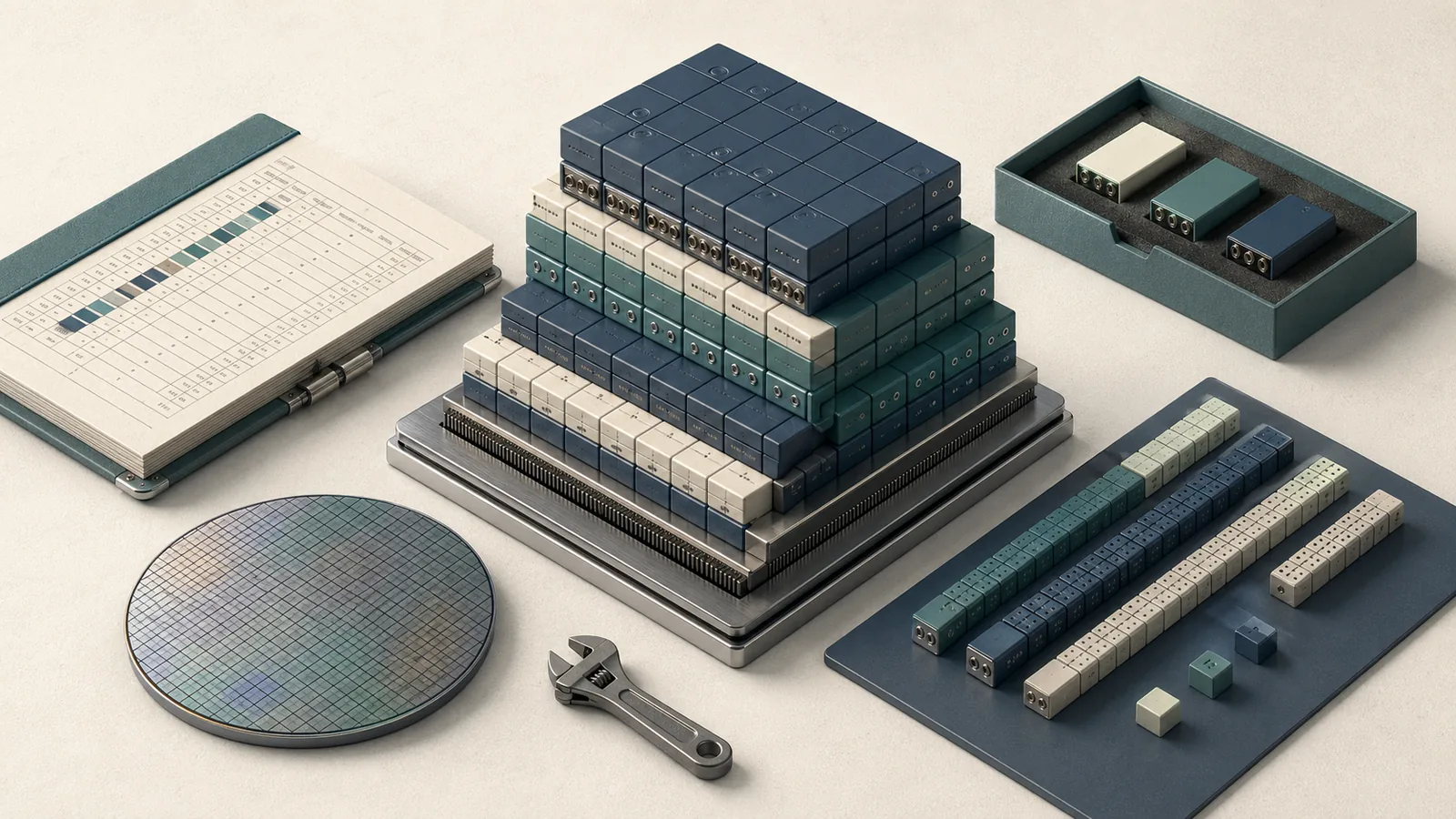
At a glance: what GPTQ gets you and what it does not
At a Glance: GPTQ is a one-shot post-training quantization method based on approximate second-order information · It compresses weights to 3 or 4 bits with negligible accuracy degradation relative to the uncompressed baseline in the paper's reported setup · Supported serving paths include LMDeploy TurboMind and vLLM when the checkpoint format and GPU kernel path match · Cost: Quantization is a one-time compute step; serving performance depends on backend, batch size, and sequence length
GPTQ is a one-shot post-training quantization method based on approximate second-order information. Applied to a 175B-parameter GPT-class model, it compresses weights to 3 or 4 bits in approximately four GPU-hours with, as the paper abstract states, "negligible accuracy degradation relative to the uncompressed baseline." The practical payoff: a 175B model that required multiple A100s in FP16 can fit on a single GPU at INT4 precision. The paper reports end-to-end inference speedups over FP16 of approximately 3.25× on NVIDIA A100 and 4.5× on NVIDIA A6000.
What GPTQ does not get you: guaranteed accuracy parity on every task, backend-agnostic deployment, or a free pass on calibration data selection. The paper's speedup figures are reference measurements tied to the authors' specific kernel implementation; your actual throughput depends on your GPU, serving stack, batch size, and sequence length. vLLM and LMDeploy TurboMind both support GPTQ INT4 serving, but compatibility is checkpoint-format-dependent and kernel-stack-dependent — not a blanket guarantee.
AWQ (Activation-aware Weight Quantization) consistently outperforms GPTQ on models where activation outliers dominate accuracy loss, and SmoothQuant has broader backend support outside the INT4-specific kernel path. Choose GPTQ when you need one-shot weight-only quantization with proven second-order calibration on GPT-class models and your serving backend confirms INT4 kernel support.
Prerequisites, calibration data, and GPU support
Install the quantization toolchain before loading any model weights. LMDeploy provides an AWQ-oriented quantization path and TurboMind serves imported GPTQ checkpoints.
$ pip install lmdeploy[all]          # includes TurboMind backend and quantization tools
$ pip install datasets               # for calibration corpus loading
$ nvidia-smi --query-gpu=name,compute_cap --format=csv,noheader  # verify GPU arch
The default calibration configuration from LMDeploy's official quantization docs is:
calib_dataset: wikitext2
calib_samples: 128
calib_seqlen: 2048
w_bits: 4
w_group_size: 128
batch_size: 1
If you hit out-of-memory during calibration, lower calib_seqlen first, then reduce batch_size to 1 (already the default). If post-quantization accuracy regresses, LMDeploy recommends enabling --search-scale and increasing --batch-size to 8 for a re-quantization pass — at additional time cost.
Choose a calibration dataset that matches your workload
Calibration data is not decorative. GPTQ uses the calibration corpus to compute approximate Hessian information for each weight layer; if the distribution diverges significantly from your production traffic, the quantization error budget is allocated to the wrong activations.
The default wikitext2 corpus with 128 samples at 2048 tokens works well for general-purpose text generation. For a coding-focused model like Code Llama or DeepSeek Coder, substitute a Python or multi-language code corpus. For a long-context model (context ≥ 8K tokens), calibration at calib_seqlen: 2048 will under-represent the position encodings and attention patterns your model actually uses at inference — extend the calibration length to match, or accept measurable regression on long-context tasks.
# For a general-purpose instruction model (baseline):
calib_dataset: wikitext2
calib_samples: 128
calib_seqlen: 2048

# For a code-primary model:
calib_dataset: pile                  # or a code-specific HF dataset
calib_samples: 256                   # more samples reduces variance
calib_seqlen: 2048

# For a long-context model (>8K context window):
calib_dataset: wikitext2
calib_samples: 128
calib_seqlen: 4096                   # align to target inference length
Watch Out: Running perplexity on
wikitext2after quantization and seeing < 0.3 perplexity increase does not mean your model is safe on coding or instruction-following tasks. Always evaluate on at least one domain-specific benchmark before promoting a quantized checkpoint.
Check your NVIDIA architecture before you start
GPTQ INT4 inference requires a kernel that supports the target compute capability. According to LMDeploy's docs: "The following NVIDIA GPUs are available for AWQ/GPTQ INT4 inference: Turing(sm75): 20 series, T4. Ampere(sm80,sm86): 30 series, A10, A16, A30, A100. Ada Lovelace(sm89): 40 series."
Run this before committing GPU time to quantization:
$ python -c "
import torch
cap = torch.cuda.get_device_capability()
name = torch.cuda.get_device_name()
sm = f'sm{cap[0]}{cap[1]}'
supported = sm in ['sm75','sm80','sm86','sm89','sm90']
print(f'{name}: {sm} — INT4 kernel support: {supported}')
"
A V100 (sm70) can still be present in mixed fleets, but the practical check above tells you whether the current device has the INT4 kernel support needed for serving. vLLM's Marlin kernel path for GPTQ also targets Ampere and later in common deployments; confirm your instance type and checkpoint format before standardizing on a path.
Step 1: Prepare the model, tokenizer, and calibration split
Load the base model and tokenizer, then prepare the calibration subset. For LMDeploy-based serving, the model path and work directory are the primary inputs, and naming --work-dir after the model and quantization config helps the runtime select the correct chat template.
$ lmdeploy lite auto_awq \
    meta-llama/Llama-3.1-70B-Instruct \
    --work-dir ./llama3-70b-int4 \
    --calib-dataset wikitext2 \
    --calib-samples 128 \
    --calib-seqlen 2048 \
    --w-bits 4 \
    --w-group-size 128 \
    --batch-size 1
Pro Tip: Name
--work-dirafter the model and quantization config (e.g.,llama3-70b-int4-g128).
For AutoGPTQ-based workflows, the equivalent Python setup:
from transformers import AutoTokenizer
from auto_gptq import AutoGPTQForCausalLM, BaseQuantizeConfig

model_id = "meta-llama/Llama-3.1-70B-Instruct"
tokenizer = AutoTokenizer.from_pretrained(model_id, use_fast=True)

quant_config = BaseQuantizeConfig(
    bits=4,
    group_size=128,
    desc_act=False,   # act-order; set True only if accuracy requires it
)
The calibration split — 128 samples, each truncated to 2048 tokens — is fixed before the quantization loop begins. Changes to calibration data after the quantization pass started require a full restart.
Step 2: Run GPTQ quantization to 4 bits
GPTQ processes each transformer layer sequentially, inverting the approximate Hessian for each weight block and updating weights in-place to minimize quantization error. The paper reports that this process completes in approximately four GPU-hours for a 175B-parameter model — that figure reflects the authors' specific hardware and implementation, not a universal SLA.
from datasets import load_dataset
from auto_gptq import AutoGPTQForCausalLM, BaseQuantizeConfig
from transformers import AutoTokenizer

model_id = "meta-llama/Llama-3.1-70B-Instruct"
quant_config = BaseQuantizeConfig(bits=4, group_size=128, desc_act=False)

tokenizer = AutoTokenizer.from_pretrained(model_id, use_fast=True)
model = AutoGPTQForCausalLM.from_pretrained(
    model_id,
    quantize_config=quant_config,
    device_map="auto",
    torch_dtype="auto",
)

# Build calibration examples: 128 samples, each max 2048 tokens
dataset = load_dataset("wikitext", "wikitext-2-raw-v1", split="train")
examples = [
    tokenizer(text, return_tensors="pt", truncation=True, max_length=2048)
    for text in dataset["text"][:128]
    if len(text.strip()) > 64  # skip near-empty lines
]

model.quantize(examples)  # layer-by-layer GPTQ pass
Pro Tip: If downstream accuracy drops more than 1–2 perplexity points on your evaluation set, re-run with
desc_act=True(act-order) in theBaseQuantizeConfig. Act-order reorders columns by activation magnitude before quantization, recovering quality at the cost of longer quantization time. In LMDeploy's equivalent workflow, the flag is--search-scale.
Set group size, bit width, and act-order intentionally
Group size controls how many weights share a single scale and zero-point. Smaller groups (e.g., 64) improve accuracy by giving finer-grained scale resolution but increase metadata overhead. Larger groups (256+) reduce metadata but push more quantization error into the weights.
# Recommended starting configs, ordered by accuracy-vs-compression trade-off:

# Maximum compression — use only if memory is the hard constraint
BaseQuantizeConfig(bits=3, group_size=128, desc_act=False)

# Standard 4-bit — best accuracy/compression balance for most models
BaseQuantizeConfig(bits=4, group_size=128, desc_act=False)

# Higher accuracy at 4-bit — use when 128 group size shows regression
BaseQuantizeConfig(bits=4, group_size=64,  desc_act=False)

# Highest accuracy 4-bit — desc_act can help quality, confirm kernel support
BaseQuantizeConfig(bits=4, group_size=128, desc_act=True)
The GPTQ paper targets "3 or 4 bits per weight" as its primary compression range. At 3 bits, accuracy degradation becomes measurable on reasoning-heavy tasks; 4 bits is the practical minimum for general-purpose models unless you're willing to accept task-specific regression.
Estimate runtime, VRAM, and quality impact before you launch
Raw weight storage at 4 bits versus FP16 follows directly from bitwidth:
$(W_{\text{4-bit}} = W_{\text{FP16}} \times \frac{4}{16} = 0.25 \times W_{\text{FP16}})$
A 175B-parameter model at FP16 occupies roughly 350 GB. At INT4, raw weight tensors shrink to approximately 87.5 GB — but real VRAM consumption is higher after accounting for scales, zero-points, group-size metadata, KV cache, and activations.
The paper's speedup figures — 3.25× on A100 and 4.5× on A6000 over FP16 — represent end-to-end inference measurements from the GPTQ paper, not general throughput guarantees.
Step 3: Save weights in a serving-friendly format
After the quantization pass, export the checkpoint with explicit format metadata. Backends need the group size, bitwidth, and model format tag to load the correct kernel path:
# Save the quantized model and tokenizer
save_dir = "./llama3-70b-gptq-int4-g128"
model.save_quantized(save_dir, use_safetensors=True)
tokenizer.save_pretrained(save_dir)
print(f"Quantized checkpoint saved to {save_dir}")
The output format should include the metadata that your backend expects, including quantize_config.json with the correct group size and bitwidth. Checkpoints that omit this metadata, or use a format unsupported by the serving engine, can fail at load time or dequantize incorrectly.
# Expected quantize_config.json in output directory:
bits: 4
group_size: 128
desc_act: false
model_name_or_path: meta-llama/Llama-3.1-70B-Instruct
quant_type: gptq
Production Note: Before deploying a quantized checkpoint, verify that
quantize_config.jsoncontains the correctgroup_sizeandbits. A mismatch between the saved config and the actual tensor packing causes incorrect dequantization at inference time — the model will produce garbage output without throwing an explicit error.
Step 4: Serve GPTQ weights in LMDeploy TurboMind or vLLM
Both LMDeploy TurboMind and vLLM support GPTQ INT4 serving, but through different kernel paths with different backend constraints. The critical decision is not which framework you prefer aesthetically — it's which one has a validated INT4 kernel for your GPU architecture and checkpoint format.
Production Note: Serving GPTQ and performing GPTQ quantization are distinct capabilities in LMDeploy. The
lmdeploy litequantization tool natively implements AWQ; for GPTQ artifacts, TurboMind serves the pre-quantized GPTQ checkpoint directly. vLLM can route GPTQ and related quantized formats through specialized kernels such as Marlin when the checkpoint and GPU are compatible, so confirm your exact backend path before standardizing a deployment path.
Use LMDeploy when you need the official GPTQ INT4 path
LMDeploy's TurboMind engine "supports the inference of 4bit quantized models that are quantized both by AWQ and GPTQ," per its official quantization docs. Supported GPU families span Turing (sm75, T4), Ampere (sm80/sm86: A100, A10, A30, A16, 30-series), and Ada Lovelace (sm89, 40-series).
Launch a TurboMind API server with a GPTQ artifact:
$ lmdeploy serve api_server \
    ./llama3-70b-gptq-int4-g128 \
    --backend turbomind \
    --model-format awq \
    --tp 1 \
    --server-port 23333
The --model-format awq flag tells TurboMind to use its INT4 kernel path — this flag applies to both AWQ and GPTQ 4-bit artifacts. If your checkpoint uses a non-standard group size (not 128), pass --group-size explicitly. Omitting it when the checkpoint uses a non-default group size causes incorrect dequantization.
AWQ is LMDeploy's natively supported quantization algorithm for the lmdeploy lite quantization command. If you want LMDeploy to produce the quantized artifact rather than just serve a pre-existing one, run lmdeploy lite auto_awq and get an AWQ checkpoint — then serve with TurboMind. The resulting deployment quality is comparable to GPTQ at 4-bit with group_size=128.
Know the vLLM caveats before you standardize on it
vLLM lists GPTQ among its supported quantization modes and provides a GPTQModel integration path for quantized model execution. The Marlin kernel is one of the implementation paths vLLM may use for GPTQ/AWQ and related low-bit formats, depending on backend and checkpoint compatibility.
$ python -m vllm.entrypoints.openai.api_server \
    --model ./llama3-70b-gptq-int4-g128 \
    --quantization gptq \
    --dtype float16 \
    --max-model-len 4096 \
    --gpu-memory-utilization 0.92 \
    --port 8000
The --quantization gptq flag triggers the GPTQ kernel path in vLLM. Whether the Marlin kernel activates depends on your GPU compute capability and the specific checkpoint format. For GPTQModel-format checkpoints, use --quantization gptqmodel instead — the two formats are not interchangeable at the vLLM command level. If vLLM falls back to a non-Marlin kernel, throughput can drop significantly compared to the reference paper numbers.
Watch Out: vLLM's GPTQ support assumes the checkpoint was produced by a compatible quantization library (AutoGPTQ or GPTQModel) with matching safetensor format and a valid
quantize_config.json. A checkpoint missingquantize_config.json, or one saved in the legacy.binformat, will fail to load or produce incorrect output. Validate the checkpoint directory structure before any CI/CD deployment.
Verify accuracy, throughput, and memory headroom after quantization
Post-quantization verification is not optional — LMDeploy's docs explicitly recommend re-quantization with --search-scale when accuracy degrades, which implies quality regression is a known occurrence that requires active monitoring. Run at minimum three evaluations: perplexity on your calibration domain, a downstream task benchmark, and a long-context or code-heavy evaluation if your production workload includes either.
| Metric | FP16 baseline | GPTQ INT4 (g128) | Delta | Acceptable? |
|---|---|---|---|---|
| Perplexity (wikitext2) | ~3.5 | ~3.6–3.7 | +0.1–0.2 | Yes |
| MMLU accuracy | ~82% | ~81–81.5% | −0.5–1% | Yes |
| HumanEval pass@1 | model-dependent | often −2–5% | −2–5% | Task-dependent |
| Long-context coherence | baseline | measurable drop at >4K | varies | Requires eval |
| Throughput vs FP16 (A100) | 1× | ~3.25× (paper ref) | +3.25× | Reference only |
| VRAM (175B weights) | ~350 GB | ~87–110 GB | −65–75% | ✓ |
Watch Out: Coding and long-context tasks are the most common silent regression points after quantization. A model that passes a perplexity gate can still lose 5–10 percentage points on HumanEval or drop coherence on multi-turn conversations beyond 8K tokens. Always measure before promoting to production.
Interpret the paper numbers against real hardware
The GPTQ paper reports 3.25× inference speedup over FP16 on NVIDIA A100 and 4.5× on NVIDIA A6000. These figures come from the paper's end-to-end generation benchmark on their specific kernel and model configuration — treat them as the upper bound of what a well-tuned INT4 kernel achieves on those GPU classes, not a floor.
| Hardware | Paper-reported speedup vs FP16 | Practical range | Bottleneck regime |
|---|---|---|---|
| NVIDIA A100 (sm80) | ~3.25× | 2–3.5× | Memory-bandwidth-bound at small batch |
| NVIDIA A6000 (sm86) | ~4.5× | 3–4.5× | Typical reference point for the paper's higher gain |
| NVIDIA T4 (sm75) | Not reported | 1.5–2.5× (estimated) | Older kernel; lower BW ceiling |
| NVIDIA 4090 (sm89) | Not reported | 2–4× (estimated) | Consumer memory bandwidth limits |
Quantization time for OPT-175B or Llama-class 175B models: approximately four GPU-hours on the authors' hardware. A 70B model calibrates in roughly one-quarter of that time at comparable batch settings. These are planning estimates, not contractual SLAs.
When GPTQ is the wrong choice
GPTQ underperforms or is the wrong choice in three concrete scenarios: your serving stack lacks a validated INT4 kernel for your GPU, activation outliers dominate your model's quantization error, or you need broad backend portability over maximum compression.
| Method | Accuracy recovery | Calibration burden | Serving support | Best when |
|---|---|---|---|---|
| GPTQ (INT4) | Good on weight-sensitive models | Medium: ~128 samples, ~4h for 175B | vLLM (Marlin when available), LMDeploy TurboMind | One-shot weight compression, GPT-class models, confirmed INT4 kernel |
| AWQ (INT4) | Better on activation-outlier models | Low: fast, activation-aware | vLLM (conditional kernel path), LMDeploy (native) | Activation outliers dominate error; LMDeploy-native path preferred |
| SmoothQuant (INT8) | Comparable at INT8 | Low: activation-only migration | FasterTransformer, broader backend support | Backend portability > maximal compression; INT4 kernel unavailable |
Choose AWQ when activation sensitivity is your bottleneck
AWQ accounts for activation magnitude when selecting which weights to quantize more precisely — it protects the 0.1% of weight channels that correspond to large activation outliers. On models where such outliers are concentrated (common in instruction-tuned models and models with heavy attention sink behavior), AWQ consistently recovers more accuracy than GPTQ at the same bitwidth and group size.
LMDeploy's quantization module natively implements AWQ as its primary algorithm, per the official docs, while TurboMind serves both AWQ and GPTQ artifacts. In practice, if you're using LMDeploy as your full stack, producing an AWQ checkpoint avoids the format-conversion step required to bring an AutoGPTQ artifact into TurboMind. vLLM treats AWQ and GPTQ symmetrically at the serving layer via the same kernel family when available, so the choice there reduces to which method produces better accuracy for your specific model.
Choose SmoothQuant when backend compatibility matters more
SmoothQuant operates at INT8 rather than INT4, migrating quantization difficulty from activations to weights through a mathematically equivalent per-channel scaling transformation. Its primary advantage is portability: SmoothQuant integrates with FasterTransformer and was designed to enable serving large models — the SmoothQuant paper reports enabling "serving 530B LLM within a single node" via that integration.
Choose SmoothQuant when your GPU fleet includes architectures where INT4 kernel support is absent or unvalidated, when your serving infrastructure standardizes on FasterTransformer, or when your accuracy requirements leave no room for the additional error that INT4 compression introduces relative to INT8. The 2× compression penalty versus INT4 is real — you'll need approximately twice the memory — but deployment reliability on heterogeneous hardware often outweighs that cost.
FAQ
What is GPTQ quantization? GPTQ is a one-shot weight quantization method that uses approximate second-order (Hessian-based) information to find optimal quantized weights layer-by-layer. It targets GPT-class models and reduces bitwidth to 3 or 4 bits with minimal accuracy loss, completing quantization of a 175B model in approximately four GPU-hours.
How does GPTQ compare with AWQ? GPTQ minimizes per-layer weight quantization error using calibrated Hessian information. AWQ focuses on protecting activation-sensitive weight channels. For models with heavy activation outliers, AWQ typically recovers more accuracy at 4-bit precision. For models without dominant outliers, the gap is small. Both are supported by vLLM and LMDeploy TurboMind; AWQ is LMDeploy's natively produced format.
Can GPTQ be used with vLLM?
Yes. vLLM lists GPTQ in its supported quantization modes and provides a GPTQModel integration path. Pass --quantization gptq or --quantization gptqmodel depending on your checkpoint's origin library. Marlin kernel activation depends on your GPU compute capability and checkpoint format — confirm compatibility before production deployment.
How many GPU hours does GPTQ take? Approximately four GPU-hours for a 175B-parameter model, per the GPTQ paper. A 70B model can be faster in practice, but the paper does not provide a validated 70B runtime figure.
What GPU is needed for GPTQ? Quantization can run on any GPU with sufficient VRAM to hold the model. Serving GPTQ INT4 requires the supported GPU families documented by LMDeploy: Turing (sm75: T4, 20-series), Ampere (sm80/sm86: A100, A10, A30, A16, 30-series), and Ada Lovelace (sm89: 40-series). The vLLM kernel path depends on checkpoint format and device capability.
Decision matrix: which quantization method to use
- Choose GPTQ when: you have a pre-trained GPT-class model, your serving backend (vLLM with a compatible kernel path, or LMDeploy TurboMind) confirms INT4 kernel support for your GPU architecture, and you want one-shot calibration with no pre-serving activation profiling.
- Choose AWQ when: you're using LMDeploy end-to-end and want native quantization support, your model shows measurable activation outliers, or you want the safer default for instruction-tuned Llama-family models.
- Choose SmoothQuant when: your serving backend doesn't support INT4 kernels, you're on FasterTransformer, or INT8 accuracy is sufficient and portability matters more than maximum memory compression.
Sources and references
Production Note: The paper (arXiv:2210.17323) is authoritative for the GPTQ algorithm, calibration methodology, and reference speedup numbers. LMDeploy's quantization docs govern serving compatibility and supported GPU architectures. vLLM's quantization feature page governs kernel paths and format compatibility. Where these sources conflict, prefer the most specific claim for the specific engine path in question.
- GPTQ: Accurate Post-Training Quantization for Generative Pre-trained Transformers (arXiv:2210.17323) — Primary source for algorithm description, 175B quantization time, and A100/A6000 speedup figures
- LMDeploy W4A16 Quantization Docs — Official source for supported GPU architectures, calibration parameter defaults, TurboMind GPTQ/AWQ serving, and accuracy recovery recommendations
- vLLM Quantization Features — Official source for GPTQ/AWQ/Marlin support in vLLM serving
- vLLM GPTQModel Integration — Official source for GPTQModel-format checkpoint serving in vLLM
- SmoothQuant: Accurate and Efficient Post-Training Quantization for Large Language Models (arXiv:2211.10438) — Source for SmoothQuant methodology and 530B serving claim used in the comparison section
Keywords: GPTQ, AutoGPTQ, AWQ, vLLM, LMDeploy TurboMind, OPT-175B, Llama 3.1 70B, NVIDIA A100, NVIDIA A6000, V100 (sm70), T4 (sm75), A100 (sm80), A10 (sm86), Ada Lovelace (sm89), wikitext2