How we compared quantization paths on consumer hardware
The question is not which format vLLM recognizes — it recognizes all three. The question is which format your silicon actually accelerates. vLLM 0.7.2's quantization documentation enumerates INT4 W4A16, INT8 W8A8, FP8 W8A8, GGUF, and quantized KV cache as supported paths, establishing the runtime support matrix. But runtime recognition and kernel-level acceleration are different things, and conflating them is the most common mistake teams make when choosing a quantization strategy for constrained hardware.
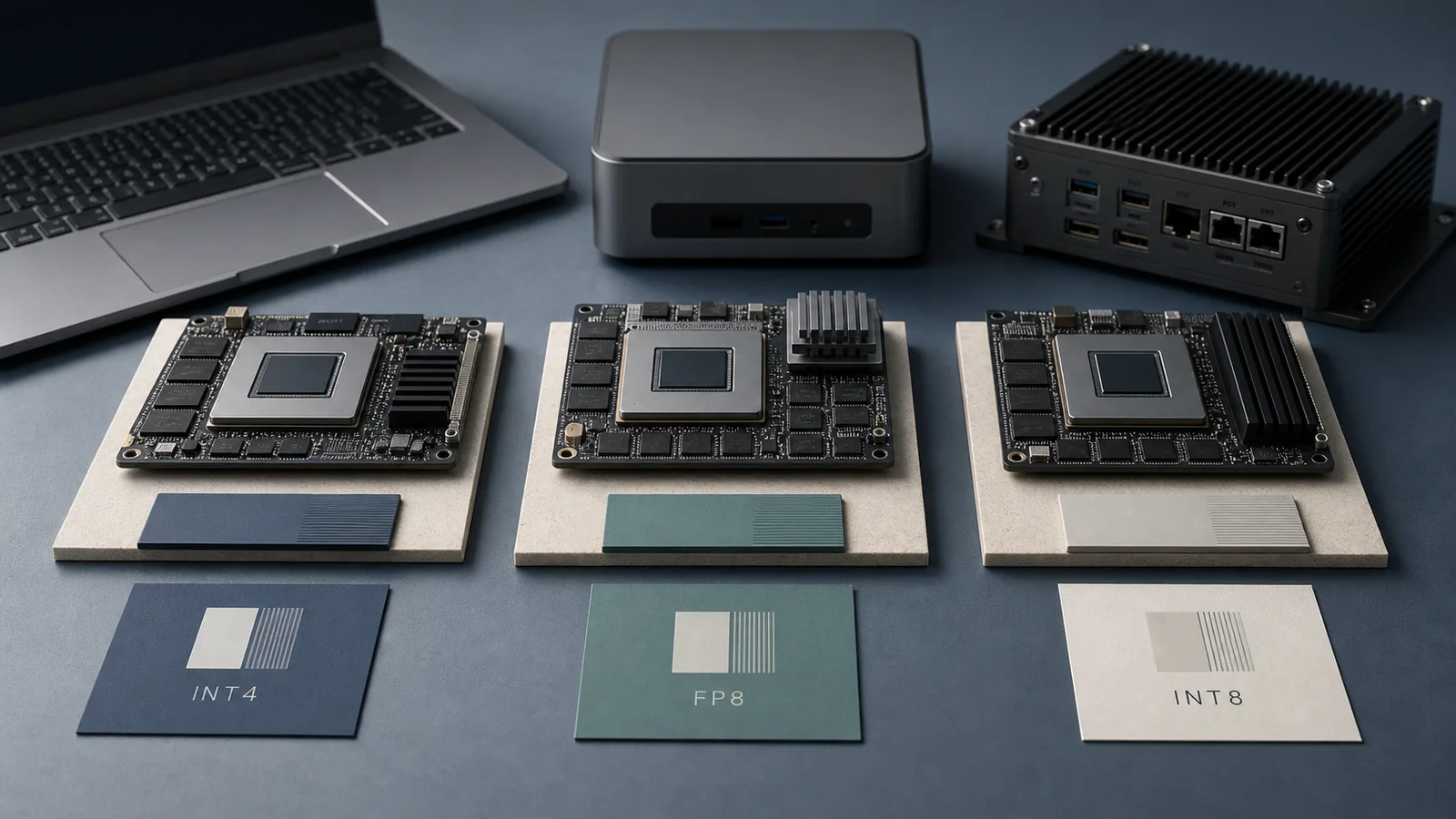
The comparison below evaluates each format across five dimensions: memory footprint, kernel acceleration status, supported backend, throughput expectation, and device class.
| Format | Memory footprint | Kernel acceleration | Backend / tool | Throughput expectation | Device class fit |
|---|---|---|---|---|---|
| INT4 W4A16 | Smallest (~2× vs FP16) | Depends on kernel availability | AutoAWQ, GGUF, vLLM | High on memory-bound paths; degrades at large batch | Small consumer GPU, Jetson, laptop |
| INT8 W8A8 | Medium (~2× vs FP16 weights + activations) | Broad: Ampere, Ada, Hopper | BitsAndBytes, vLLM | Consistent; not always peak | Consumer GPU, laptop dGPU, Jetson |
| FP8 W8A8 | Medium (~2× vs FP16) | Native only on Hopper + Ada Lovelace | vLLM, TensorRT-LLM | Highest on native hardware; emulated elsewhere | H100, H200, Ada Lovelace consumer GPUs |
| GGUF | Variable (Q2–Q8) | CPU and GPU via llama.cpp | llama.cpp | Modest; CPU-friendly | Laptop CPU, mobile, browser |
| FP8 KV cache | Reduces KV pressure only | Runtime-managed | vLLM | Throughput lift via increased token cache | Any vLLM-supported device |
Device classes we separated in the comparison
Consumer GPU, laptop dGPU/iGPU, mobile, and Jetson are not interchangeable deployment targets. Each exposes different hardware ISA features, VRAM ceilings, thermal envelopes, and kernel libraries. An RTX 4060 Ti (Ada Lovelace, 16 GB) and an RTX 5060 Ti (Blackwell) sitting in the same desktop chassis run fundamentally different quantization support profiles: Ada has native FP8 W8A8 support; Blackwell cards drop INT8 entirely under vLLM's current stack. Jetson Orin, meanwhile, runs an integrated GPU under power-constrained TDP conditions that make desktop benchmark numbers actively misleading.
The vLLM FP8 documentation states directly: "Currently, only Hopper and Ada Lovelace GPUs are officially supported for W8A8." Ampere gets W8A16 weight-only FP8 via Marlin kernels — a materially different path. The vLLM INT8 documentation adds a separate break point: "Blackwell GPU Limitation: INT8 is not supported on compute capability >= 10.0 (e.g., RTX 6000 Blackwell). Use FP8 quantization instead, or run on Hopper/Ada/Ampere architectures."
Pro Tip: Framework support and kernel-level acceleration are not the same thing. vLLM listing a format in its quantization matrix means the runtime can load and serve models in that format — it does not mean the CUDA kernel path achieves native throughput on your specific GPU. Always verify architecture-level support before assuming a speedup.
What counts as a real speedup versus a paper support claim
vLLM 0.7.2 documents support for INT4, INT8, and FP8, which directly answers "Does vLLM support these formats?" — yes, all three. The substantive follow-up is whether your accelerator triggers the fast kernel path or falls back to a slower emulation route. vLLM's FP8 documentation makes this explicit: "vLLM supports FP8 (8-bit floating point) weight and activation quantization using hardware acceleration on GPUs such as Nvidia H100 and AMD MI300x." The phrase "such as" is doing load-bearing work — the list of native-support devices is short.
Watch Out: When an accelerator lacks native support for a quantization format, the runtime may silently fall back to a slower kernel path — or promote to a wider dtype — without failing loudly. An FP8 model loading on an Ampere GPU via vLLM runs weight-only FP8 (W8A16) through Marlin kernels, not the full W8A8 activation-quantized path available on Hopper. You will not see an error; you will see different throughput than your H100 benchmark suggested.
Quantization support at a glance
vLLM's supported format list as of version 0.7.2 covers five distinct quantization-related paths, each targeting a different memory-vs-speed trade-off.
| Format | vLLM recognized | Native HW acceleration | Primary tool | KV cache benefit |
|---|---|---|---|---|
| INT4 W4A16 | ✅ | GPU-dependent | AutoAWQ, GGUF | No (weight-only) |
| INT8 W8A8 | ✅ | Ampere / Ada / Hopper | BitsAndBytes, vLLM | No |
| FP8 W8A8 | ✅ | Hopper + Ada Lovelace | vLLM, TensorRT-LLM | Yes (FP8 KV cache) |
| GGUF | ✅ | CPU + partial GPU | llama.cpp | No |
| Quantized KV cache | ✅ | Runtime-managed | vLLM | Yes — directly |
As the vLLM quantized KV cache documentation notes: "Quantizing the KV cache to FP8 reduces its memory footprint. This increases the number of tokens that can be stored in the cache, improving throughput." KV-cache compression operates orthogonally to weight quantization — a model serving in FP16 weights can still benefit from FP8 KV cache.
Where vLLM documents each format
The vLLM quantization index is the single authoritative source for runtime format recognition. Per-format pages for INT4, INT8, and FP8 document hardware constraints that the index page does not repeat. The INT4 page states: "vLLM supports quantizing weights to INT4 for memory savings and inference acceleration." The hardware exclusions for INT8 and FP8 appear only in their respective sub-pages. Reading only the index page will give an incomplete picture of where each format actually runs fast.
Production Note: Treat vLLM's quantization documentation as the authoritative runtime support matrix — not third-party summaries or model-card claims. Check each format's dedicated sub-page for architecture-specific limitations before committing to a deployment stack.
Why GGUF and quantized KV cache matter even when they are not the headline choice
GGUF and quantized KV cache both address memory pressure rather than raw compute throughput, which makes them operationally important on devices where fitting the model is the binding constraint. On a 16 GB laptop dGPU running a 13B-parameter model at 4K context, the KV cache alone can consume several gigabytes at FP16. Compressing that cache to FP8 frees headroom that lets the same hardware serve longer sequences or larger batches without requiring a smaller model.
GGUF, served via llama.cpp, remains the most widely supported format across CPU, integrated GPU, mobile, and browser runtimes precisely because it does not require specific CUDA SM versions. On devices where neither INT8 W8A8 nor FP8 W8A8 kernels are available, GGUF at Q4_K_M or Q5_K_M often delivers the best practical latency.
Pro Tip: On laptop or sub-16 GB VRAM consumer GPUs, model fit and KV-cache size interact. A model that technically loads at INT8 may OOM at 8K context because KV cache at FP16 consumes the remaining VRAM. Apply FP8 KV cache compression alongside weight quantization to extend the effective context window without changing the weight format.
INT4 on consumer GPUs and Jetson
INT4 W4A16 quantizes model weights to 4 bits while keeping activations in 16-bit precision, which means the compute happens at FP16 after dequantization. The benefit is memory: a 7B model that occupies ~14 GB at FP16 fits in ~4 GB at INT4. The cost is that dequantization adds latency on every forward pass, and whether the net result is faster or slower than INT8 depends on the specific kernel, batch size, and context length.
The NVIDIA-AI-IOT/jetson_benchmarks repository specifies JetPack 4.4+ and TensorRT 7+ as the minimum dependencies for its benchmark scripts — a meaningful constraint that anchors any Jetson inference result to a specific and not always current stack.
| INT4 path | Tool | Weight format | Activation format | Jetson support | Kernel status |
|---|---|---|---|---|---|
| W4A16 AutoAWQ | vLLM + AutoAWQ | INT4 | FP16 | TensorRT path only | GPU-dependent |
| GGUF Q4_K_M | llama.cpp | 4-bit block-quant | FP16 | Yes (JetPack 5+) | CPU + partial GPU |
| INT4 AWQ via TRT-LLM | TensorRT-LLM | INT4 | FP16 | JetPack 4.4+ / TRT 7+ | Optimized |
Watch Out: INT4's memory advantage can be entirely erased by dequantization overhead. If the serving kernel does not fuse dequantization with the matrix multiply, the GPU spends cycles converting INT4 weights back to FP16 on every layer, adding latency that outweighs the reduced memory bandwidth cost. Verify kernel fusion in your serving backend before declaring INT4 faster than INT8 on a specific device.
When INT4 is the right choice
INT4 is the right choice when model fit is the blocking constraint — not when you want the highest token throughput on hardware that has headroom to spare. The vLLM INT4 documentation frames it directly: "This quantization method is particularly useful for reducing model size and maintaining low latency in workloads with low queries per second (QPS)."
On a device with 8 GB VRAM, INT4 is frequently the only format that fits a 7B model with any meaningful context length. In that regime, INT4 beating INT8 is not a question of kernel speed — INT8 simply does not fit. The same logic applies to Jetson Orin NX 16 GB running a 13B model: INT4 via TensorRT-LLM is often the only viable path.
Choose INT4 when: - The model does not fit in available VRAM at INT8 or FP16 - QPS is low (single-user, edge inference) and latency variance is acceptable - The deployment target is GGUF-compatible (llama.cpp on Jetson, laptop CPU, mobile) - Kernel fusion for dequantization is confirmed in the backend (AutoAWQ + vLLM, TensorRT-LLM AWQ)
Where INT4 underperforms in practice
At larger batch sizes, the dequantization overhead of W4A16 degrades faster than INT8 W8A8 or FP8 W8A8, because the activation path stays in FP16 regardless — you get no compute-side reduction from INT4, only a memory-load reduction. On a device where the bottleneck shifts from memory bandwidth to compute (typically batch ≥ 8–16 on modern consumer GPUs), INT4 throughput plateaus while INT8 or FP8 continue to scale.
Additionally, INT4 incurs larger accuracy drops than INT8 or FP8 for models below 7B parameters or for domains with high numerical sensitivity (code generation, math). AutoAWQ with group quantization mitigates some of this, but INT4 quality headroom is tighter.
Pro Tip: Batch size and context length can flip the INT4 vs INT8 decision. At batch size 1 and 2K context on 8 GB VRAM, INT4 may be the only option that fits and it will be faster by default. At batch size 16 and 4K context on 24 GB VRAM, INT8 W8A8 may achieve higher total throughput because the weight memory pressure is no longer the bottleneck.
FP8 on the accelerators that actually like it
FP8 W8A8 quantizes both weights and activations to 8-bit floating point, which allows GEMM operations to execute at INT8-equivalent or better throughput on hardware with native FP8 tensor core support — without the precision collapse risk of integer arithmetic. Hardware support is the decisive factor: FP8 on an unsupported GPU is either silently downgraded or falls back to a kernel that achieves no speedup.
vLLM is explicit: FP8 W8A8 uses hardware acceleration on GPUs including Nvidia H100 and AMD MI300x, with official W8A8 support limited to Hopper and Ada Lovelace architectures. Ampere receives only W8A16 weight-only FP8 via Marlin kernels.
| GPU family | FP8 W8A8 support | FP8 W8A16 support | Consumer examples |
|---|---|---|---|
| Hopper (sm_90) | ✅ Native | ✅ | H100, H200 |
| Ada Lovelace (sm_89) | ✅ Native | ✅ | Ada Lovelace consumer GPUs |
| Ampere (sm_80/86) | ❌ | ✅ via Marlin | RTX 3080, RTX 3090 |
| Blackwell (sm_100) | Verify per device | ✅ | Verify per device |
| Jetson Orin (iGPU) | ❌ | Context-dependent | Orin NX, AGX Orin |
When FP8 outruns INT4
On hardware with native FP8 tensor cores, FP8 W8A8 can outrun INT4 W4A16 because it removes the dequantization step and preserves an 8-bit compute path end to end. NVIDIA's TensorRT Model Optimizer benchmarking on H200 hardware reported up to 1.44× throughput improvement on Llama 3.1 405B with the FP8 recipe versus model-launch baseline performance.
| Metric | FP8 (Hopper/Ada) | INT8 SQ | INT4 AWQ | Hardware |
|---|---|---|---|---|
| Throughput multiplier vs FP16 | Reported at 1.44× in NVIDIA H200 benchmarking context | Reported at 1.40× in NVIDIA H100 benchmarking context | Reported at 1.08× in NVIDIA H100 benchmarking context | Native-support hardware |
| Accuracy (MMLU/MT-Bench) | Comparable to FP16 | Minor degradation | Larger degradation | Llama 3.x family |
| Dequantization overhead | None (W8A8) | None | Present (W4A16) | Fused kernel required |
These numbers come from NVIDIA's TensorRT-LLM / NeMo benchmarking context. They apply to Hopper-class hardware at batch size 32 — do not extrapolate them to RTX 4060 Ti at batch size 1.
When FP8 is a trap on consumer hardware
FP8 becomes a trap when you select it because the documentation lists it as supported, but your GPU lacks the native tensor core path. On Ampere, vLLM will load an FP8 W8A8 model using W8A16 Marlin kernels — which is a weight-only path, not the full activation-quantized path. The throughput profile is different from what Hopper benchmarks suggest.
On Jetson Orin's integrated GPU, FP8 W8A8 kernel support is not guaranteed. The NVIDIA-AI-IOT Jetson benchmark tooling targets TensorRT as the inference backend, and TensorRT 10.12 introduces a newer embedded deployment baseline that still requires explicit verification against the JetPack version and board SKU — it cannot be assumed from desktop CUDA documentation.
Watch Out: vLLM listing FP8 as a supported quantization format does not guarantee that your consumer GPU executes it with native tensor core acceleration. "Currently, only Hopper and Ada Lovelace GPUs are officially supported for W8A8." If your card is Ampere or earlier, you are running W8A16 — a distinct kernel path with different throughput characteristics.
INT8 for balanced quality and compatibility
INT8 W8A8 quantizes both weights and activations to 8-bit integers. It offers a middle path: broader hardware support than FP8 W8A8, better accuracy retention than INT4 W4A16, and a smaller memory footprint than FP16. The major 2026 caveat is Blackwell: vLLM's INT8 page explicitly excludes compute capability ≥ 10.0 from INT8 support, which means the RTX 5060 Ti and RTX 5090 cannot use INT8 W8A8 in the current vLLM stack.
| Device class | INT8 W8A8 support | Alternative if not supported |
|---|---|---|
| Hopper / Ada Lovelace | ✅ | FP8 preferred for throughput |
| Ampere | ✅ | INT8 fully supported |
| Blackwell (sm_100+) | ❌ | Use FP8 instead |
| Jetson Orin (TRT 7+) | Context-dependent | INT8 via TensorRT calibration |
| Laptop dGPU (Ampere/Ada) | ✅ | GGUF if VRAM is tight |
Where INT8 is the safest default
INT8 W8A8 has broad backend support across Ampere, Ada, and Hopper, which makes it the least surprising runtime behavior for mixed fleets or hardware that has not been fully profiled before launch. In the Jetson embedded context, INT8 quantization via TensorRT has been a stable baseline since JetPack 4.4+ and TensorRT 7+, and it remains part of the deployment path alongside newer TensorRT 10.12 builds on Orin-class systems.
The critical exclusion to track: "Blackwell GPU Limitation: INT8 is not supported on compute capability >= 10.0 (e.g., RTX 6000 Blackwell). Use FP8 quantization instead, or run on Hopper/Ada/Ampere architectures." As Blackwell consumer cards enter the installed base in 2026, teams running INT8 on a mixed fleet must route Blackwell nodes to FP8 or INT4.
Choose INT8 when: - Target hardware is Ampere, Ada, or Hopper (and not Blackwell) - Quality loss from INT4 is unacceptable for the task - FP8 native support is unavailable on the deployment GPU - The serving stack needs to work without per-device kernel tuning
Where INT8 leaves performance on the table
INT8 is not always the slowest option, but it is also not always the fastest. On Hopper and Ada hardware where FP8 W8A8 is natively accelerated, INT8 throughput comes in below FP8. On Ampere, INT8 outperforms the W8A16 FP8 Marlin path in many configurations, making INT8 the correct choice for RTX 3080/3090 deployments even though both are technically supported.
Pro Tip: Before concluding INT8 is slower, check whether your serving backend enables kernel fusion between the INT8 GEMM and the attention computation. Without fusion, INT8 throughput can degrade significantly at long context lengths due to repeated dtype conversion between the quantized linear layers and the FP16 attention backend.
Jetson and embedded paths: what the benchmark tooling actually assumes
Jetson results are not desktop results, and the NVIDIA-AI-IOT/jetson_benchmarks repository is explicit about what it assumes: JetPack 4.4+ and TensorRT 7+ as minimum stack dependencies. These versions date to 2020-era Jetson Xavier deployments. Jetson Orin ships with JetPack 5.x and 6.x, which expose different TensorRT capabilities and precision paths. Benchmark numbers from the NVIDIA-AI-IOT tooling must be interpreted within the JetPack version the benchmark was actually executed under — a number from JetPack 4.4 on a Jetson Xavier NX does not predict performance on an Orin NX under JetPack 6.
| Jetson platform | JetPack baseline | TensorRT minimum | INT4 path | INT8 path | FP8 path |
|---|---|---|---|---|---|
| Xavier NX | 4.4+ | TRT 7+ | GGUF / TRT INT4 | TRT INT8 calibration | ❌ |
| Orin NX 16 GB | 5.1+ | TRT 10.x | TRT-LLM INT4 AWQ | TRT INT8 calibration | Verify per SKU |
| AGX Orin 64 GB | 5.1+ / 6.0 | TRT 10.x | TRT-LLM INT4 AWQ | TRT INT8 calibration | Verify per SKU |
Power modes, precision flags, and why Jetson results are not desktop results
Jetson devices operate under software-configurable power modes (from MAXN to low-power modes) that directly cap GPU clock speeds, memory bandwidth, and CPU frequency. A benchmark run under MAXN mode on AGX Orin is not comparable to the same binary under 15W mode.
Precision flags in the TensorRT engine build (--fp16, --int8, --best) further interact with power mode: an INT8 calibrated engine under MAXN may outperform an FP16 engine, but the same INT8 engine under 10W mode may lose that advantage because the GPU clock reduction hits INT8 tensor cores disproportionately on smaller batch sizes.
Production Note: Never publish Jetson inference numbers without stating the board SKU, JetPack version, TensorRT version, power mode, and batch size. A benchmark from the NVIDIA-AI-IOT/jetson_benchmarks tooling on a Jetson AGX Orin under MAXN is not transferable to an Orin NX under 10W mode, even for the same model and quantization format. Re-run on the exact hardware and power profile you will ship.
Which path to pick by hardware class
Format selection is not a single-dimensional ranking — it is a three-way interaction between memory fit, kernel acceleration, and backend compatibility. The matrix below gives starting assignments; verify each against the specific SKU and vLLM or TensorRT version before committing.
| Hardware class | INT4 W4A16 | INT8 W8A8 | FP8 W8A8 |
|---|---|---|---|
| Consumer GPU — Ada Lovelace | Supported | Supported | Native on officially supported W8A8 hardware |
| Consumer GPU — Ampere | Supported | Supported | W8A16 only via Marlin |
| Consumer GPU — Blackwell | Supported | ❌ Not supported in vLLM | Verify per device |
| Laptop dGPU | Supported when the model must fit | Supported when backend support is confirmed | Verify per device |
| Laptop iGPU / CPU | GGUF only | ❌ Not kernel-accelerated | ❌ |
| Mobile / browser | GGUF Q4 | ❌ | ❌ |
| Jetson Orin (TRT backend) | TRT-LLM AWQ | TRT INT8 calibration | Verify per SKU/JetPack |
If you have a consumer NVIDIA GPU
Ada Lovelace cards are the inflection point for consumer FP8 in 2026. They carry native FP8 W8A8 kernel support in vLLM, making them the first consumer class where FP8 is not a fallback but the preferred throughput path. If your Ada card has sufficient VRAM for the target model plus KV cache, FP8 W8A8 is the default recommendation.
For Ampere cards, INT8 W8A8 remains the most capable format with full kernel support. The Marlin-kernel FP8 W8A16 path on Ampere provides weight compression but not activation quantization, so the throughput advantage over INT8 is workload-dependent.
For Blackwell consumer cards, the current vLLM INT8 exclusion means FP8 is the only vLLM-native quantization path for W8A8-class inference. INT4 via GGUF or TensorRT-LLM AWQ remains available.
Pro Tip: Match VRAM ceiling to model size plus KV cache at your maximum context length before selecting a quantization format. A 70B model at INT4 requires roughly 35 GB of weight memory alone — this still exceeds most consumer cards. FP8 at 70B needs ~70 GB. Consumer single-GPU deployments realistically target ≤13B at INT8/FP8, or ≤34B at INT4 with aggressive KV-cache compression.
If you are targeting a laptop, mobile app, or browser runtime
On laptop iGPU, mobile, and browser runtimes, the question of "which format is faster" is secondary to "which format the runtime stack even supports." Browser WebGPU runtimes (via frameworks like web-llm) and mobile inference engines (Core ML, NNAPI, QNN) expose quantization through their own format pipelines — neither INT8 W8A8 nor FP8 W8A8 as defined by vLLM maps directly to these backends.
GGUF via llama.cpp is the most portable format across CPU, laptop integrated GPU, and mobile targets because llama.cpp abstracts quantization behind its own Q-series types (Q4_K_M, Q5_K_M, Q8_0) and generates backend-appropriate kernels. For browser deployment, GGUF-compatible WebAssembly or WebGPU-backed runtimes handle INT4-equivalent precision without exposing the CUDA kernel surface.
Watch Out: INT8 W8A8 and FP8 W8A8 as implemented in vLLM are CUDA-dependent. Neither format translates directly to ONNX Runtime mobile, Core ML, or browser WebGPU without re-quantization through the target platform's own toolchain. Attempting to serve a vLLM FP8 model checkpoint through a mobile inference engine will either fail at load or silently promote to FP32.
If you are shipping to Jetson or another embedded accelerator
Jetson Orin is Ampere-architecture under TDP constraints. The kernel support surface is closer to an RTX 3090 than to an H100, but the thermal and power constraints change which of those kernels are worth using. INT4 via TensorRT-LLM AWQ is well-tested on Orin for 7B–13B models. INT8 via TensorRT INT8 calibration is the established baseline that JetPack 5+ and TRT 10.x both support. FP8 on Jetson requires explicit verification against your JetPack version and board SKU — do not assume desktop FP8 support extends to the embedded context.
Production Note: Jetson inference numbers published without specifying JetPack version, TensorRT version, power mode, and batch size are not reproducible and not comparable across boards. Run the NVIDIA-AI-IOT/jetson_benchmarks tooling on your exact board revision and power profile before committing to a format. Power mode alone can shift throughput materially for the same model and quantization on the same board.
Fast decision rules for 2026 deployments
The key input data point: NVIDIA's TensorRT-LLM benchmarking on H100-class hardware shows FP8 at ~1.45× FP16 throughput, INT8 SQ at ~1.40×, and INT4 AWQ at ~1.08× for a Llama 3 variant at batch size 32. That ordering — FP8 > INT8 > INT4 for throughput on native-support Hopper hardware — inverts on devices without native FP8 support, where INT4 wins by being the only format that makes the model fit at all.
| Decision | Condition | Format |
|---|---|---|
| Memory is the bottleneck | Model does not fit at INT8 | INT4 |
| Native FP8 silicon available | Hopper or Ada Lovelace GPU | FP8 W8A8 |
| Broad compatibility needed | Mixed fleet or Ampere baseline | INT8 W8A8 |
| Embedded / mobile runtime | CPU or iGPU, no CUDA | GGUF (INT4-equivalent) |
| Long context on small VRAM | KV cache is the pressure | FP8 KV cache + INT4 weights |
Choose INT4 when memory is the bottleneck
INT4 is the correct answer when the model does not fit in available VRAM at a higher precision — not as a throughput optimization in its own right. On sub-8 GB consumer GPUs and Jetson devices running 7B+ models, INT4 is often the format that makes deployment possible, not merely faster. At low QPS (single-user edge inference), the dequantization overhead is masked by the absence of queuing pressure, so the effective latency advantage of fitting a larger model in INT4 outweighs the raw kernel throughput disadvantage.
Choose INT4 when: VRAM ceiling forces model selection before format selection; QPS is low and latency variance is acceptable; GGUF compatibility is required for the runtime; or TensorRT-LLM AWQ is confirmed as the serving path.
Choose FP8 when your silicon has native support
On Ada Lovelace and Hopper hardware — including consumer RTX 40-series cards — FP8 W8A8 is the format to default to when throughput is the primary objective and the model fits. vLLM supports it natively, TensorRT-LLM supports it with calibration, and the accuracy impact is minimal at FP8 for models ≥7B.
Pro Tip: Before selecting FP8, confirm the backend explicitly. Run
nvidia-smi --query-gpu=compute_cap --format=csvand verify your GPU is sm_89 (Ada) or sm_90 (Hopper). If you see sm_86 (Ampere) or sm_100 (Blackwell), revisit the format choice — FP8 W8A8 is either unavailable or on a different kernel path than benchmarks suggest.
Choose FP8 when: GPU is Hopper or Ada Lovelace; throughput at batch size ≥ 4 is the primary metric; accuracy requirements are standard (MMLU-class tasks); vLLM or TensorRT-LLM is the serving backend.
Choose INT8 when you need the least risky rollout
INT8 W8A8 is the safest default for mixed Ampere/Ada fleets, Jetson Orin with confirmed TRT INT8 calibration, and any deployment where the team needs proven kernel behavior without per-device tuning. The compatibility ceiling is real but manageable: avoid INT8 on Blackwell-class hardware (use FP8 instead) and on mobile/browser stacks (use GGUF instead).
Watch Out: Do not assume INT8 is always the slowest quantization option. On Ampere hardware, INT8 W8A8 outperforms FP8 W8A16 (the Marlin path), and on some attention backends with kernel fusion enabled, INT8 throughput approaches FP8 numbers from Ada hardware. Benchmark your specific workload before treating INT8 as a fallback of last resort.
Choose INT8 when: Hardware is Ampere/Ada/Hopper but not Blackwell; quality requirements exclude INT4; FP8 native support is unconfirmed; the team needs the format least likely to produce silent backend degradations on deployment day.
Questions readers ask before they switch formats
Bottom Line: Start with support, not speed: vLLM 0.7.2 recognizes INT4 W4A16, INT8 W8A8, and FP8 W8A8, but only Hopper and Ada Lovelace officially support FP8 W8A8, Blackwell is excluded from INT8, and INT4 is the memory-first fallback when fit is the constraint.
Does vLLM support INT4, INT8, and FP8?
Yes — vLLM 0.7.2 recognizes all three in its quantization matrix. The meaningful distinction is between recognized and natively accelerated.
| Format | vLLM runtime support | Native kernel acceleration | Condition |
|---|---|---|---|
| INT4 W4A16 | ✅ | GPU-dependent | Fused dequant kernel required |
| INT8 W8A8 | ✅ | Ampere / Ada / Hopper | Excluded on Blackwell (sm_100+) |
| FP8 W8A8 | ✅ | Hopper + Ada Lovelace only | Ampere gets W8A16 via Marlin |
As documented: "vLLM supports quantizing weights to INT4 for memory savings and inference acceleration" and "Currently, only Hopper and Ada Lovelace GPUs are officially supported for W8A8." These two facts together mean format support is conditional on both the runtime version and the GPU architecture.
Can vLLM run on consumer GPUs?
Yes, with format and model-size constraints. Ada Lovelace consumer cards have the broadest format support: INT4, INT8, and FP8 W8A8 all run natively. Ampere cards support INT4 and INT8 natively, with FP8 in W8A16 mode only. Blackwell cards require FP8 — INT8 is excluded in the current vLLM stack.
Pro Tip: VRAM is the primary fit variable for consumer GPU deployment. A 7B model at FP8 or INT8 needs approximately 7–8 GB of weight memory plus KV cache. At 4K context with batch size 4, KV cache adds 3–6 GB depending on architecture. Start from total VRAM, subtract KV cache at your target context length, and confirm the remaining headroom covers the quantized weights before selecting a format.
Is FP8 better than INT8 for inference?
Conditionally. On hardware with native FP8 tensor core support, FP8 W8A8 outperforms INT8 W8A8. On Ampere hardware without native FP8 W8A8 support, INT8 W8A8 achieves better practical throughput than the W8A16 Marlin FP8 path.
| Condition | FP8 vs INT8 verdict |
|---|---|
| Hopper / Ada, batch ≥ 4 | FP8 wins |
| Ampere, any batch size | INT8 wins |
| Blackwell (sm_100+) | FP8 only (INT8 not supported) |
| Embedded / Jetson | INT8 via TRT is safer; FP8 requires verification |
FP8's accuracy retention is comparable to FP16 on standard benchmarks — the TensorRT Model Optimizer's FP8 recipe "achieved comparable accuracy to the official Llama 3.1 FP8 recipe on benchmarks such as Massively Multitask Language Understanding (MMLU) and MT-Bench." The answer is not "FP8 is better" — it is "FP8 is better when your silicon natively supports it."
Sources & References
- vLLM Quantization Documentation (v0.7.2) — Authoritative runtime support matrix for INT4 W4A16, INT8 W8A8, FP8 W8A8, GGUF, and quantized KV cache
- vLLM FP8 W8A8 Documentation — Hardware-specific acceleration limits; Hopper/Ada W8A8 vs Ampere W8A16 via Marlin
- vLLM INT8 W8A8 Documentation — Blackwell GPU exclusion notice; INT8 not supported on compute capability ≥ 10.0
- vLLM INT4 W4A16 Documentation — INT4 framing for low-QPS, memory-constrained deployments
- vLLM Quantized KV Cache Documentation (v0.9.2) — FP8 KV cache memory footprint reduction and throughput impact
- NVIDIA-AI-IOT/jetson_benchmarks — Embedded benchmark tooling with JetPack 4.4+ and TensorRT 7+ as declared dependencies
- NVIDIA: Boosting Llama 3.1 405B performance by up to 44% with TensorRT Model Optimizer on H200 — FP8 throughput benchmarks on Hopper hardware; 1.44× vs model-launch baseline
- NVIDIA: Post-Training Quantization with NeMo and TensorRT Model Optimizer — FP8 (1.45×), INT8 SQ (1.40×), INT4 AWQ (1.08×) throughput multipliers vs FP16 at batch 32 on H100-class hardware
Keywords: INT4, FP8, INT8, vLLM 0.7.2, W4A16, W8A8, FP8 W8A8, INT4 W4A16, INT8 W8A8, GGUF, quantized KV cache, AutoAWQ, BitsAndBytes, TensorRT 10.12, TensorRT-LLM, JetPack 4.4+, NVIDIA Jetson Orin, RTX 4060 Ti, RTX 5060 Ti, llama.cpp, consumer GPU quantization, FP8 hardware support, Hopper Ada Lovelace FP8, Ampere INT8, Blackwell quantization