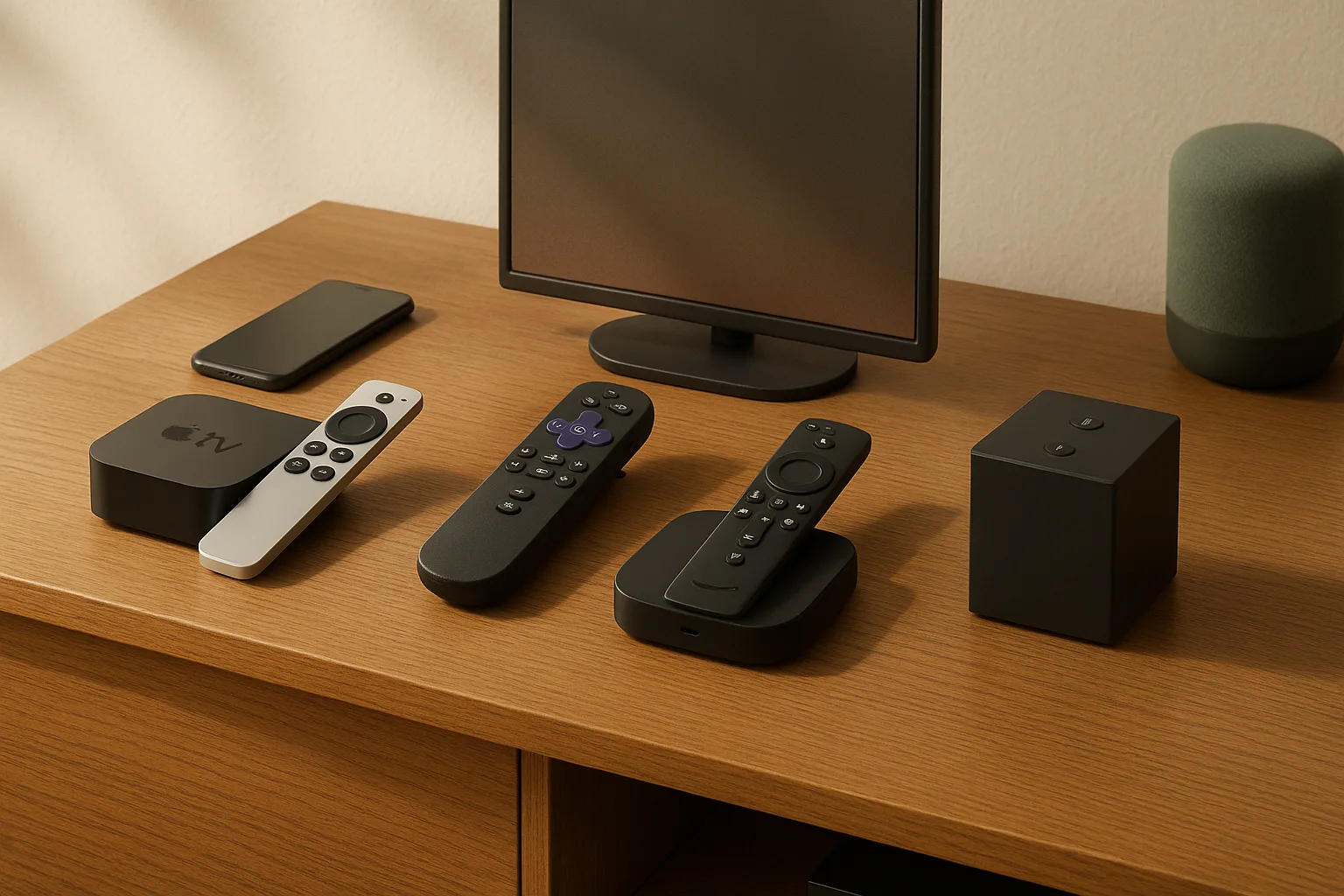
Apple TV 4K vs Roku Ultra vs Fire TV Cube: which streaming device should you buy?
Buy the Apple TV 4K if your home already runs on iPhones, iPads, and AirPods; buy the Roku Ultra if you want the fastest, cleanest TV interface with zero friction; buy the Fire TV Cube if you live inside Amazon's ecosystem — Prime Video on demand, Alexa routines, Echo speakers, and hands-free everything.
All three boxes deliver 4K streaming, Dolby Vision, HDR10+, and Dolby Atmos. The hardware spec list is nearly a tie at this price tier. What separates them is ecosystem fit, interface feel, remote quality, and what the device actually does beyond playing video. The best box for you is the one that disappears into your daily living room habit — not the one with the most bullet points on the back of the box.
Fast verdict by household type:
- Apple household (iPhone, AirPods, HomeKit): Apple TV 4K — AirPlay, Apple Home, and seamless device handoffs make every dollar count
- Amazon/Prime-heavy household (Alexa, Echo, Prime Video): Fire TV Cube — hands-free voice control and deep Alexa integration
- Everyone else / mixed-tech household: Roku Ultra — the most approachable interface, the best remote, no ecosystem tax
Watch Out: App availability is not identical across all three platforms. A niche sports streaming service or a regional app may appear on Roku but not Fire TV, or vice versa. Before you commit, confirm your must-have apps are available on your chosen platform.
How we compared Apple TV 4K, Roku Ultra, and Fire TV Cube
This comparison draws directly from manufacturer documentation — Apple's Apple TV 4K product and specs pages, Roku's official Roku Ultra product page, and Amazon's current Fire TV Cube listing along with Amazon's developer device-spec page — plus current US pricing verified at the time of publication. We did not rely on secondary aggregators or press kits for hardware specs.
The comparison criteria are tuned to what actually decides a purchase in a real home: interface speed you feel every time you turn on the TV, remote quality you use every night, audio and video format support you actually benefit from given your TV and audio gear, networking behavior in real-world Wi-Fi environments, and ecosystem lock-in you may not realize you're signing up for until year two.
What matters most in real homes: speed, remote, audio, video, and ecosystem
Here's what to evaluate before spending a dollar:
| Criteria | Why it matters in practice |
|---|---|
| Interface speed | Slow navigation ruins the experience regardless of picture quality |
| Remote quality | Backlighting, rechargeable battery, and voice-search all affect nightly use |
| Dolby Vision / HDR10+ | Better contrast and color — but only if your TV supports it |
| Dolby Atmos | Spatial/object audio — but only if your soundbar or AVR supports it |
| AirPlay | Mirrors iPhone/iPad/Mac content to your TV without cables |
| Alexa / Apple Home | Controls smart lights, thermostats, locks from your TV remote |
| Ethernet port | Wired fallback for home-theater rack installs and congested Wi-Fi |
| Wi-Fi 6 / 6E | Better wireless throughput in crowded apartment buildings |
| App availability | Not every streaming app exists on every platform |
| Ecosystem lock-in | Services, subscriptions, and smart-home integrations vary by platform |
Pro Tip: Dolby Vision and Dolby Atmos are chain compatibility — your streaming box, the streaming app, your TV, and your audio gear all have to support the same format simultaneously. One weak link in the chain drops you down to standard HDR or stereo.
What each manufacturer says its device does best
Apple's Apple TV 4K product page positions the device as the hub of the Apple home: "Dolby Vision, HDR10+, and Dolby Atmos" paired with AirPlay, Apple Home integration, FaceTime on TV, and Apple Music Sing. Apple's emphasis is on ecosystem continuity — the box is designed to extend what your iPhone and Mac already do, not simply stream Netflix.
Roku's Ultra product page leads with platform speed: "Roku Ultra is our fastest streaming player with cinematic 4K, HDR10+, Dolby Vision, and Dolby Atmos, plus a premium rechargeable Voice Remote Pro." Roku's pitch is low-friction access to thousands of apps and 500+ free live TV channels, with no platform allegiance required.
Amazon's Fire TV Cube listing and Amazon's developer device-spec page center the Alexa+ experience and hands-free streaming control. The current listing references Wi-Fi 6E, 4K Ultra HD, Alexa+, Dolby Vision, HDR10+, Dolby Atmos, and HDMI input support — the HDMI input being a distinctive feature that lets the Cube act as an AV hub, not just a streaming stick.
Watch Out: Amazon's Fire TV Cube specs should be confirmed on the current Amazon listing and the Amazon developer device-spec page before you purchase. Listing details can change between model refreshes, and this article's spec references are directional, not a substitute for the live product page on the day you buy.
Quick comparison of price, storage, remote, and ports
Prices below should be checked live on each manufacturer page before purchase; sale pricing and bundle contents change frequently.
| Device | US Price (live check required) | Storage | Remote | Ethernet | Wi-Fi |
|---|---|---|---|---|---|
| Apple TV 4K | Live price check required | 64 GB or 128 GB (see Apple specs page) | Siri Remote | Yes | Wi-Fi 6 (802.11ax) |
| Roku Ultra | Live price check required | No local storage (cloud/app) | Voice Remote Pro | Yes | Wi-Fi 6 (802.11ax) |
| Fire TV Cube | Live price check required | 16 GB (verify on live page) | Alexa Voice Remote | Yes (adapter may be required) | Wi-Fi 6E (verify live) |
Watch Out: Pricing for all three devices shifts frequently around Prime Day, Black Friday, and Super Bowl sales. The Apple TV 4K storage tiers, Fire TV Cube box contents, and current Roku Ultra bundle price should be confirmed on each manufacturer's page on the day you buy.
Apple TV 4K price, storage, remote, and what's in the box
The Apple TV 4K comes in two storage tiers — 64 GB and 128 GB — and Apple lists those capacities on its official Apple TV 4K specs page. The 64 GB model handles streaming and Apple Arcade without issue for most households; the 128 GB tier is worth it if you plan to install a significant number of games through Apple Arcade or store local media. For pure streaming use, 64 GB is enough.
In the box, Apple includes the Apple TV 4K unit and the Siri Remote on Apple's Apple TV 4K product page — a slim aluminum remote with a touch-enabled clickpad, a dedicated Siri button for voice search, and a mute button that mutes your TV directly. A power cable is included; an HDMI cable is not, which matters if you're setting up from scratch. The HDMI 2.1 port supports 4K at up to 120Hz, a meaningful spec if you're also using the box for Apple Arcade gaming on a compatible TV.
Per Apple's product page, the device integrates Apple TV, Apple Arcade, Apple Fitness+, and Apple Music — Apple's subscription stack runs through this box more naturally than any third-party app could replicate.
Pro Tip: The Siri Remote's aluminum build feels premium, but it can be slippery on a couch arm. Apple sells optional loop attachments, and third-party silicone cases run about $10 if you want grip.
Roku Ultra price, remote, ports, and what's in the box
The Roku Ultra is Roku's top-tier player, and its US product page is the best place to verify the current price before buying. Unlike Apple TV, Roku Ultra doesn't use onboard storage for apps — everything streams from the cloud — so there's no storage tier decision to make.
Per the Roku Ultra product page, the box includes the Roku Ultra streaming player and the Voice Remote Pro. Roku's Canada product page also confirms the Voice Remote Pro (2nd edition) and a USB-C charging cable for the remote on that bundle, which is a useful reference point when box contents vary by region. The player itself has an Ethernet port and a USB port for local media playback — practical additions the Fire TV Stick lineup doesn't always include.
The Voice Remote Pro is the headline value add at this price. It's rechargeable via USB-C, backlit so you can find buttons in a dark room, and includes a lost-remote finder — say "Hey Roku, find my remote" and the remote beeps back. Private listening through the remote's headphone jack is also supported. For households that share a TV room with light sleepers, that alone can justify the Ultra tier over a base Roku.
Pro Tip: The Roku Ultra's remote backlighting turns on automatically when you pick it up. It's a small detail that makes a large difference at 11pm without turning on a lamp.
Fire TV Cube price, voice control, and what to verify before buying
The Fire TV Cube is Amazon's most capable streaming device, and the live Amazon listing is the place to verify current US price and box contents before you buy. The current Amazon listing references Wi-Fi 6E, 4K Ultra HD, Alexa+, Dolby Vision, HDR10+, Dolby Atmos, and HDMI input support — that HDMI input is the feature no other device on this list offers, letting you run a cable box or game console through the Cube and control it all with Alexa.
Amazon's 2026 Fire TV experience update is described in current listing materials as "our biggest update to Fire TV" with a "new, modern design that gets you to your entertainment fast."
Watch Out: Before purchasing the Fire TV Cube, verify the following directly on the Amazon product listing and the Amazon developer spec page: - Current US price and available storage - Exact box contents (Alexa Voice Remote, power adapter, HDMI cable included or not) - Whether Ethernet requires an included adapter or a separate purchase - Wi-Fi spec (6E vs 6) on the exact current generation
Amazon refreshes Fire TV hardware more frequently than Apple or Roku, and box contents have changed between generations without obvious model-number changes.
Apple TV 4K is best for Apple households and the cleanest premium interface
If your living room already has an iPhone on the couch, AirPods on the side table, and a HomeKit smart lock on the front door, the Apple TV 4K is the obvious answer — not because it has the best specs on paper, but because it extends what you already use every day.
AirPlay means you can throw a video from your iPhone to the TV by tapping one button, or hand off a FaceTime call from your phone to the big screen without re-dialing. Apple Home integration turns the Siri Remote into a smart-home controller — dim the lights, check the Ring camera on your TV, adjust the Ecobee thermostat, all without picking up your phone. These features work smoothly because Apple controls both the hardware and the software end-to-end.
The interface itself is fast, visually clean, and doesn't plaster ad banners across the top of your home screen the way Fire TV does. The App Store on Apple TV is well-curated; major streaming services, games, fitness apps, and tools like Plex are all available. Apple Music Sing — Apple's interactive lyrics and duet feature — and FaceTime on TV are platform exclusives that have no equivalent on Roku or Fire TV.
Per Apple's product page, the device brings together Apple TV+, Apple Arcade, Apple Fitness+, and Apple Music in one interface, which matters if you subscribe to the Apple One bundle.
Pro Tip: If you already pay for Apple One — which bundles Apple TV+, Apple Music, Apple Arcade, iCloud+, and Apple Fitness+ — the Apple TV 4K is the natural home for that subscription. The integration is tighter than running those apps through a Roku or Fire TV interface.
Apple TV 4K picture and sound support: Dolby Vision, HDR10+, and Atmos
Yes, Apple TV 4K supports all three major premium formats. Apple says on its Apple TV 4K page that it supports "Dolby Vision, HDR10+, and Dolby Atmos." It also supports Spatial Audio, Apple's immersive audio format, on compatible content.
But here's the chain you need to check before expecting to see those formats on your screen: the streaming box supports them, the streaming app must encode the content in that format and serve it to your device, your TV must support the same HDR format, and if you want Atmos, your soundbar or AV receiver must also support it. All four links have to hold.
Watch Out: Running Dolby Vision content through an HDMI switch or ARC/eARC connection that doesn't support the format will strip the HDR metadata and drop you to standard HDR10 or SDR. Use HDMI 2.1 or a certified eARC connection to your TV and audio gear to preserve the full format chain.
Most modern 4K TVs from LG, Samsung, and Sony support Dolby Vision or HDR10+, and most current soundbars from Sonos, Samsung, and LG support Dolby Atmos. But the TV your Apple TV 4K is currently connected to is the variable that matters — check its specs before assuming you're getting the full picture.
Apple TV 4K tradeoffs: price, app ecosystem, and lock-in considerations
The Apple TV 4K is the most expensive device on this list, and it earns that premium specifically for Apple households. If you're not in the Apple ecosystem, you're paying for AirPlay and Apple Home integration that you won't use daily, and the price gap over Roku Ultra isn't justified.
App availability on Apple TV is strong for the major US streaming services — Netflix, Disney+, Max, Hulu, Peacock, Paramount+, Prime Video, Apple TV+ — but niche apps, regional sports packages, and some free live-TV services are less consistently available than on Roku's platform. Check your must-have apps in the Apple TV App Store before committing.
Lock-in is real but not dramatic: your Apple subscriptions, purchased content, and Apple Arcade games all stay in your Apple account, so switching away from Apple TV means losing those integrations rather than losing the content itself (with exceptions for iTunes movie purchases, which are Apple-ecosystem only). For most Apple One subscribers, that's a reason to stay, not a trap.
Roku Ultra is best for the simplest TV interface and fastest no-drama setup
The Roku Ultra is the right call for anyone who wants a streaming device that just works — fast, neutral, and without a learning curve. If you share a TV with a partner who doesn't want to troubleshoot anything, a parent who finds smart TVs confusing, or kids who just want to hit Netflix, the Roku interface is the one that generates the fewest support calls.
Roku's home screen is a simple grid of apps. There are no algorithmic video recommendations dominating the top of the screen the way Fire TV arranges its interface around Amazon's content interests. Roku's universal search scans across all your subscribed apps at once — searching "The Bear" shows you where it streams and what it costs, regardless of platform. It's genuinely neutral in a way that Fire TV is not, because Roku doesn't have a studio producing competing content.
As Roku's product page states, this is Roku's fastest streaming player, and the speed shows in navigation. App launches are quick, the interface scrolls without lag, and the overall setup time from box to watching is measured in minutes. Roku also gives you access to thousands of streaming apps and 500+ free live TV channels through The Roku Channel, which adds genuine value without an extra subscription.
Roku Ultra video, audio, and networking: Dolby Vision, HDR10+, Atmos, Ethernet, and Wi-Fi 6
The Roku Ultra product page says, "Roku Ultra is our fastest streaming player with cinematic 4K, HDR10+, Dolby Vision, and Dolby Atmos, plus a premium rechargeable Voice Remote Pro." Wi-Fi 6 (802.11ax) handles wireless streaming in most homes. The Ethernet port is a genuine differentiator at this price — not every mid-range streaming player includes one.
The Ethernet port matters most in two situations: your TV is in a room where Wi-Fi signal is weak or congested, or your Apple TV 4K or Cube is installed inside an AV cabinet where wireless signal is partially blocked by metal shelving. In both cases, a direct Ethernet run eliminates the variable entirely.
On Atmos: the Roku Ultra passes Dolby Atmos audio to your soundbar or AV receiver via HDMI ARC or eARC. Whether you actually hear object-based overhead audio depends on your soundbar or receiver supporting Atmos and the streaming app providing an Atmos audio track. Netflix, Apple TV+, Disney+, and Prime Video all carry Atmos content, but not every title in every catalog is encoded in Atmos.
Watch Out: App support governs HDR and Atmos delivery on Roku just as it does on Apple TV and Fire TV. The box supports the format — the app has to use it.
Roku Ultra remote quality, battery convenience, and hands-free features
The Voice Remote Pro bundled with the Roku Ultra is the best standard remote of the three devices. The Roku Canada product page confirms the box includes the Voice Remote Pro (2nd edition) and a USB-C charging cable — so there are no AA batteries to replace, no remote dying at the wrong moment.
The backlit buttons activate automatically when you pick up the remote, which sounds minor until you're watching TV in a dark room and need to hit the mute button during an ad break. The lost-remote finder — say "Hey Roku, find my remote" and it beeps from between the couch cushions — is the kind of feature you don't know you need until the fourth time you've torn apart the couch looking for the remote.
Private listening through the remote's 3.5mm headphone jack lets you route audio directly to wired headphones without a Bluetooth pairing step. Hands-free voice commands work through the remote's built-in microphone — no external speaker or smart-home hub required.
Fire TV Cube is best for Alexa-first and Prime-heavy households
The Fire TV Cube is Amazon's answer to the question: what if your TV remote was an Echo Dot? It's the right device for homes that already have Alexa woven into daily life — Echo speakers in the kitchen, Alexa routines triggering morning lights, and Prime Video queues that get scrolled more than any other app.
The Cube's defining feature is hands-free Alexa control. Per Amazon's help documentation, "Let Alexa control your smart home devices, help you enjoy music and shows, and keep you informed, organized, and connected." You can start a Prime Video show, skip 30 seconds forward, turn on your smart TV, dim your Philips Hue lights, and ask for the weather forecast from across the room without touching a remote. For households with mobility limitations or small children who'd lose a traditional remote instantly, that's a practical daily benefit.
The HDMI input port is unique in this category. It lets the Cube sit between your cable box or game console and your TV, with Alexa controlling input switching. One device, one voice interface, multiple sources. That's a genuine home-theater convenience feature neither Apple TV nor Roku Ultra offers.
Amazon's current materials describe the 2026 Fire TV experience as "our biggest update to Fire TV" with a "new, modern design that gets you to your entertainment fast" — verify the current generation's specific improvements on the live Amazon listing before purchasing.
Fire TV Cube video and audio support: what to confirm on the current model
Before you buy, use the live Amazon product page and the Amazon developer device-spec page to confirm the current Fire TV Cube model's Dolby Vision, HDR10+, Dolby Atmos, Wi-Fi 6E, and Ethernet details. The exact generation can change these specs, and Amazon's accessory listings are not a substitute for the current device page.
Verify the following on the live product pages before you buy:
- Dolby Vision and HDR10+ support on the current production unit (confirmed in current listing snippets, but verify the exact HDMI version)
- Whether the Ethernet port is built-in or requires a USB-C to Ethernet adapter (varies by generation — confirm on the Amazon developer spec page)
- Wi-Fi spec: current materials reference Wi-Fi 6E, but confirm this against the developer device-spec page for the exact SKU
- Dolby Atmos delivery method: HDMI ARC vs eARC support determines whether your existing soundbar or receiver can receive Atmos bitstream
The compatibility caveat applies here exactly as it does for the other two devices: Dolby Vision, HDR10+, and Dolby Atmos are only as good as your TV, app, and audio gear support. The box enables them; your setup determines whether they land.
Fire TV Cube tradeoffs: interface ads, ecosystem pull, and app availability
The Fire TV interface is designed around Amazon's content interests. The top row of the home screen is promotional content — Amazon originals, Prime Video recommendations, and paid placements — and it doesn't disappear unless you navigate past it. This isn't subtle, and it's a meaningful difference from Roku's neutral grid or Apple TV's clean interface. For some users it's fine; for others it's friction every single time they turn on the TV.
Amazon's ecosystem pull is stronger with the Cube than with any Fire TV Stick: subscriptions, Prime membership, Alexa smart-home devices, and Ring cameras all integrate more naturally here than on competing platforms. The flipside is that if you leave Amazon's ecosystem — drop Prime, switch to Apple Music, or move to Google Home — the Cube's advantages shrink significantly.
App availability on Fire TV is broad for major US services, but there are gaps. Some apps that appear on Roku are not available on Fire TV, and regional or niche sports apps vary. Always verify your specific must-have apps before purchasing. App availability varies by platform and by region, and this is non-trivial when a specific sports package or niche streaming service is on your list.
Do you need Ethernet for a streaming device, or is Wi-Fi enough?
For most households in 2026, Wi-Fi 6 or Wi-Fi 6E is sufficient for 4K streaming. The real-world answer depends on your specific home, not on a generic spec comparison.
Both the Roku Ultra and Fire TV Cube include Ethernet support (the Cube may require an adapter — verify on the live spec page). Apple TV 4K has a built-in Ethernet port. If you have a clean shot at wiring your TV cabinet, Ethernet is always the more stable choice. But it's not required to stream 4K HDR content reliably.
When Ethernet matters more than Wi-Fi 6 or Wi-Fi 6E
Ethernet becomes genuinely useful in three specific situations:
- Crowded apartment buildings or dense neighborhoods where 2.4 GHz and 5 GHz bands are saturated with neighboring networks and even Wi-Fi 6 sees real-world throughput drop
- AV cabinet installs where your streaming box sits inside a closed metal-sided cabinet that partially blocks wireless signal — a common setup for home-theater racks
- Long runs from the router to the TV room where signal degrades through multiple walls, floors, or interference sources
In these cases, a single CAT6 Ethernet run to your TV cabinet eliminates the wireless variable entirely. A CAT6 cable costs $10–$20 and the performance improvement in congested environments can be immediate and obvious.
The rule of thumb: if your router is in the same room or adjacent room and your streaming device shows a strong Wi-Fi signal in its network settings, Ethernet is a convenience rather than a necessity.
When Wi-Fi is good enough for 4K streaming
A clean Wi-Fi 6 connection with a router in the same or adjacent room, no competing heavy-bandwidth devices on the same band during viewing hours, and a stable ISP connection is enough for 4K HDR streaming from every major service.
Netflix's 4K HDR stream uses roughly 15–25 Mbps. Apple TV+, Disney+, and Prime Video's 4K streams run in a similar range. A standard Wi-Fi 6 connection in a typical US home can sustain well over 100 Mbps to a single device, making headroom ample for streaming.
The caveat: Wi-Fi 6 capability on the streaming device doesn't guarantee Wi-Fi 6 performance if your router is a few years old and still operates on Wi-Fi 5 (802.11ac). And codec, bitrate, app compression choices, and network quality all combine to determine actual picture quality at your TV — the wireless spec is just one factor in the chain.
Which streaming device is best for your household type?
The feature checklists for these three devices look nearly identical. The decision is actually about ecosystem, daily habit, and who in your household will use the TV. Here's a scenario-by-scenario breakdown:
| Household type | Best device | Why |
|---|---|---|
| iPhone/iPad/AirPods users, HomeKit smart home | Apple TV 4K | AirPlay, Apple Home, FaceTime on TV, Apple One integration |
| Prime Video power users, Alexa throughout the house | Fire TV Cube | Hands-free Alexa, HDMI input, deep Prime ecosystem |
| Mixed-tech home, casual viewers, parents, partner who hates tech | Roku Ultra | Simplest interface, best remote, no ecosystem pressure |
| Home-theater setup in AV rack, want Ethernet + Atmos + 4K | Roku Ultra or Apple TV 4K | Both have built-in Ethernet; Apple adds HDMI 2.1 at 4K/120Hz |
| Budget-conscious but want the full feature set | Roku Ultra | Best value combination of hardware, remote, and neutral interface |
App availability varies by platform and region — confirm your specific services before finalizing any choice.
Best for Apple households: Apple TV 4K
Buy the Apple TV 4K if your home runs on Apple devices. AirPlay and Apple Home integration aren't gimmicks here — they're features you'll use every day in an Apple-connected household, and no competing device replicates them. The Siri Remote's aluminum build, the clean App Store, and the HDMI 2.1 port for 4K/120Hz gaming make this the premium no-compromise choice when ecosystem fit is already locked in.
Best for Prime-heavy households: Fire TV Cube
The Fire TV Cube is the right call for households where Alexa already controls the lights, the thermostat, and the morning routine. As Amazon's own guidance puts it: "Let Alexa control your smart home devices, help you enjoy music and shows, and keep you informed, organized, and connected." Voice-first navigation removes friction for Prime Video, and the HDMI input port lets the Cube become the control center for your entire AV setup. If you're a Prime subscriber who uses Alexa daily, this device earns its price.
Best for the simplest interface: Roku Ultra
The Roku Ultra wins for anyone who prioritizes ease of use above all else. Roku's "quick, seamless setup" and uncluttered home-screen grid mean anyone in the household can navigate it confidently on day one. There's no ecosystem to adopt, no subscription cross-sell pressure from the interface, and the rechargeable backlit Voice Remote Pro is the most practically useful remote in this comparison. For mixed-tech households, this is the device that generates the fewest questions and complaints.
FAQ about Apple TV 4K, Roku Ultra, and Fire TV Cube
Quick answer: format playback still depends on the combination of your TV, app, and audio gear, so Dolby Vision, HDR10+, and Atmos can only show up when every link in that chain supports them.
Which is better, Apple TV 4K or Roku Ultra?
It depends entirely on your ecosystem. If you have iPhones, iPads, and AirPods in the house, Apple TV 4K is better — AirPlay and Apple Home integration are daily-use features you'd miss on Roku. If you don't live in Apple's ecosystem, Roku Ultra is better: it's a cleaner, faster interface at a lower price point, with an objectively superior remote. Neither is universally better on specs; both support 4K, Dolby Vision, HDR10+, and Dolby Atmos.
Is Fire TV Cube better than Roku Ultra?
For Alexa and Prime-heavy households, yes. Fire TV Cube's hands-free Alexa control, HDMI input port, and deep integration with Amazon's ecosystem make it the more capable device for that specific use case. For everyone else, Roku Ultra is the better daily driver: its interface is more neutral, its remote is more practical, and it doesn't serve Amazon-first content recommendations on every home screen load.
Does Apple TV 4K support Dolby Vision and HDR10+?
Yes. Per Apple's product page, Apple TV 4K supports Dolby Vision, HDR10+, and Dolby Atmos. The important caveat: your TV must also support whichever HDR format you want to see, the streaming app must serve the content in that format, and for Atmos, your soundbar or AV receiver must support it. The device enables the format; the rest of your system determines whether it's delivered.
Can streaming devices use the same apps on every platform?
No. App availability varies by platform and by region. Major services — Netflix, Disney+, Max, Hulu, Peacock, Prime Video, Paramount+, Apple TV+ — are available on all three platforms in the US. Niche sports packages, regional streaming apps, and some specialty services may be available on Roku but not Fire TV, or available on Apple TV but not Roku. Before buying any device, open the platform's app store on a browser or phone and search for every service you use regularly to confirm it's available on that specific platform.
What to read next after choosing your streaming device
Once your streaming box is picked out and ordered, the picture and sound quality you actually experience depends on the rest of your setup. A few things worth researching next:
- TV calibration: Out-of-box picture settings on most TVs are tuned for showroom brightness, not home viewing. Switching to a calibrated Cinema or Movie mode and adjusting brightness to your room conditions makes a significant difference with any HDR source. RTINGS.com publishes free, TV-specific calibration settings you can dial in yourself.
- HDMI cables: If you're running a new streaming device to a 4K TV or soundbar, a certified HDMI 2.1 cable (labeled "Ultra High Speed HDMI") ensures you're not capping picture or audio quality at the cable. Any cable that isn't labeled HDMI 2.1 may not pass 4K/120Hz or full-bandwidth Dolby Vision.
- Soundbar or AV receiver setup: Getting Dolby Atmos to work end-to-end requires your streaming device, TV, and audio gear to all support HDMI ARC or eARC. If your soundbar connects via optical cable, it will not pass Atmos — the format requires HDMI.
- Network optimization: If 4K buffering or HDR dropouts are a regular problem, a Wi-Fi 6 mesh router system or a direct Ethernet run to your TV cabinet is the fix worth investigating before blaming the streaming device.
Sources & References
- Apple TV 4K product page — Official Apple product positioning, Dolby Vision/HDR10+/Atmos support, AirPlay, Apple Home, FaceTime on TV, Apple Music Sing
- Apple TV 4K technical specifications — Official storage tiers, ports, Wi-Fi, and remote details
- Roku Ultra product page (US) — Official Roku Ultra positioning, format support, Voice Remote Pro, Ethernet
- Roku Ultra product page (Canada) — Box contents including Voice Remote Pro (2nd edition) and USB-C charging cable
- Amazon Fire TV Cube listing — Current Amazon product page for Fire TV Cube pricing and specs
- Amazon Fire TV Cube accessories listing — Dolby Vision, HDR10+, Atmos, and Wi-Fi 6 confirmation
- Amazon developer device specifications — Fire TV Cube — Authoritative hardware spec source for Fire TV Cube
- Amazon Customer Service — Fire TV Cube Alexa features — Official Alexa voice control documentation
Keywords: Apple TV 4K (3rd generation), Roku Ultra, Fire TV Cube, Dolby Vision, HDR10+, Dolby Atmos, AirPlay, Alexa, Apple Home, Ethernet, Wi-Fi 6, Wi-Fi 6E, Voice Remote Pro, HDMI 2.1, 4K HDR passthrough, Apple Music Sing