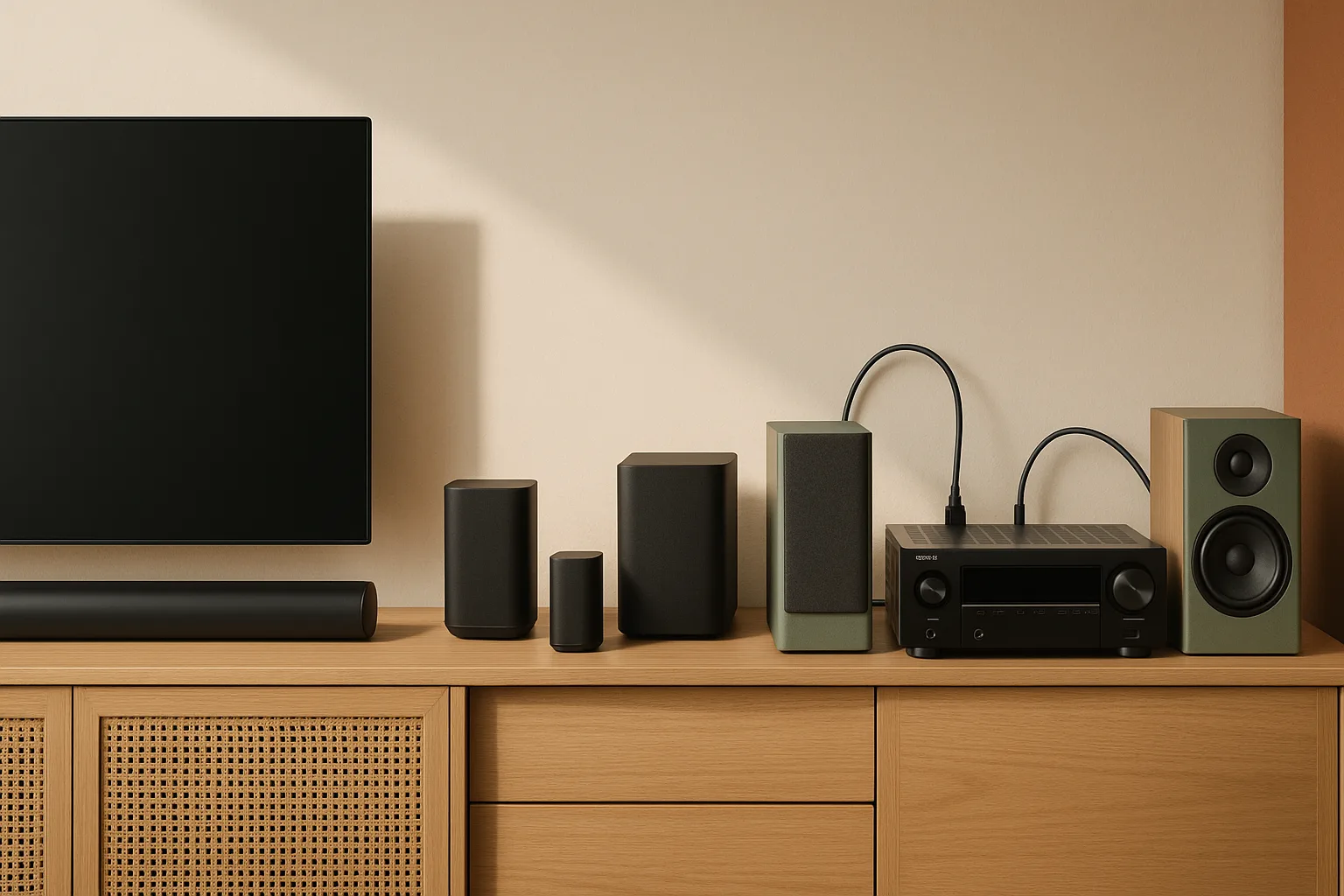
Soundbar vs AV receiver in 2026: which setup fits your living room?
A premium soundbar is the better choice for most living rooms right now — but an AV receiver beats it the moment you want to scale beyond what a single enclosure can do. That's the honest answer, and the rest of this guide fills in exactly where each path pays off.
Here's the quick decision framework:
- Apartment or compact room, one-TV household, family ease of use → Sonos Arc Ultra. One bar, one HDMI eARC cable, done. Dolby Atmos from a single box without any speaker wire.
- Mid-size to large living room, you want real rear surround channels today, and you're not planning to keep adding gear → Samsung HW-Q990D. The package includes discrete rear satellites and an external subwoofer, so you get 11.1.4-channel surround out of the box.
- Large or open-plan room, you're willing to wire it properly, and you plan to add better speakers over time → Denon AVR-X3800H. It's a 9.4-channel, 105W receiver with Audyssey MultEQ XT32 room correction, and it will grow with you for years.
Budget matters too. Under roughly $1,000, a soundbar package almost always wins on value per dollar and setup simplicity. Above $2,500 in total spend, an AVR-based system with separate speakers starts to pull ahead on audio performance and long-term flexibility. The crossover zone — $1,500 to $2,500 — is where the choice depends most on your room, your wiring tolerance, and whether you'll actually use those extra channels.
How we compared Sonos Arc Ultra, Samsung HW-Q990D, and Denon AVR-X3800H
Most product pages and competitor articles compare these systems in isolation — bar spec sheet versus receiver spec sheet. That approach misleads buyers because the Denon AVR-X3800H is not a listening system by itself. It's a hub that needs speakers, a subwoofer, speaker wire, HDMI cables, and a calibration session before it produces a single note.
This comparison builds whole-system costs and looks at the full playback chain: how audio gets from your TV or streaming device, through the system, and into your room. The sources are RTINGS' live soundbar comparison index and head-to-head test data, plus Sonos, Samsung, and Denon manufacturer pages.
Pro Tip: When shopping any of these systems, verify the current street price the week you buy — these products move frequently between manufacturer promos and dealer discounts, and the Denon receiver often sells below its MSRP at authorized dealers.
Whole-system comparison inputs used here: speaker package, AVR or soundbar, speaker wire, HDMI cable, calibration, and total system cost. That is the only way to compare a sealed soundbar package against a receiver-based stack without understating the AVR route.
What the testing and product pages show about Dolby Atmos, HDMI eARC, and room correction
All three systems support Dolby Atmos, but they deliver it in fundamentally different ways and with very different levels of room correction.
The Sonos Arc Ultra is Sonos' flagship standalone soundbar as of 2024. It processes Atmos through upfiring and side-firing drivers built into a single enclosure. No microphone-based room calibration of the kind you get with an AVR — Sonos uses its own TrueSpace spatial audio processing. It connects to your TV via the HDMI eARC port and that's your entire signal chain for most households.
The Samsung HW-Q990D goes further: RTINGS confirms it as an 11.1.4-channel system with two discrete rear satellite speakers and an external wireless subwoofer included in the box. Those physical rear channels give it a genuine surround soundstage advantage over a standalone bar, not a simulated one.
The Denon AVR-X3800H is the room-correction benchmark in this group. Denon's product page describes it directly: "Auto Speaker Setup by Microphone Audyssey MultEQ XT32 Dirac Live (upgrade)." That means the receiver uses a physical microphone placed at the listening position to measure your room's actual acoustics, then applies digital filters to compensate. Denon also confirms eARC support — as the AVR-X3800H info sheet states, "ARC (Audio Return Channel) or eARC (Enhanced Audio Return Channel) makes playing TV audio through your AV receiver simple, with just a single HDMI connection" — so the TV-to-receiver audio path is straightforward even in a complex setup.
Quick comparison table: price, channels, setup time, and upgrade path
| System | Channels | Approx. setup time | Expandable? | Best room fit |
|---|---|---|---|---|
| Sonos Arc Ultra (bar only) | Atmos via single bar | 15–30 min | Yes, via Sonos ecosystem | Apartment / small-mid room |
| Samsung HW-Q990D (full package) | 11.1.4 | 30–60 min | Limited (Samsung ecosystem) | Mid / large room |
| Denon AVR-X3800H + speakers | Up to 9.4 channels | 2–4+ hours | Yes, indefinitely | Large / open-plan room |
Watch Out: The Denon column in this table assumes you already own speakers. If you're starting from zero, add at minimum a center channel, a pair of floor-standing or bookshelf fronts, surrounds, and a subwoofer to your budget before drawing any conclusions about total cost.
Total system cost for a soundbar package versus an AVR stack
Because the AVR-X3800H ships without a single speaker driver, its box price tells you almost nothing about what you'll actually spend. Here's a realistic cost breakdown for each path.
Sonos Arc Ultra path (standalone bar): - Sonos Arc Ultra: about $999 MSRP - Optional Sonos Sub (4th gen): about $749 - Optional Sonos Era 300 rear pair: about $898 (pair) - HDMI eARC cable (1.5–2m): about $10–20 - Total, bar only: about $1,010 - Total, full Sonos ecosystem (bar + sub + rears): about $2,670
Samsung HW-Q990D path (all-in-one package): - HW-Q990D package (bar + sub + 2 rear satellites): about $1,299–$1,599 - HDMI eARC cable: about $10–20 - Total: about $1,310–$1,620 — everything included
Denon AVR-X3800H path (build-your-own system): - Denon AVR-X3800H receiver: about $1,099–$1,299 - Front L/R speakers (e.g., Polk Audio Reserve R200 bookshelves): about $400–$600/pair - Center channel speaker (e.g., Polk Reserve R300): about $350–$500 - Subwoofer (e.g., SVS SB-1000 Pro): about $499–$699 - Surround speakers (2×): about $200–$400/pair - Speaker wire (50–100 ft of 16 AWG): about $20–$40 - HDMI cable (receiver to TV): about $15–25 - Audyssey calibration mic (included) + MultEQ app: about $20 app fee for advanced editing (optional) - Entry-level total (receiver + modest 5.1 speaker set): about $2,500–$3,200 - Full 7.2 or 9.2 system: about $3,500–$5,000+
The Samsung Q990D delivers more channels per dollar spent at the $1,300–$1,600 price point than anything else in this comparison. The Denon path only wins on value when you commit to filling those 9.4 channels with quality separate speakers — and you're prepared to do the work. Regional pricing will vary by country, dealer, and sales tax, so treat these totals as planning figures rather than fixed street prices.
Which setup is faster and easier to install in a real living room?
A soundbar takes 15 to 30 minutes. You mount it or set it on the shelf below your TV, run one HDMI eARC cable to your TV's dedicated eARC port (usually labeled on the TV, typically HDMI 2), enable eARC in your TV's audio settings, and you're done. The Samsung Q990D adds wireless pairing of the rear satellites and subwoofer — another 10 minutes.
An AVR setup is a different undertaking. Denon's info sheet notes that eARC simplifies the TV-to-receiver link to a single HDMI cable, but that's only one cable in a system that also needs speaker wire runs to every channel. In a 5.1 setup you're routing wire to front left, center, front right, surround left, and surround right — plus a subwoofer cable. In a 7.1 or 9.2 setup, add back-surrounds and ceiling or upfiring height speakers.
After wiring, you run the Audyssey MultEQ XT32 microphone calibration: place the included mic at multiple listening positions, trigger the auto-setup sequence, and let the receiver measure and correct for your room. That process alone takes 30–45 minutes if you do it properly. Total realistic setup time for a first-time AVR install: two to four hours, not counting any in-wall wiring.
Pro Tip: If you're running speaker wire across a finished room, use flat adhesive wire raceways (like Wiremold's cord channel kits) to keep things clean without an electrician or drywall work.
Sonos Arc Ultra review-style verdict for easy family TV use
The Sonos Arc Ultra is the right pick if you want premium Dolby Atmos sound without reorganizing your living room or touching speaker wire. RTINGS confirms it as Sonos' flagship standalone soundbar, and that standalone nature is both its strength and its ceiling.
Strengths: - One-cable HDMI eARC connection to your TV - Dolby Atmos via upfiring and side-firing drivers - Clean app-based setup; no calibration microphone required - Expandable later with Sonos Sub and Era 300 rear speakers if you change your mind - Works well with Apple TV 4K and Roku Ultra as upstream sources
Limitations: - No included subwoofer or rear speakers — bass extension is limited without the Sonos Sub - Expanding to a full surround setup pushes total cost above $2,600, at which point you're paying a premium for wireless convenience - Room correction is not microphone-based; TrueSpace processing works well but can't compensate for difficult room acoustics the way Audyssey MultEQ XT32 can - Sonos' firmware and ecosystem history has had connectivity issues; some owners report update problems worth researching before buying
Room fit: Works best in rooms up to roughly 350–400 square feet. Excels against a flat wall where the bar can reflect sound off side walls.
Why the Sonos Arc Ultra works best in apartments and small-to-mid living rooms
Apartments and condos have two constraints that make a standalone soundbar the practical choice: limited floor space and neighbor-sensitive bass. The Arc Ultra delivers convincing Atmos height effects without a speaker on every wall, and its subwoofer-free default mode keeps low-frequency output at a level that won't travel through shared walls the way a dedicated sub would.
For a rental where you can't run speaker wire or mount surround speakers, the Arc Ultra is also the only option in this group that works well right out of the box without any drilling. It sits on a shelf, connects via one cable, and sounds significantly better than any TV's built-in speakers.
Pro Tip: If you add a Sonos Sub later, enable its "Bass Limit" option in the Sonos app — it reduces subwoofer output above a set threshold, which helps in apartments without completely eliminating low-end impact.
Samsung HW-Q990D verdict for movie nights, sports, and surround immersion
The Samsung HW-Q990D is the most complete all-in-one surround package in this comparison. RTINGS tested it against the Sonos Arc Ultra and found the Q990D is "a more complete soundbar setup," specifically because of its two discrete rear satellite speakers and external wireless subwoofer. That's an 11.1.4-channel system in a single package purchase — something no standalone soundbar can match at the same price.
Strengths: - Discrete physical rear channels deliver real surround sound, not simulated - External wireless subwoofer included — no extra purchase needed for bass - 11.1.4-channel architecture with upfiring drivers for Atmos height - HDMI eARC plus multiple HDMI inputs on the bar for direct source connections - Sound customization features that RTINGS notes are more extensive than the Arc Ultra's
Limitations: - Larger footprint: the bar itself is wider than most competitors, which can be a problem on smaller TV stands - Wireless rear speakers require power outlets near their placement positions - Not easily expandable beyond Samsung's own ecosystem - Speaker quality is fixed — you can't swap in better drivers later as you can with an AVR system
Room fit: Designed for rooms roughly 200–600 square feet. The discrete rear channels justify the package in rooms wide enough to separate the rear satellites by at least 6–8 feet.
When the Q990D is the better buy than Sonos Arc Ultra
RTINGS' direct comparison found the Samsung HW-Q990D is slightly better for most people than even the Sonos Ultimate Immersive Set (Arc Ultra plus Sub plus Era 300 rear speakers), specifically because the Q990D's package includes discrete rear satellite speakers that provide more convincing physical surround separation.
The practical implication: if you want the best all-in-one surround soundbar experience and don't want to manage a multi-device Sonos ecosystem, the Q990D wins. You get rear channels you can physically place behind your couch, a dedicated subwoofer, and Atmos overhead processing — all paired and ready at purchase, with no separate app accounts or incremental speaker upgrades needed.
The Arc Ultra with its optional add-ons can reach a similar speaker count, but you'll spend more to get there and manage a more complex wireless mesh.
Denon AVR-X3800H verdict for upgradeable home theater systems
The Denon AVR-X3800H is the long-term winner in this comparison — but only if you plan to use what it offers. Denon positions it as a 9.4-channel, 105W 8K AV receiver with Dolby Atmos, DTS:X, Audyssey MultEQ XT32, and an optional upgrade path to Dirac Live room correction. That is a meaningfully different category than a soundbar. You are buying a platform, not a product.
Strengths: - 9.4 channels means you can run a full 7.2.4 Atmos layout with front, center, surround, back-surround, and overhead channels - Audyssey MultEQ XT32 microphone calibration compensates for your room's actual acoustic behavior — soundbars cannot do this - Dirac Live upgrade available if you want to go deeper on room correction - Separate speakers can be replaced or upgraded independently — a blown tweeter doesn't mean replacing the whole system - Supports Dolby Atmos and DTS:X natively - eARC over single HDMI for TV audio passthrough
Limitations: - Ships without a single speaker — the box price is only a fraction of your total spend - Setup is a two-to-four-hour commitment requiring speaker wire runs and microphone calibration - Takes up significantly more shelf or rack space than a soundbar - Not the right choice if you're buying it and using only a 2.0 or 3.1 speaker layout — you'd be paying for capability you'll never use
Room fit: Best in rooms 400 square feet and up, especially open-plan spaces where a standalone soundbar loses directional energy before it reaches the listening position.
Why the X3800H makes sense only if you plan to add speakers over time
The AVR-X3800H's 9.4-channel architecture is the hard spec that defines the buyer profile. If you hook it up with just a front left/right pair and never add a center channel, surrounds, or height speakers, you've spent $1,100+ on a two-channel amplifier with a lot of unused processing power. That's a waste.
The receiver pays off when you treat it as a multi-year investment: start with a solid front three (left, center, right) and a subwoofer, then add surrounds in year two, then height channels later. Each dollar spent on speakers produces a bigger return when the room correction and channel architecture are already in place.
The contrast with a soundbar is direct: a soundbar like the Q990D or Arc Ultra delivers its full capability the day you buy it. The X3800H delivers its full capability only after you've finished building the speaker system around it. If you're not prepared to keep investing, buy the Q990D instead and be done with it.
Audyssey MultEQ XT32, eARC, and the features that matter most
Audyssey MultEQ XT32 is the feature that most separates the Denon from either soundbar. As Denon's product page states directly: "Auto Speaker Setup by Microphone Audyssey MultEQ XT32 Dirac Live (upgrade)." Here's what that means in practice: the receiver ships with a calibration microphone. You place it at your main listening position (and ideally several additional positions), run the auto-setup sequence, and the receiver measures the frequency response, distance, and level of every speaker in your system. It then applies custom correction filters so that what you hear at your couch matches the intended mix — not your room's untreated acoustics. In a hard-walled living room with reflective surfaces, this correction can be the difference between muddy, echo-prone sound and tight, clear dialogue.
Regarding eARC: Denon's info sheet confirms the X3800H supports ARC and eARC over a single HDMI connection. That means your TV's audio — whether from a built-in streaming app or a device connected to the TV — routes back to the receiver automatically. You don't need a separate digital audio cable.
Watch Out: The HDMI 2.1 specification for the AVR-X3800H should be verified directly on Denon's current product page before purchase, as HDMI port specifications can vary between firmware versions and regional SKUs. Do not assume all HDMI ports on the receiver support full-bandwidth 4K/120Hz passthrough without checking.
Best setup by room size: apartment, small living room, or open-plan space
Room size is the most reliable predictor of which setup will actually perform well — more so than any spec sheet comparison.
| Room type | Approx. sq ft | Best system | Reason |
|---|---|---|---|
| Studio / 1-BR apartment | Under 250 sq ft | Sonos Arc Ultra | Low clutter, no wiring, bass-safe |
| Small living room | 250–350 sq ft | Sonos Arc Ultra or Q990D | Bar fills the space; Q990D if you want rears |
| Mid-size living room | 350–550 sq ft | Samsung HW-Q990D | Rear satellites justify the room size |
| Large / open-plan | 550 sq ft+ | Denon AVR-X3800H + speakers | Discrete channels fill the space properly |
What works best in apartments and compact TV rooms
In a compact room, the Sonos Arc Ultra is the right call for three reasons: no speaker wire to hide, no rear satellite placement to negotiate, and a sound footprint that fits the space. A subwoofer in a small apartment or condo can rattle shared walls and floors — the Arc Ultra without the optional Sub keeps bass at a manageable level while still delivering Atmos height effects that impress in close-quarters listening.
If you add a Sonos Sub later, you have the option to dial it in carefully. But you're not forced to from day one. That flexibility, combined with the single-cable eARC connection and clean app interface, makes the Arc Ultra the lowest-friction premium audio upgrade for renters and compact-space owners.
What works best in larger open-plan living rooms
In an open-plan room of 500 square feet or more — think kitchen-dining-living combined, or a wide suburban great room — a standalone soundbar loses energy before sound reaches the back of the space. The Samsung HW-Q990D's discrete rear satellites help significantly by placing actual audio sources near the listening position rather than relying on reflections from a single front-of-room bar.
For the largest spaces, the Denon AVR-X3800H with a proper 7.2 or 9.2 speaker layout is the only system here that can cover the full room with consistent volume and directionality. Audyssey MultEQ XT32 is especially valuable in open-plan rooms because they tend to have complex reflection patterns and bass modes that a flat EQ can't address. Discrete speakers placed correctly — fronts at ear level, surrounds at ear height on side walls, subs in a corner — fill an open room in a way no soundbar package can match.
Best setup by use case: movies, sports, gaming, and everyday TV
| Use case | Best system | Runner-up |
|---|---|---|
| Movies / streaming | Denon AVR-X3800H | Samsung HW-Q990D |
| Sports | Samsung HW-Q990D | Denon AVR-X3800H |
| Gaming | Denon AVR-X3800H | Samsung HW-Q990D |
| Easy everyday TV | Sonos Arc Ultra | Samsung HW-Q990D |
| Small-room everything | Sonos Arc Ultra | — |
Movies and TV shows: which setup gives the most cinematic sound?
For movies, the AVR-based system with a dedicated center channel speaker and discrete surrounds gives the most cinematic result. Dialogue clarity is the single most-cited complaint about TV audio, and a properly calibrated center channel speaker driven by the Denon — placed above or below the screen, aimed at the listening position — reproduces speech with a focus and presence that no center-simulating soundbar can fully match. Add Dolby Atmos overhead channels from in-ceiling or upfiring speakers and you get a height layer that's physically above you rather than bounced off a ceiling.
The Samsung HW-Q990D is the best movie soundbar in this comparison: RTINGS confirms it as the more complete setup versus the Arc Ultra, with discrete rear channels giving physical surround separation. If you're not ready to wire an AVR system, the Q990D is a worthy compromise.
The Arc Ultra serves well for TV dramas and streaming, but its standalone form factor limits it — without a separate subwoofer, bass-heavy action sequences will feel compressed compared to either the Q990D package or an AVR with a dedicated sub.
Sports and gaming: which setup handles dialogue, crowds, and passthrough best?
For sports, the Samsung HW-Q990D has a practical edge: crowd noise and ambient stadium sound are where discrete rear channels make the biggest perceptible difference in a living-room setting. RTINGS' comparison found the Q990D delivers more immersive surround performance than the Sonos Arc, and live sports is the use case where that translates most directly to a better experience.
For gaming, the Denon AVR-X3800H has the structural advantage. Its Dolby Atmos and DTS:X processing, combined with Audyssey MultEQ XT32, means the audio mix from a PS5 or Xbox Series X running Dolby Atmos titles is decoded and spatially rendered by dedicated hardware rather than a soundbar's DSP. The eARC path from TV to receiver — confirmed by Denon's info sheet — handles audio routing cleanly.
Watch Out: For gaming, confirm your TV's HDMI input lag is not increased by routing audio through eARC. Most modern TVs with a dedicated Game Mode are not affected, but it's worth verifying in your TV's settings menu. If you're connecting a console directly to the AVR, you bypass the TV entirely for audio — which eliminates that concern.
Which setup should you buy for your budget in 2026?
The budget decision maps fairly cleanly to three tiers, and each tier has a clear winner once you account for total system cost rather than box price.
Best pick under about $1,000
At this budget, a soundbar package wins outright. You're not going to build a satisfying AVR-based system for under $1,000 — the Denon receiver alone runs over $1,000, and you still have no speakers.
The Samsung HW-Q990D, when discounted, is the strongest pick in this range: RTINGS confirms it as the more complete soundbar setup versus the Arc Ultra, and its included subwoofer and rear satellites mean you're getting a full surround system for the price.
If the Q990D is above your budget, the Sonos Arc Ultra as a standalone bar is the better choice for quality-per-dollar versus any mid-range soundbar from a third brand, particularly if you're in a smaller space.
Best pick around $1,500 to $2,500
This is the crossover zone, and the choice depends on your commitment level. The Samsung HW-Q990D at full price lands here and represents excellent value: complete surround system, no additional purchases needed.
If you're willing to budget $2,000–$2,500 and do the setup work, starting a Denon AVR-X3800H system makes sense — but only if you pair it with at minimum a 5.1 speaker layout (front L/R, center, surrounds, subwoofer). A reasonable entry starter system might include the Denon receiver, Polk Audio Reserve R200 bookshelf fronts, a Polk R300 center, and an SVS SB-1000 Pro subwoofer. That's roughly $2,500 and produces genuinely better movie audio than any soundbar package.
At this tier, the deciding question is: do you want to be done today, or are you building toward something better?
Best pick above about $2,500
Above $2,500 in total spend, the AVR path justifies itself. The Denon AVR-X3800H's 9.4-channel architecture, Audyssey MultEQ XT32 room correction, and Dirac Live upgrade path give you a system that can improve incrementally as you add better speakers. You can start with a strong 5.1 layout, add upfiring Atmos modules or in-ceiling height channels later, swap in floor-standers when the budget allows, and upgrade the subwoofer independently.
No soundbar package offers that kind of modular improvement path. When the Samsung Q990D's center channel driver wears out in eight years, you replace the whole bar. When a speaker in a Denon-based system fails, you replace that one speaker.
At $3,000–$4,000 in total spend, a well-planned AVR system with quality separate speakers will outperform any flagship soundbar package on every meaningful audio metric: dynamics, bass extension, surround separation, dialogue clarity, and Atmos height imaging.
Soundbar convenience vs AVR expandability, repairability, and resale value
This is the tradeoff that matters most five years after purchase, not five minutes after unboxing.
ProsCons: Soundbar convenience means a single unit to manage, a cleaner cable situation, and easier move-in or move-out handling for renters. AVR modular repair means individual components can be replaced or upgraded without replacing the whole system, so a failed speaker or amplifier channel does not force a full-system refresh. Soundbar economics favor the lowest-friction purchase up front, while AVR part replacement economics favor long-term ownership because quality bookshelf speakers can keep working through multiple receiver upgrades.
Soundbar advantages: - Single unit to manage, clean cable situation - Firmware updates handle feature improvements - No speaker placement decisions - Wireless sub and rears (Q990D, Sonos) eliminate wire runs entirely - Works in rental spaces without drilling or permanent installation
AVR advantages: - Individual components can be replaced or upgraded without replacing the whole system - Room correction (Audyssey MultEQ XT32, Dirac Live) adapts the system to your room - Speakers hold resale value independently — quality bookshelf speakers from brands like Polk, Klipsch, or KEF resell well - Technology in the receiver ages faster than speaker drivers; replacing the AVR in 8 years while keeping your speakers is cheaper than replacing a whole soundbar package - True 9.4-channel Atmos is not achievable with any soundbar
Why soundbars are simpler but harder to upgrade later
A soundbar is a sealed system. The Sonos Arc Ultra is confirmed by RTINGS as a standalone bar — every driver, DSP chip, and amplifier board is inside one enclosure. When that enclosure reaches its performance ceiling, your only upgrade path is buying a new bar. You can't swap in a better tweeter, add a more powerful amp stage, or run new channels. The Sonos ecosystem does allow adding a Sub and Era 300 rears, but that's an expansion limited to Sonos' own product line and pricing.
That's not a reason to avoid the Arc Ultra — it's simply the honest lifecycle picture. If you want the best audio and you're willing to spend on it, you'll probably outgrow a standalone soundbar faster than an AVR-based system.
Why AVRs are more flexible but demand more setup and calibration
The Denon AVR-X3800H is built around the assumption that you'll invest time in it. Denon's product page is explicit: "Auto Speaker Setup by Microphone Audyssey MultEQ XT32 Dirac Live (upgrade)." That microphone-based calibration is both the system's biggest advantage and its highest setup hurdle.
Running Audyssey properly means placing the calibration mic at your primary listening position, running the measurement sequence (which makes test tones through every speaker), then repeating at two to eight additional positions for the best accuracy. The process is not hard, but it takes focused time. Skipping it or doing it carelessly produces a receiver that sounds worse than a well-tuned soundbar.
If you're someone who finds technical setup satisfying, the Denon rewards you with audio quality that a soundbar genuinely cannot match. If the idea of running speaker wire and sitting through calibration tones sounds miserable, buy the Q990D and enjoy it.
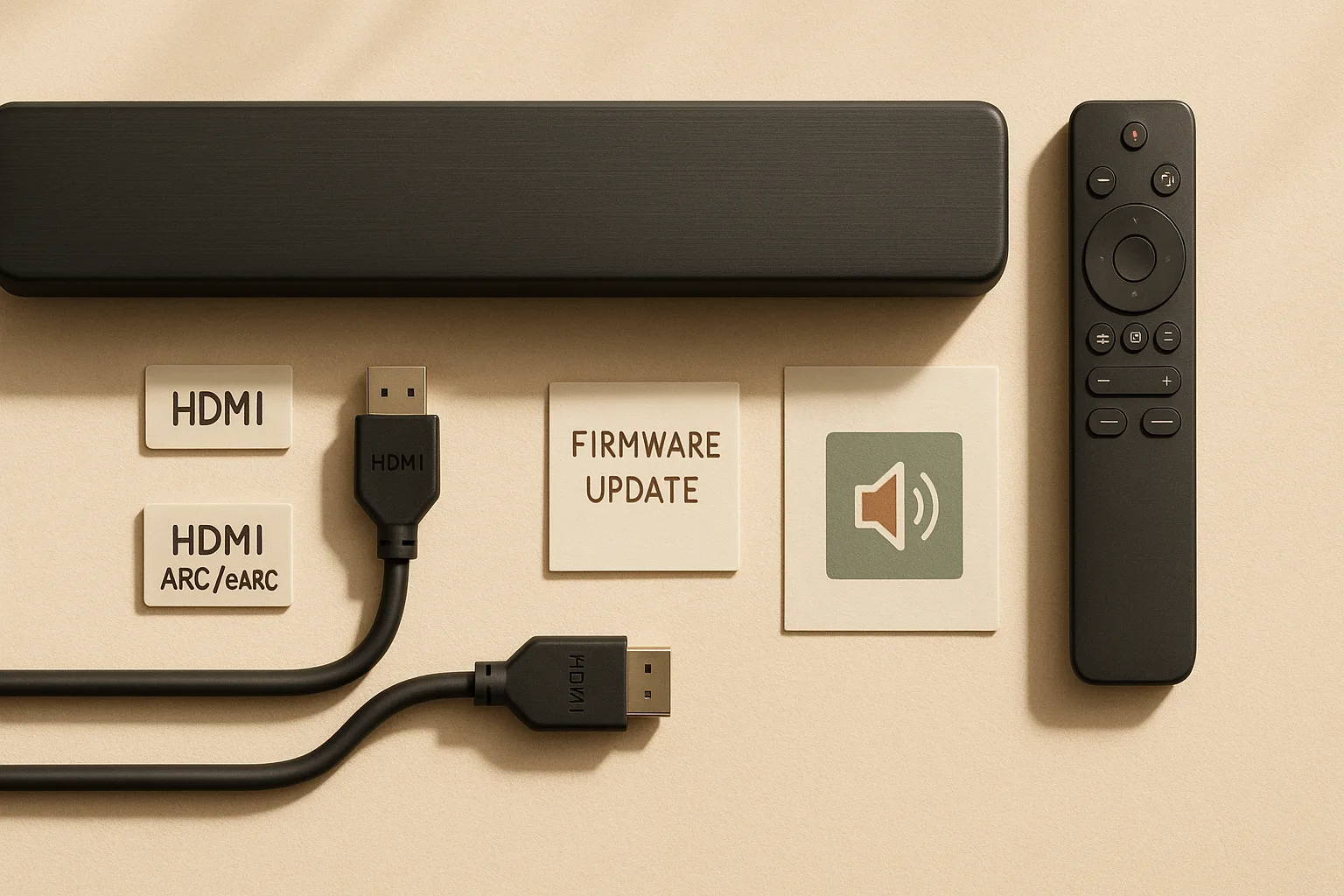
Setup checklist for HDMI eARC, Dolby Atmos, and TV passthrough
You don't need an AV receiver for Dolby Atmos. Both the Sonos Arc Ultra and Samsung HW-Q990D decode and render Dolby Atmos directly from a Dolby Atmos–encoded signal passed via HDMI eARC. What a receiver adds is more channels, physical speaker placement, and room correction — not Atmos itself.
Compatibility checklist before you buy:
- Your TV must have an HDMI eARC port (not just ARC). Verify the eARC label on the port or in the TV's audio menu.
- Enable eARC in your TV settings. On most TVs this is buried in the sound or HDMI settings menu; it's off by default on some models.
- Your streaming source matters. A streaming box connected to your TV's HDMI input can pass Dolby Atmos to the TV, which then passes it downstream via eARC to your soundbar or receiver.
- If you connect a source directly to the AVR, audio is processed by the receiver before it reaches the TV — the TV is out of the audio chain entirely.
- Atmos from Netflix, Disney+, and Apple TV+ requires a subscription tier that includes Atmos content. Confirm the content you watch is actually encoded in Atmos before attributing any sound quality to the hardware.
When the TV should be the audio hub
For a soundbar setup — either the Arc Ultra or Q990D — the TV is the audio hub. Every source plugs into the TV, whether it's a streaming app, a streaming box, or a game console, and the TV sends audio out via eARC to the soundbar. This is simple, clean, and lets you use your TV's remote or HDMI-CEC to control volume.
The eARC path handles Dolby Atmos correctly when configured, so this isn't an audio-quality compromise — it's the intended design for a soundbar system. For a general consumer TV-hub setup guide, follow the TV and soundbar manufacturers' HDMI-CEC and eARC instructions rather than assuming every device handles passthrough the same way.
When the receiver should be the audio hub
For an AVR setup, run all your sources through the receiver's HDMI inputs instead of the TV. A game console, disc player, and streaming device can each connect directly to the Denon X3800H. The receiver switches between them, decodes audio natively, and sends video upstream to the TV via a single HDMI output. You use the receiver's remote (or a universal remote like a Logitech Harmony or a Caavo Control Home) to switch inputs.
This approach has two advantages: the receiver handles all audio decoding without TV firmware quirks interfering, and adding new sources in the future means adding one more HDMI cable to the back of the receiver, not the TV.
Pro Tip: If your TV has limited HDMI inputs, routing sources through the AVR effectively gives you a free HDMI switch — one cable from receiver to TV handles video for every connected source.
FAQ: soundbar vs AV receiver for a 2026 living room
Is a soundbar better than an AV receiver?
For most living rooms in 2026, a premium soundbar package is the better choice — not because it sounds better, but because it fits better. Soundbars like the Samsung HW-Q990D and Sonos Arc Ultra deliver genuine Dolby Atmos, require no speaker wire, and work in the time it takes to connect one HDMI cable. An AV receiver gives you more channels, better room correction via Audyssey MultEQ XT32, and indefinite expandability, but it demands separate speakers, real wiring work, and a calibration session before it produces a note.
What is the difference between a soundbar and a receiver?
A soundbar is a complete, self-contained speaker system — amplifier, drivers, and DSP in one enclosure. A receiver (like the Denon AVR-X3800H) is only an amplifier and processor; it requires separate speakers to make any sound at all. Receivers typically offer more channels, better room correction, and the ability to swap individual components; soundbars offer simpler setup and a cleaner install.
Can a soundbar replace a receiver?
For most households, yes. A soundbar package like the Samsung HW-Q990D delivers 11.1.4-channel Dolby Atmos surround with included rear speakers and a subwoofer, which covers every everyday use case from movies to gaming. The Denon AVR-X3800H is the expandable AVR with Audyssey MultEQ XT32 when you want separate speakers, room correction, and a path to build beyond what a soundbar can do.
Do I need an AV receiver for Dolby Atmos?
No. Both the Sonos Arc Ultra and Samsung HW-Q990D support Dolby Atmos natively over HDMI eARC, with no receiver required. What a receiver adds is more speaker channels, physical height speaker support, and microphone-based room correction — not Atmos itself. Confirm your TV has an eARC-capable HDMI port and that eARC is enabled in your TV's settings, and your soundbar will receive a full Atmos signal.
Which setup is easiest for a household where multiple people share the TV?
The Sonos Arc Ultra wins on day-to-day simplicity. One cable, one app, and the system works the same way every time. The Samsung Q990D is nearly as simple once the rear speakers and sub are wirelessly paired. An AVR requires whoever's watching to understand input switching, and occasional calibration re-runs when furniture moves — which is a real friction point in shared households.
When does the Denon AVR-X3800H clearly win?
When you're in a room larger than 500 square feet, you're committed to a multi-speaker layout, and you plan to spend $2,500 or more in total. At that point, Audyssey MultEQ XT32 room correction, 9.4-channel architecture, and the ability to upgrade speakers independently make the Denon the smarter long-term investment than any soundbar package.
Sources & References
- RTINGS Soundbar Index — Primary comparative testing source for soundbar rankings and reviews
- RTINGS: Samsung HW-Q990D vs Sonos Arc Ultra comparison — Head-to-head test data and channel configuration details
- RTINGS: Sonos Arc Ultra review — Flagship standalone soundbar confirmation and performance data
- RTINGS: Sonos Arc vs Samsung HW-Q990D comparison — Surround immersion and customization comparison
- RTINGS: Samsung HW-Q990D vs Sonos Ultimate Immersive Set — Full-ecosystem cost and performance comparison
- Denon AVR-X3800H product page — Official spec source: 9.4-channel, 105W, Audyssey MultEQ XT32, Dirac Live, Dolby Atmos, DTS:X
- Denon AVR-X3800H info sheet — eARC/ARC single-HDMI audio routing confirmation
Keywords: Sonos Arc Ultra, Samsung HW-Q990D, Denon AVR-X3800H, HDMI eARC, Dolby Atmos, DTS:X, Audyssey MultEQ XT32, Roku Ultra, Apple TV 4K, RTINGS soundbar index, AVS Forum, subwoofer, center channel speaker