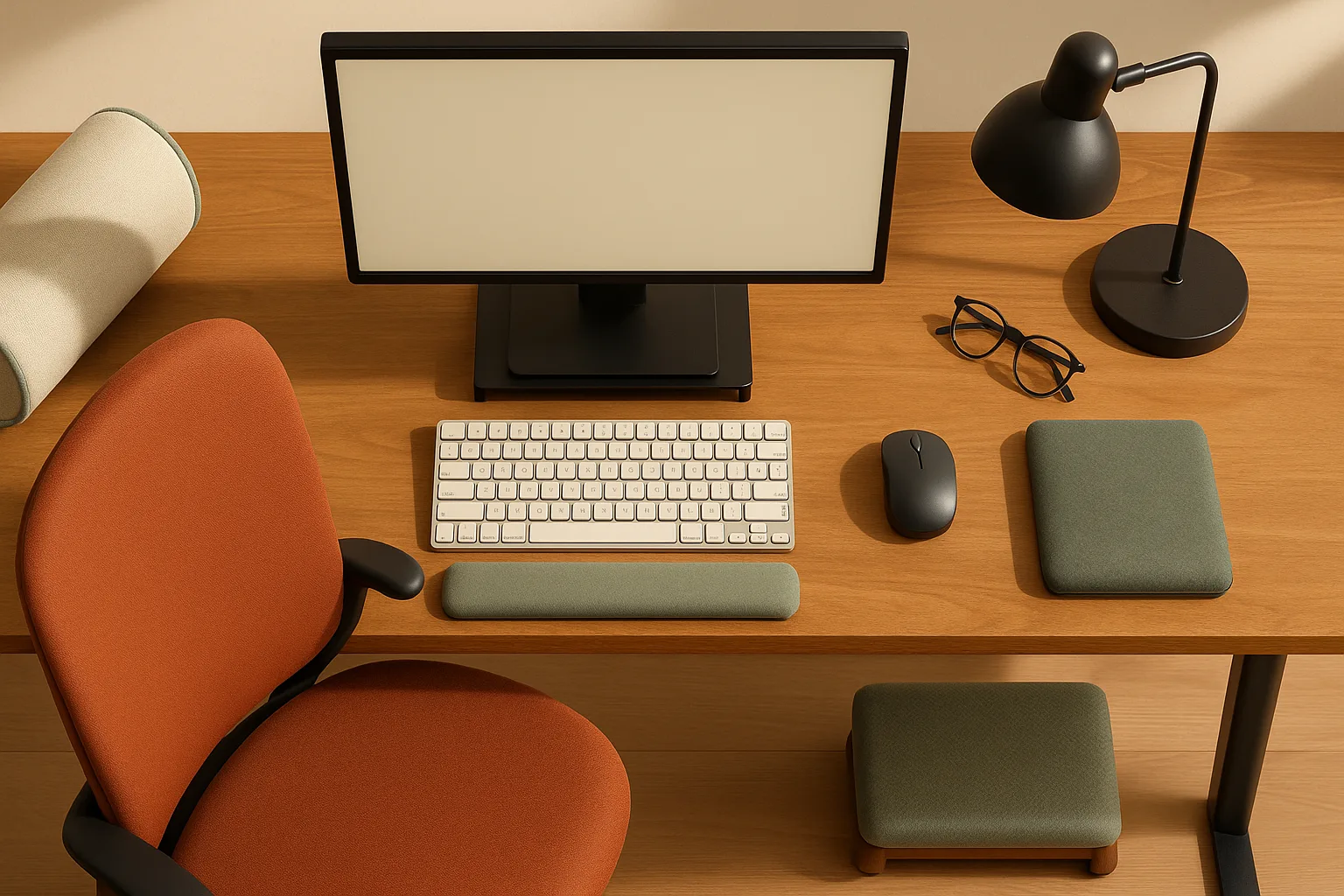
You don't need six feet of wall space to get a real sit-stand upgrade — IKEA's US standing desk lineup includes compact models as narrow as 35⅜ inches wide and 23⅝ inches deep, starting at $149.99. The trick is matching the desk width to your actual wall run, then making sure the depth handles your monitor, keyboard, and laptop dock without fighting for surface real estate. This guide filters every pick by exact inch measurements across four-foot, five-foot, and six-foot wall spans — because a product description that says "compact" doesn't tell you whether the desk actually clears your door frame.
How we chose the best standing desks for 4 to 6 feet of wall space
The single biggest mistake small-space buyers make is shopping by style before shopping by dimensions. A desk that photographs beautifully in a staged loft studio can completely block a closet door or force you to crab-walk past a chair in a real 10×10 spare bedroom. Our selection process started with the tape measure, not the finish.
At a Glance: - Width in inches — must fit the target wall span with at least 3 inches of clearance on each side for cable routing and chair swing - Depth in inches — the shallow 23⅝-inch depth common to IKEA's compact sit/stand lineup is workable but requires a monitor arm; deeper surfaces (31½ inches and up) give you more flexibility - Lift type — IKEA's own category page confirms two options: "hand crank or electric motor." Manual cranks cost less and never need firmware updates; electric motors are faster and let you set memory presets so you stop guessing your ideal height - Current US price — verified against IKEA's live US site as of spring 2026, with notes on IKEA Family pricing where it applies - Monitor-arm compatibility — whether the desktop edge is thick enough and accessible enough for a clamp-style arm, and whether depth leaves a usable typing zone after the monitor is mounted
All of the home office furniture picks below are available at US IKEA stores or through IKEA's US website. Prices may vary by location and membership status.
Quick comparison of the best compact standing desks by wall span
The right desk size depends on how much wall you actually have — not how much you wish you had. A 4-foot wall run is 48 inches; a 5-foot run is 60 inches; a 6-foot run is 72 inches. Measure twice before you order.
| Model | Width × Depth | Lift Type | US Price | Best Wall Span |
|---|---|---|---|---|
| IKEA RELATERA | 35⅜ × 23⅝ in. | Manual | $149.99 | 4 ft (48 in.) |
| IKEA SEGRARE | 43¼ × 23⅝ in. | Manual | $149.99 | 4–5 ft |
| IKEA GLADHÖJDEN | 39⅜ × 23⅝ in. | Manual | $299.99* | 4–5 ft |
| IKEA MITTZON (compact) | 47¼ × 31½ in. | Electric | See site | 5–6 ft |
| IKEA MITTZON (wide) | 63 × 31½ in. | Electric | See site | 6 ft only |
*IKEA Family price $249.99 — see the April 2026 pricing notes section below.
Pro Tip: Always add 6 inches to your desk's width when planning clearance. That accounts for a cable management tray or power strip clipped to the back edge, plus a monitor arm that extends slightly beyond the surface edge.
Best standing desks for a 4-foot wall span
A 48-inch wall run sounds limiting, but three IKEA sit/stand desks fit comfortably here, leaving room for side clearance on both ends.
IKEA RELATERA Desk sit/stand — 35⅜ × 23⅝ in., $149.99, manual. At just under 36 inches wide, RELATERA leaves more than 6 inches of breathing room on each side of a 48-inch wall run. That's enough for a small under-desk pedestal drawer unit or a vertical cable channel. The 23⅝-inch depth is shallow — you'll want a monitor arm to push the screen back and free up typing space.
IKEA SEGRARE Desk sit/stand — 43¼ × 23⅝ in., $149.99, manual. SEGRARE is the widest desk that still clears a standard 48-inch wall span. At 43¼ inches, it leaves just under 5 inches total — about 2½ inches per side — so measure your door clearance carefully before ordering. Same shallow depth as RELATERA; same monitor arm recommendation applies.
IKEA GLADHÖJDEN Desk sit/stand — 39⅜ × 23⅝ in., $299.99 ($249.99 IKEA Family), manual. At 39⅜ inches, GLADHÖJDEN leaves roughly 4½ inches on each side of a 48-inch run — comfortable enough for a cable sleeve or small shelf. The price bump over RELATERA buys you a wider surface for spreading out documents or a second device.
Watch Out: On any 4-foot wall run, check that your chair can fully roll back without hitting the opposite wall or a baseboard. A typical office chair needs about 24–30 inches of clearance behind the desk when you stand up.
Best standing desks for a 5-foot wall span
A 60-inch wall run opens up all three compact IKEA models with comfortable margins, and starts to make cable routing and monitor arm placement much easier to execute.
RELATERA (35⅜ in.) and SEGRARE (43¼ in.) both fit a 60-inch run with 8–16 inches of spare width. That extra buffer means you can add a small set of floating shelves to one side, or run a power strip along the wall and keep it clear of the desk footprint entirely.
GLADHÖJDEN (39⅜ in.) is the strongest pick for a 5-foot span. The extra width versus RELATERA makes a real difference for a single-monitor setup with a laptop dock. With 10+ inches of clear wall on each side, your monitor arm won't crowd the wall corner, and you have room to angle the arm slightly toward your seated and standing positions without the base hitting the edge.
The 23⅝-inch depth is the same across all three compact models, so the monitor arm is still recommended regardless of which you choose. Keyboard, laptop dock, and coffee mug can coexist on 23⅝ inches — but only just, and only if the monitor is mounted rather than sitting flat on the surface.
Pro Tip: On a 5-foot wall span, position the desk so the power outlet is behind the right or left leg rather than directly behind the center. That keeps the power strip hidden and simplifies cord routing when the desk moves up and down.
Best standing desks for a 6-foot wall span
A 72-inch wall run gives you access to the deeper, electric MITTZON line — and that depth change from 23⅝ inches to 31½ inches makes a significant practical difference.
IKEA MITTZON Desk sit/stand, electric, 47¼ × 31½ in. — electric, with memory presets. Fits a 72-inch wall run with more than 24 inches of side clearance on each side, which is enough for a compact bookcase or filing cabinet flush to the wall. The 31½-inch depth comfortably fits a monitor arm plus keyboard plus laptop dock in a proper ergonomic triangle, with room to spare for a notepad or second device. One verified IKEA US review says the desk is a "Great desk for the price," and another says "the presets are easy to set and use," which is the reason the electric version makes sense in a small office.
IKEA MITTZON Desk sit/stand, electric, 63 × 31½ in. — electric, with memory presets. This wider version uses up 63 of a 72-inch wall run, leaving only about 4½ inches total side buffer. That's tight. You'll want to confirm there's no light switch, outlet, or baseboard heating unit within those margins. When it fits, the 63-inch surface supports a true dual-monitor setup with a monitor arm or a wide-screen plus a side monitor. The 31½-inch depth makes dual-screen ergonomics genuinely comfortable without craning forward.
Watch Out: The 63-inch MITTZON nearly fills a 6-foot wall run. Before ordering, mark the actual footprint on your floor with painter's tape and walk around it for a day. Include cable slack and the power strip in your tape outline.
IKEA RELATERA Desk sit/stand for the tightest budget setup
The pick: IKEA RELATERA Desk sit/stand, white, 35⅜ × 23⅝ in., $149.99
- Lift type: Manual (hand crank)
- Width: 35⅜ in.
- Depth: 23⅝ in.
- US price: $149.99
- Best for: Wall runs of 40–48 in., single-monitor setups, tight budgets
RELATERA is the cheapest sit/stand desk in IKEA's current US lineup, and at 35⅜ inches wide it fits wall spans where nothing else will. The manual lift mechanism means you turn a crank to raise or lower the surface — slower than electric, but with zero motor maintenance and no app pairing required. For occasional posture changes throughout the workday, that's a reasonable trade.
The shallow 23⅝-inch depth is the honest limitation here. If you place a standard 27-inch monitor directly on the surface, you'll have less than 3 inches between the screen base and the front edge — not enough room to type comfortably. The fix is a clamp-style monitor arm, which mounts to the back edge of the desk, floats the screen at eye level, and reclaims the full surface depth for your keyboard and wrists. Budget another $30–$60 for a basic single-arm to make RELATERA actually work as a workstation.
Cost Snapshot: RELATERA at $149.99 + a basic clamp monitor arm (~$35–$60) = compact sit/stand setup for under $215 total.
IKEA GLADHÖJDEN Desk sit/stand for the best midrange small-office pick
The pick: IKEA GLADHÖJDEN Desk sit/stand, white, 39⅜ × 23⅝ in., $299.99 ($249.99 with IKEA Family membership)
- Lift type: Manual (hand crank)
- Width: 39⅜ in.
- Depth: 23⅝ in.
- US price: $299.99 standard / $249.99 IKEA Family
- Best for: Wall runs of 44–60 in., single-monitor or laptop-plus-dock setups
GLADHÖJDEN gives you 4 more inches of width than RELATERA at the same 23⅝-inch depth. That sounds minor, but it matters when you're working with a laptop dock on one side and a keyboard centered in front of you — the extra inches mean the dock isn't hanging off the edge.
The IKEA Family price of $249.99 makes this one of the most competitive sit/stand desks at its size in the US market. If you're not already an IKEA Family member, the free signup pays for itself on the first purchase. That $50 gap between the standard and member prices was confirmed on the GLADHÖJDEN product page as of spring 2026 — but verify current pricing before you buy, because promotional tiers can change.
Like RELATERA, GLADHÖJDEN uses a manual hand crank. The depth is still 23⅝ inches, so a monitor arm is the right companion here too. Pair it with a single-arm clamp mount on the rear edge, and your usable keyboard zone expands from cramped to comfortable in about 20 minutes of setup.
Pro Tip: When installing a clamp-style monitor arm on GLADHÖJDEN, route your monitor cable through the desk's built-in cable management channel before clamping the arm down — it's much harder to thread cables after the arm is locked in place.
IKEA MITTZON or TROTTEN when you have room for a larger premium desk
The pick: IKEA MITTZON Desk sit/stand, electric — available in 47¼ × 31½ in. and 63 × 31½ in. configurations
- Lift type: Electric motor with memory presets
- Width options: 47¼ in. or 63 in.
- Depth: 31½ in.
- US price: Check current IKEA US pricing — verify before purchase
- Best for: Wall runs of 54–72 in., users who want one-touch height adjustment
MITTZON is the meaningful upgrade over the manual compact desks. The electric motor means you press a button and the desk moves — no cranking, no stalling halfway up because you set it too close to the wall. More importantly, the MITTZON product page shows that the presets are easy to set and use, which means you program your sitting height once and your standing height once, then switch between them in about four seconds. That frictionless transition is what actually gets people to alternate postures throughout the day.
The depth jump to 31½ inches is equally significant. That extra 8 inches over the compact models changes the ergonomics entirely: monitor arm at the back, keyboard centered, wrists neutral, laptop or dock off to the side with room left over. Dual monitors become practical on the 63-inch-wide version — a single wide-screen plus a vertical side monitor fits cleanly on a surface this deep.
Which MITTZON width to choose:
- 47¼ × 31½ in. — fits a 5-foot or 6-foot wall run with generous clearance, better suited to single-monitor setups and rooms where side space is needed for a chair path or storage
- 63 × 31½ in. — fits only a true 6-foot wall run, and only barely (about 4½ inches of total side buffer); ideal when you want a dual-screen workstation and the room layout genuinely supports it
On the TROTTEN: IKEA lists TROTTEN as a sit/stand option in the US category, but specific configurations and pricing were not fully verified at time of writing. Check the IKEA US standing desk category directly for current TROTTEN specs if you want to compare it to MITTZON before purchasing.
When a desk converter is smarter than a full standing desk
A full sit/stand desk is the right answer for most people reading this guide. But there are cases where a standing desk converter — a platform that sits on top of your existing desk and raises your monitor and keyboard — is the more practical call.
Choose a desk converter when:
- Your current desk is in good condition and you don't want to replace furniture
- Your budget is under $100 and the compact sit/stand options still feel expensive
- You need the flexibility to use the surface as a regular desk sometimes and a standing setup other times without committing to a new piece of furniture
- You're renting and your landlord has restrictions on furniture assembly or you don't want to haul a full desk if you move in 12 months
- You work with physical documents, drafting materials, or large items that benefit from the extra surface depth a regular desk provides — converters only elevate a portion of the surface
A converter is not the right tool when:
- You want a clean cable management solution (converters add height and complexity to cable routing)
- Your monitor is large and heavy — most converters have lower weight limits than dedicated standing desk frames
- You plan to use a dual-monitor setup — the elevated platform narrows your usable width considerably
Choose a desk converter if your wall space is very tight
When your wall run is tight and a full standing desk would crowd a doorway or make the room feel blocked, a desk converter placed on an existing compact writing desk or kitchen table can be a practical workaround.
The setup works like this: your existing surface stays at sitting height, handling keyboard and laptop dock placement at normal desk height. The converter platform rises above it to bring the monitor (or monitor arm mounted to the platform) to eye level when you stand. You still get posture variation without replacing the underlying desk.
The honest limitation is depth: most converters reduce your effective typing depth by 4–6 inches when extended, because the platform's back riser takes up rear surface space. If your existing desk is already only 20 inches deep, that gets tight fast. A monitor arm compatible with VESA-mount screens helps here — it lets you position the screen independently of the platform surface and recover some of that depth.
How much desk depth you need for a monitor arm, keyboard, and laptop dock
The honest answer: 23⅝ inches — the depth of every compact IKEA sit/stand desk in this guide — is enough, but only if you use a monitor arm. Without one, it isn't. See the IKEA standing desk category page for the compact 23⅝-inch models, and the MITTZON product page for the 31½-inch electric frame that gives you more room to work with.
Here's why. A standard 27-inch monitor on a stand takes up roughly 9–10 inches of depth just for the base. That leaves only about 13–14 inches between the monitor base and the front edge of a 23⅝-inch desk. Ergonomic typing requires your keyboard to sit at elbow height with your wrists neutral, which means the keyboard needs roughly 6–8 inches of clear space in front of it. Do the math: 13 inches minus 8 inches of keyboard depth leaves about 5 inches between your keyboard and the front edge — barely enough for your wrists, and nothing for a laptop dock.
A clamp-style monitor arm changes that equation completely. It mounts to the back edge of the desk (taking up about 1 inch of desk space), swings the monitor out over the surface, and puts your screen at the exact height and distance your posture needs. Your keyboard slides back toward the center of the desk. Suddenly 23⅝ inches feels like enough room.
Depth planning checklist for 23⅝-inch desks:
- Monitor arm clamp: about 1 inch of rear edge clearance is needed in practice — make sure the desk frame doesn't block the clamp jaws at the back
- Keyboard zone: budget 8–10 inches of depth for keyboard + mouse side by side
- Laptop dock placement: 6–8 inches wide, set to one side; a vertical laptop stand cuts the footprint to under 2 inches deep
- Remaining surface: whatever is left — typically 10–12 inches — for water, notebook, or a small desk lamp
For 31½-inch desks (MITTZON): The math is generous. Monitor arm at the back, keyboard centered, laptop dock flush to one side, and you still have 4–6 inches of clear front edge. This depth handles dual-monitor setups without compromise.
Monitor arm wall clearance and VESA mount basics
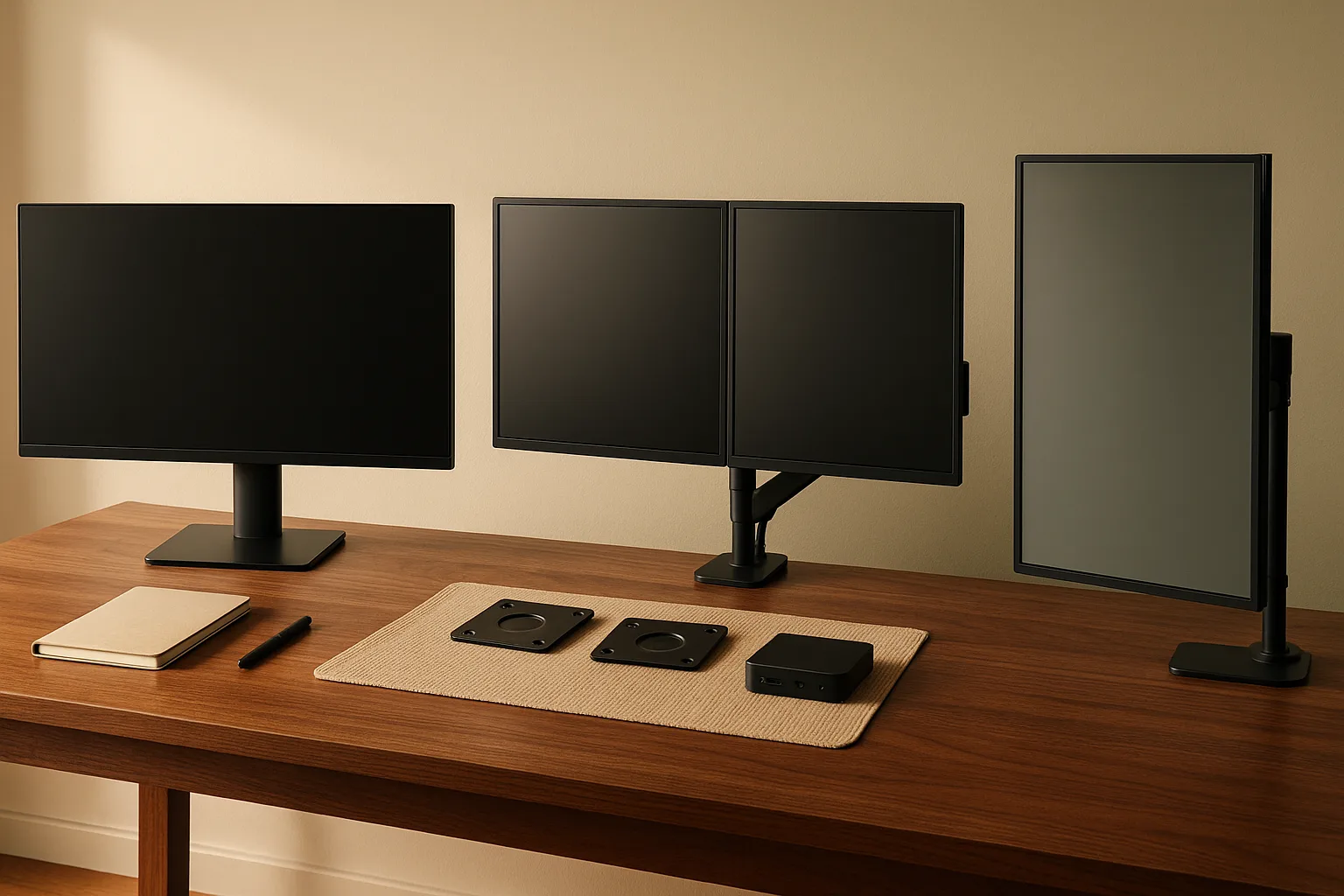
A monitor arm needs three things to work well in a small office: desk edge access for the clamp, enough swing radius to reach your seated and standing sight lines, and a monitor that accepts a VESA mount pattern.
Compact setup checklist:
- Clamp space: confirm the desk's rear edge is accessible and not blocked by a cable tray before ordering a clamp-style arm
- Arm swing radius: make sure the arm can extend toward your seated and standing positions without colliding with the wall, blinds, or a nearby shelf
- VESA compatibility: most monitors made in the last several years support a standard VESA bolt pattern — check your monitor's spec sheet before purchasing an arm; the mount pattern is listed in the display's technical specifications
- Screen height: when standing, the top of the monitor should be at or just below eye level — an arm that adjusts tilt and height independently makes this easy to dial in without repositioning the desk
Watch Out: Don't position the desk flush against the wall. Leave a small gap between the desk's back edge and the wall for cable routing and monitor arm clearance. Without it, cords bunch up, arms can't pivot, and the desk can't rise freely.
Cable management for a standing desk in a small home office
Cable management on a sit/stand desk is a different problem than on a static desk. When the surface moves up and down, cords that are anchored at both ends — plugged into the wall at one end and a device at the other — need enough slack to travel with the frame without tugging at the connections.
The core principle: every cable needs room to move. The amount of slack you need depends on the height difference between your lowest sitting position and your highest standing position. For most home office setups, that range is roughly 12–18 inches of desk travel. Each cable running from a wall outlet or floor-level power strip to a desk-mounted device needs enough extra length gathered somewhere in the run.
Practical cable routing approach:
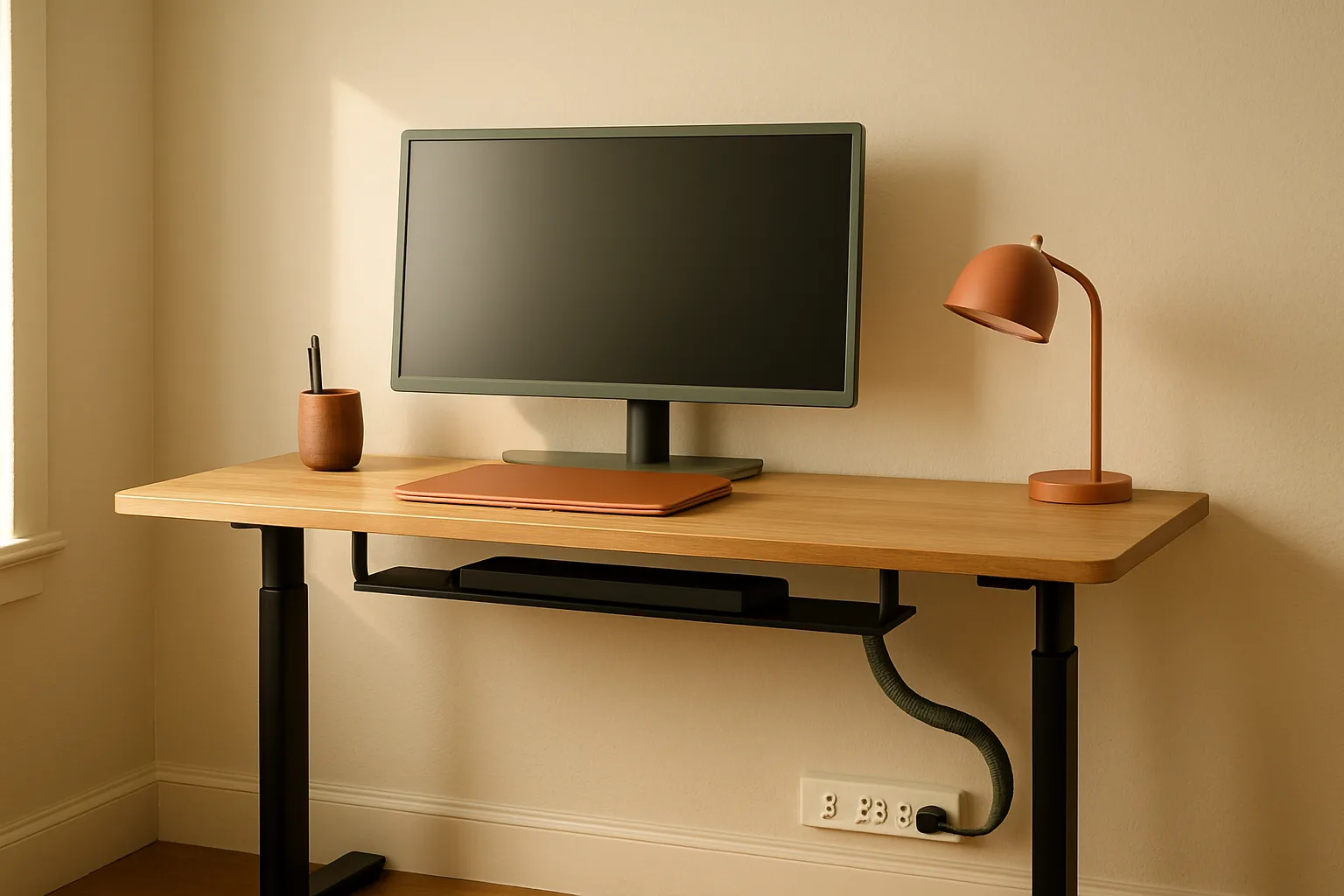
- Mount a cable management tray (a small under-desk tray that screws or clamps to the frame) to the underside of the desk. This holds your power strip and excess cord loops close to the desk surface so they travel with the desk as it moves.
- Route cords from your wall outlet or floor power strip up to the desk-mounted tray in a loose vertical loop — not stretched tight, not coiled tightly either. A gentle S-curve of extra cord behind the desk leg is enough.
- Group all monitor, laptop, and peripheral cables in a cable sleeve along the desk leg, from the floor up to the frame level. The sleeve keeps cables together and prevents individual cords from snagging on chair wheels or getting pulled by foot traffic.
- Leave the section of cord between the cable sleeve and each device unbound, so it can flex freely as the desk height changes.
A simple under-desk cable tray — available from multiple brands for $15–$30 — is the single most useful cable management accessory for any sit/stand desk in a small space. It keeps the power strip off the floor (where it's a vacuum obstacle and a trip hazard), travels with the desk height, and organizes all your outlet connections in one place.
How to keep cords from snagging when the desk goes up and down
Test your cable slack before you finalize the setup — not after everything is plugged in and a monitor arm is installed.
- Raise the desk to its maximum standing height.
- Check every cable running from the desk to the wall, floor, or a below-desk device. Any cord pulled taut at max height will eventually wear at the strain point or pull a device off the desk.
- For any taut cord, add enough slack to create a loose loop, then secure the loop to the desk leg or cable tray with a velcro cable tie — not a zip tie, which you'd need to cut if you ever reconfigure.
- Lower the desk to sitting height and check that the slack loop doesn't bunch up on the floor or catch under a chair caster. If it does, shorten the loop slightly and re-test.
- Raise and lower the desk three times in a row to confirm nothing catches, pulls, or drags.
This takes about 10 minutes and prevents the most common sit/stand desk frustration: the desk rises partway and stops because a monitor cable reached its limit before the surface did.
April 2026 IKEA price notes and promotion checks
IKEA pricing in the US can shift between your research session and your checkout, particularly on sitting-desk models that qualify for IKEA Family discounts or temporary promotions.
The most concrete example from this guide: as of spring 2026, the GLADHÖJDEN product page showed an IKEA Family price of $249.99 versus the standard $299.99 listed on the category page — a $50 difference that makes a real impact on the midrange budget. IKEA Family membership is free and worth activating before any major furniture purchase.
Before you buy, verify:
- Current price on the specific product URL (not just the category page)
- Whether IKEA Family pricing applies to your chosen model
- In-store availability at your local IKEA, which can differ from online stock
- Whether the configuration you want (color, size, top material) is the one showing the promotional price
Pro Tip: IKEA's "As-Is" section — the clearance area near the warehouse exit — occasionally stocks returned or floor-model sit/stand desks at significant discounts. If you're within driving distance of an IKEA store, it's worth a five-minute detour before purchasing online.
Best standing desk for each budget: budget, midrange, and premium
Before the individual picks: the goal of a sit/stand desk is posture variation — alternating between sitting and standing across your workday. Standing all day is not better than sitting all day; it just trades one strain pattern for another. Any desk that makes it easy to switch positions a few times a day is doing its job.
Best budget pick for under $200
IKEA RELATERA Desk sit/stand — 35⅜ × 23⅝ in., $149.99, manual crank.
RELATERA wins the budget category because it fits wall spans too narrow for any other sit/stand desk in the IKEA US lineup, and it costs less than any competing electric option. The manual crank is the only real trade-off: raising or lowering the surface takes 30–45 seconds instead of 4. For a user who moves between positions twice a day, that's fine. Add a $35–$50 clamp monitor arm and you have a functional compact standing desk setup for under $210.
Best midrange pick for most small home offices
IKEA GLADHÖJDEN Desk sit/stand — 39⅜ × 23⅝ in., $299.99 ($249.99 IKEA Family), manual crank.
GLADHÖJDEN is the right desk for most people reading this article. It fits nearly every wall span between 44 and 60 inches with comfortable clearance. The extra 4 inches of width over RELATERA makes a daily difference for laptop-plus-dock setups. And with IKEA Family pricing at $249.99, it's one of the most fairly priced sit/stand desks in its category.
Pair it with a clamp-style monitor arm — budget $35–$80 depending on arm reach and weight capacity — and a simple under-desk cable tray. Total setup under $380.
Best premium pick for a roomier 6-foot wall run
IKEA MITTZON Desk sit/stand, electric, 47¼ × 31½ in. — electric motor with memory presets.
MITTZON earns the premium slot because the electric lift with programmable presets genuinely changes how often people actually change positions. As confirmed by multiple IKEA US buyers, "Great desk for the price" and "the presets are easy to set and use" are the review quotes that make the case for the electric frame. You set your sitting height once, your standing height once, and switching is a one-button press. The 31½-inch depth is the other differentiator: it's deep enough for a real dual-screen workstation with a monitor arm, keyboard, and laptop dock without crowding.
The 47¼-inch-wide version fits a 5-to-6-foot wall run and leaves breathing room on both sides — a better choice for most small offices than the 63-inch version, which barely clears a 72-inch wall run. Confirm current MITTZON pricing on IKEA's US site before purchasing, as pricing on electric models can shift seasonally.
Standing desk setup mistakes that matter most in small spaces
Depth miscalculation. Ordering a 23⅝-inch-deep desk and expecting to use a 27-inch monitor on a stand is the most common mismatch. The fix is always the same: clamp monitor arm first, desk second.
Skipping the tape-measure test. Mark your desk footprint on the floor before assembly. Include the chair's pulled-back position (add 24–30 inches behind the desk front edge) and the monitor arm's reach toward the wall. Most small offices look roomier in the imagination than they are in practice.
Flush-to-wall placement. Pushing the desk tight against the wall blocks monitor arm pivot, bunches cables, and prevents the desk from rising freely if any cord is routed behind the surface. Keep at least 4–6 inches between the back edge and the wall.
Under-desk storage blocking leg travel. Electric desks need clear travel space for their legs — filing cabinets, rolling pedestals, and floor-level cable bunches that extend beyond the leg footprint can catch on the frame mid-rise. Position under-desk storage to the side of the leg span, not between or behind the legs.
Standing all day. A sit/stand desk is a posture-variation tool, not a standing workstation. The ergonomic benefit comes from movement — breaking up long static periods, whether sitting or standing.
Ignoring cable slack. Reviewed at length above — but worth naming as a setup mistake because most people only discover the problem after the first time the desk stalls mid-rise with a taut monitor cable pulling against the frame.
FAQ about choosing a standing desk for a small home office
What size standing desk do I need for a small home office?
Measure your wall span first, then subtract at least 6 inches total for side clearance. For a 48-inch (4-foot) wall span, desks between 35 and 43 inches wide fit without crowding a door or walkway. For 60-inch (5-foot) spans, any of IKEA's compact models work comfortably. For a 72-inch (6-foot) span, you can consider deeper electric options like the MITTZON up to 63 inches wide — but verify that side clearance isn't consumed by a door swing or outlet.
Are standing desks worth it if you only have a small space?
Yes — a 35⅜-inch desk is still a sit/stand desk. The posture benefits come from how often you switch positions, not from how wide the surface is. If your wall run is tight, a compact manual model like RELATERA at $149.99 gives you full sit/stand functionality in a smaller footprint than most alternatives.
How much depth do you need for a monitor arm on a standing desk?
A 23⅝-inch-deep desk is workable with a clamp-style monitor arm — the arm mounts to the rear edge and frees up the entire surface depth for keyboard and peripherals. Without a monitor arm, 23⅝ inches is too shallow for comfortable use with a standard monitor on a stand. If you want to skip the monitor arm, a 31½-inch-deep desk like the MITTZON is the minimum that comfortably handles a monitor, keyboard, and laptop dock without one.
Should I buy a standing desk or a standing desk converter?
Buy a full standing desk if you're replacing furniture anyway, want clean cable routing, and your wall span supports even the smallest sit/stand model. Choose a converter if you want to keep an existing desk, your wall space is very tight, you're on a strict budget under $100, or you expect to move in the next 12 months. Converters add height and cable complexity; full desks are a cleaner long-term solution.
What is the best standing desk for a small apartment or home office?
For most US home offices with 4 to 6 feet of wall space: GLADHÖJDEN at $249.99 (IKEA Family) is the strongest all-around pick — right size, honest price, and compatible with a clamp monitor arm. On a tighter budget, RELATERA at $149.99 fits the smallest spaces. If you have a true 6-foot wall run and want electric height adjustment with presets, MITTZON (47¼ × 31½ in.) is the one to get.
Sources & References
- IKEA US Standing Desks Category — Source for RELATERA, GLADHÖJDEN, SEGRARE, MITTZON dimensions, prices, and lift-type descriptions
- IKEA GLADHÖJDEN Desk sit/stand product page — Source for IKEA Family price of $249.99 confirmed spring 2026
- IKEA MITTZON Desk sit/stand, electric, 47¼ × 31½ in. — Source for electric MITTZON compact configuration and user review quotes on presets
- IKEA MITTZON Desk sit/stand, electric, 63 × 31½ in. — Source for wide MITTZON configuration and 6-foot wall span considerations
Keywords: IKEA RELATERA Desk sit/stand, IKEA GLADHÖJDEN Desk sit/stand, IKEA SEGRARE Desk sit/stand, IKEA MITTZON sit/stand desk, IKEA TROTTEN sit/stand desk, manual crank standing desk, electric standing desk, monitor arm, cable management tray, desktop depth, cord slack, desk converter, ergonomic neutral posture, VESA mount