How much does a home office cost to build in the US?
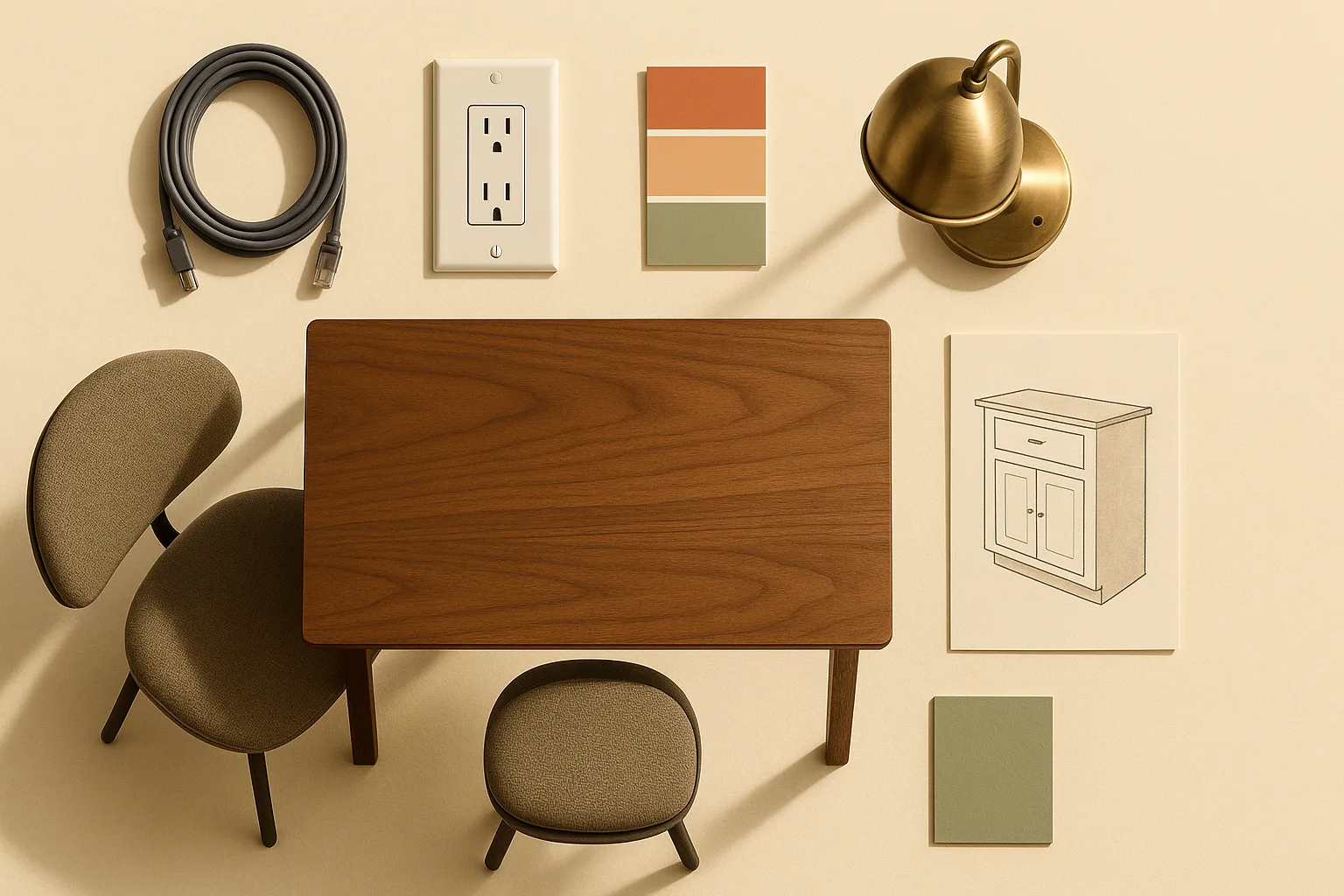
A realistic US home office build runs anywhere from $500 to $30,000+ when you combine furniture-only setups with room-renovation scopes, and the spread is supported by HomeAdvisor's home office cost guide plus Angi's built-in cabinets cost page. That range sounds useless until you separate two very different projects: a furniture-only setup (desk, chair, lighting, a few accessories) and a room build (outlet additions, Ethernet runs, paint, possible millwork or built-ins). Most cost guides quote a single average and stop there — which is why people consistently underbudget.
Watch Out: A furniture-only budget is not the same as a remodel budget. Adding one dedicated circuit, running CAT6 Ethernet to the room, and installing custom built-ins can add thousands of dollars on top of whatever you spend on a desk and chair. Know which project you're actually doing before you price it.
The three biggest cost variables are local labor rates, finish level (stock cabinets vs. custom millwork), and electrical scope (borrowing existing outlets vs. adding dedicated circuits). HomeAdvisor's home office cost guide breaks this out by contractor pricing, and Angi's built-in cabinet cost page confirms that labor alone for cabinet installation ranges from $50 to $250 per hour depending on location and experience. Those aren't small swings.
Home office cost breakdown by line item
The table below shows what a real home office budget actually contains. Furniture is one column — electrical service, networking, and built-ins each deserve their own.
| Line Item | Materials / Product Spend | Labor / Installation Spend | Starter | Serious Ergonomic | Custom/Premium |
|---|---|---|---|---|---|
| Desk | $200–$400 | $0–$150 if assembled or delivered | $200–$400 | $500–$1,200 | $1,200–$3,500+ |
| Chair | $150–$300 | $0 | $150–$300 | $700–$1,500 | $1,500–$2,500 |
| Task lighting | $40–$100 | $0–$50 if installed | $40–$100 | $100–$300 | $300–$800 |
| Shelving/storage | $50–$200 | $0–$200 if mounted | $50–$200 | $200–$600 | $600–$2,500+ |
| Cable management | $20–$60 | $0–$100 if routed | $20–$60 | $60–$150 | $150–$400 |
| Paint/room prep | $0–$150 in supplies | $0–$1,350 if hired | $0 (DIY) | $200–$600 | $600–$1,500 |
| Outlet additions | $15–$25 per outlet for parts | $150–$500+ | $0 | $150–$500 | $500–$1,500+ |
| Ethernet/networking | $25–$150 in cable and jacks | $186–$674 | $0 (Wi-Fi) | $186–$674 | $500–$2,000 |
| Built-ins/millwork | $100–$5,000+ for stock to custom materials | $1,934–$10,769+ | $0 | $0 | $5,000–$25,000+ |
| Estimated total | $460–$6,285+ | $523–$14,693+ | $460–$1,060 | $1,946–$5,124 | $10,365–$36,200+ |
Networking costs in the middle tier use HomeAdvisor's verified professional installation range of $186–$674, averaging $414 for basic CAT6 cable runs. Built-in costs in the premium tier reflect Angi's 2026 data showing wood built-ins running $5,000–$25,000+, with installation labor adding $1,934–$10,769 depending on materials and complexity. Those aren't typos — they're what happens when custom carpentry meets skilled-trade labor rates.
Pro Tip: Separate your line items into two buckets before you start shopping: product spend (desk, chair, lamp — you can comparison-shop and buy online) and contractor spend (electrical, network cabling, built-ins — you need local bids). Conflating them is the fastest way to blow a budget.
Desk and chair budget ranges
Your desk and chair are the biggest home office furniture line items, and the spread is wide.
Starter tier ($200–$700 combined): A solid-surface standing desk from Flexispot or IKEA's BEKANT line runs $200–$400, depending on finish and size. Pair it with a mesh mid-back task chair from Amazon Basics or HON (the Ignition 2.0 runs around $280) and you have a functional setup. These are one-time purchases that hold up for three to five years of regular use.
Serious ergonomic tier ($1,200–$2,700 combined): At this level you're looking at motorized sit-stand desks — the Uplift V2 (36"×72") starts around $950 direct, the Flexispot E7 Pro comes in around $550 on sale — and a proper ergonomic chair. The Herman Miller Aeron (size B) retails for $1,795 new; the Steelcase Leap V2 is around $1,800 new from authorized dealers. Both carry 12-year warranties, which makes the per-year cost closer to $150 — not extravagant for someone sitting eight hours a day.
Premium tier ($2,500–$6,000+ combined): Custom solid-wood or steel-frame desks from makers like Fully or BDI, paired with a Humanscale Freedom or Herman Miller Embody, put you in this range. At the very top end, a bespoke desk from a local woodworker matched to your built-ins can run $2,000–$5,000 for the desk alone.
Pro Tip: If back or neck pain is your driver, the chair is not where to cut costs. A $300 chair and a $1,000 monitor arm still leaves you with a bad chair. Spend on the Aeron or Leap first, then upgrade the desk.
Lighting, storage, and cable management costs
These mid-tier items are easy to underestimate because they're bought piecemeal.
| Item | Budget range | Notes |
|---|---|---|
| LED desk lamp | $40–$200 | BenQ ScreenBar (~$109) reduces screen glare |
| Floor lamp/overhead fill | $60–$300 | Key light for video calls; ring lights are cheaper but harsh |
| Key light (streaming/calls) | $80–$250 | Elgato Key Light Air (~$120) is popular |
| Open shelving (IKEA KALLAX/Billy) | $60–$200 | DIY install; one-time purchase |
| Filing cabinet | $80–$300 | Lateral 2-drawer file runs ~$150–$250 |
| Cable tray under desk | $25–$60 | Mesh cable tray with clamp mount |
| Cable spine/raceway | $20–$80 | J-channel or D-Line surface raceways |
| Cord cover for floor | $15–$40 | Paintable vinyl; matches trim |
Cable management is almost always DIY territory and a one-time spend. None of these items require a contractor. The cumulative hit — good lighting, a filing cabinet, and tidy cables — typically runs $200–$600 for a serious setup, or under $150 if you prioritize ruthlessly.
Outlet additions, Ethernet, and electrical service costs
Adding outlets or network drops is where the project officially moves from furniture shopping into contractor work.
Cost Snapshot: Adding a single standard outlet to an existing wall typically runs $150–$350 in labor and materials. Adding a dedicated 20-amp circuit (required for high-draw equipment) can run $300–$800+ depending on panel distance and local code. Professional CAT6 Ethernet installation averages $414 and typically ranges from $186 to $674 per run, per HomeAdvisor's network wiring cost data.
The National Electrical Code governs receptacle placement in US homes. Per the NFPA's NEC 70A 2022 code statements: "The required number of receptacle outlets shall be determined in accordance with 210.52(A)(1) through (A)(4). These receptacle outlets shall be permitted to be located as determined by the installer, designer, or building owner." In plain terms, NEC 210.52 sets the minimum spacing and count for outlets in any habitable room — your electrician must follow it, and if you're converting a non-traditional space (a basement, a garage, an outbuilding), you may need more outlets added before the room meets code.
When you need a dedicated circuit: If you're running a desktop workstation, dual monitors, a laser printer, and a space heater simultaneously, a shared 15-amp circuit will trip. A dedicated 20-amp circuit for your office is worth the $300–$800 electrician bill. It also future-proofs the room.
Ethernet vs. Wi-Fi: For most remote workers, a Wi-Fi 6 router is adequate and costs nothing in contractor fees. If you're on video calls six hours a day, editing large files, or running a home server, a hardwired CAT6 drop to your desk eliminates latency spikes. Budget $186–$674 for a professional run through finished walls.
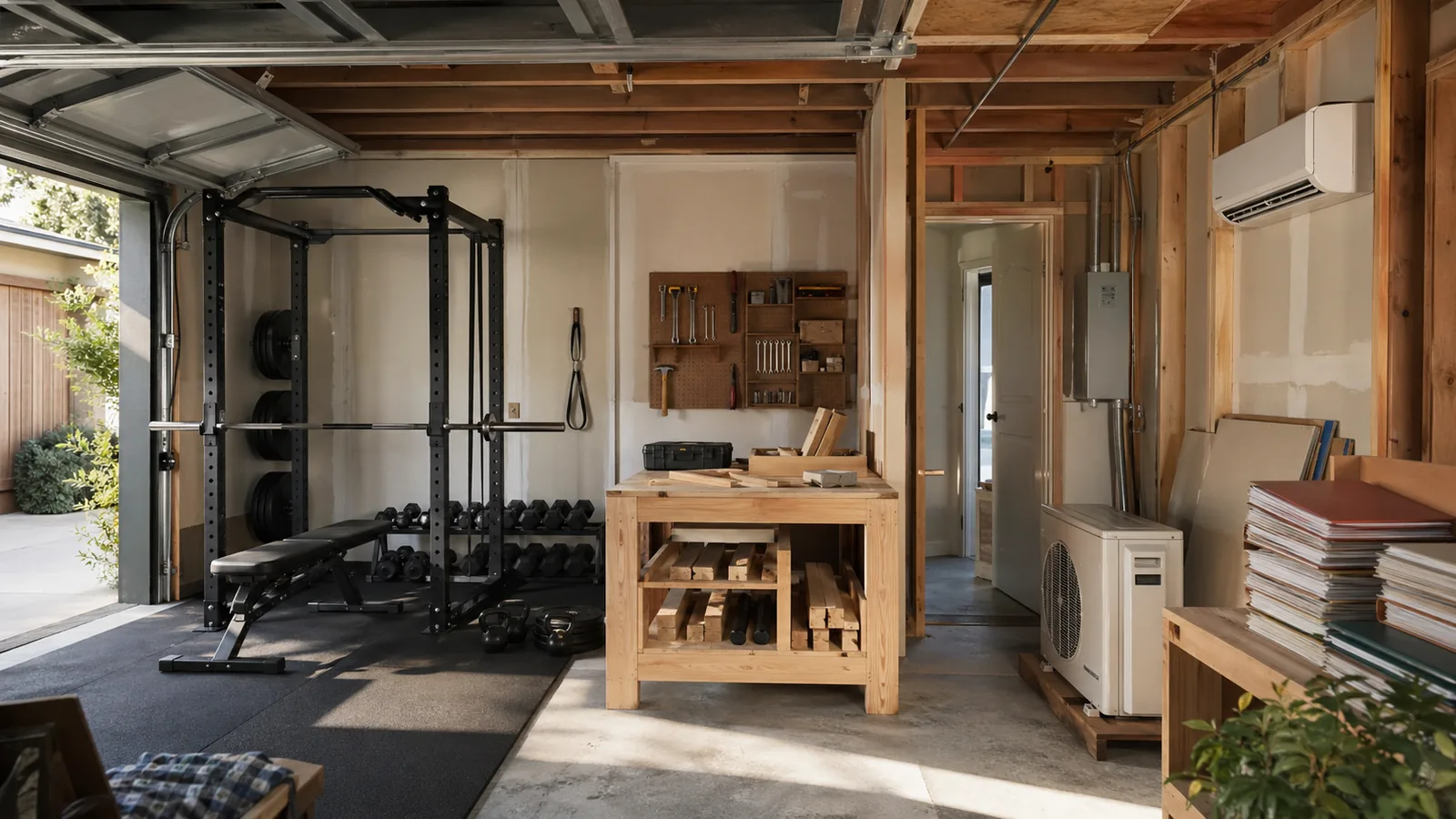
GFCI outlets: If your home office is in a garage, basement, or bathroom-adjacent space, NEC requires GFCI outlets. GFCI duplex outlets cost $15–$25 each in materials; electrician installation adds $50–$150 per outlet.
Built-ins, millwork, and custom cabinetry costs
Built-ins are where a home office budget can double or triple in a single line item — and they're also what separates a functional room from a genuinely impressive one.
According to Angi's 2026 built-in cabinets cost page, material costs by type break down like this:
- Wood built-ins: $5,000–$25,000+
- Veneer built-ins: $2,000–$15,000+
- Laminate built-ins: $4,000–$15,000
- Acrylic built-ins: $5,000–$20,000+
Installation labor on top of materials runs $1,934–$10,769 depending on cabinet type, complexity, and location. Hourly rates for installers range from $50–$250. Corner units, floor-to-ceiling runs, and integrated desk surfaces with electrical chase-outs push toward the high end of every range.
Are built-ins worth it in a home office? For most people who work from home full-time, yes — but only if you plan to stay in the house at least five years. Built-ins add visual order, they eliminate the chaos of freestanding furniture, and they let you integrate wiring cleanly. The trade-off: you lose flexibility if your room needs change, and the project requires a carpenter, a permit in most jurisdictions, and time (four to eight weeks from deposit to install for custom work).
Stock cabinets at $100–$300 per linear foot are the budget-built-in option — IKEA's SEKTION system is the most common example. Semi-custom runs $100–$650 per linear foot, and full custom hits $500–$1,200 per linear foot for materials alone before installation.
Watch Out: Adding built-ins almost always triggers adjacent costs: new baseboard trim to match, paint touch-up, possibly drywall patching where the old furniture sat, and electrical work to move or add outlets inside the unit. Budget 15–25% above the quoted cabinet cost for these knock-on items.
Starter, serious ergonomic, and custom home office budget tiers
Here's how the three tiers stack up as complete projects, separating one-time product purchases from scope-dependent contractor costs.
| Category | Starter (under $1,500) | Serious Ergonomic ($2,500–$5,000) | Custom/Premium ($10,000+) |
|---|---|---|---|
| Desk + chair | One-time product purchase | One-time product purchase | One-time product purchase |
| Lighting | One-time product purchase | One-time product purchase | One-time product purchase |
| Storage/shelving | One-time product purchase | One-time product purchase | Often built into cabinetry |
| Cable management | One-time product purchase | One-time product purchase | Often integrated in millwork |
| Paint/room prep | DIY product plus supplies | DIY or hired prep | Hired prep and finish work |
| Outlet/electrical | Existing outlets or no cost | Scope-dependent contractor work | Scope-dependent contractor work |
| Networking | Wi-Fi (no contractor spend) | CAT6 run, scope-dependent | Multiple runs, scope-dependent |
| Built-ins/millwork | None | None | Scope-dependent contractor work |
| Realistic total | $540–$1,070 | $2,766–$5,974 | $11,700–$43,700+ |
One-time purchases vs. scope-dependent costs: Everything in the desk, chair, lighting, and cable management rows is a one-time product purchase you can buy online and ship to your door. Everything in the electrical, networking, and built-ins rows is scope-dependent — the price changes based on your specific room, your local labor market, and your finish choices.
Starter home office budget: what you can build for under $1,500
A starter setup is a furniture-only project. You're working with existing outlets, using Wi-Fi instead of a wired Ethernet drop, and skipping built-ins entirely.
A realistic starter product mix: - Desk: IKEA LINNMON/ALEX (160×80 cm surface with storage drawer) — around $230 from IKEA - Chair: HON Ignition 2.0 mesh back — around $280 from HON or major office-supply retailers - Lamp: BenQ ScreenBar — $109 from BenQ or authorized sellers - Cable management: J-channel raceway kit — $25 from home-improvement retailers - Shelving: IKEA KALLAX 2×4 — $130 from IKEA - Paint (DIY): One gallon + primer — $60–$80 at big-box stores
Total: roughly $834–$854 for a clean, functional space. All of these are one-time purchases. The desk and chair are the only items you'll likely replace within five years; the lamp and shelving can last a decade.
Serious ergonomic budget: what $2,500 to $5,000 buys
At this tier, you're solving a physical problem (back pain, neck strain, eye fatigue) and building a space you'll use productively for six-plus hours a day. The chair and desk take the largest share.
A realistic ergonomic budget split: - Chair (Herman Miller Aeron B or Steelcase Leap V2): $1,700–$1,800 from authorized dealers - Motorized sit-stand desk (Uplift V2 or Flexispot E7 Pro): $550–$1,000 direct from manufacturer or sale pricing - Monitor arm (Ergotron LX): $45–$55 from Ergotron or retailers - Task lighting (BenQ ScreenBar Plus): $179 from BenQ or authorized sellers - CAT6 Ethernet run (professional install): $186–$674 from HomeAdvisor's national range - Outlet addition (1–2 new outlets): $300–$600 from a licensed electrician - Storage (file cabinet + wall shelving): $250–$500 from retail furniture sellers - Paint + minor room prep: $200–$400 for supplies or light labor
Realistic total: $3,410–$5,208. The Ethernet run and outlet additions are the contractor-dependent items — both can be cut if your room already has adequate outlets and reliable Wi-Fi. If you cut those, you're at $2,724–$3,934.
Pro Tip: Buy the Herman Miller Aeron from an authorized reseller like Herman Miller's own site or a certified dealer to keep the 12-year warranty intact. Grey-market chairs on eBay often have voided warranties or hidden damage.
Custom and premium home office budgets above $10,000
A premium build crosses into remodel territory the moment you add built-ins or significant electrical work. Here's what actually pushes the number past $10,000.
Custom cabinetry and millwork is the single biggest driver. A 12-linear-foot wall of floor-to-ceiling laminate built-ins at $4,000–$15,000 in materials, plus $1,934–$10,769 in professional installation labor, puts you at $5,934–$25,769 for that one wall alone. Wood built-ins at $5,000–$25,000+ in materials, veneer built-ins at $2,000–$15,000+, and acrylic built-ins at $5,000–$20,000+ can all push the room well above $10,000 once labor is included.
Electrical work at this scope typically includes: a dedicated 20-amp circuit ($300–$800), multiple new outlet locations integrated into the built-in cabinetry ($150–$350 each), a structured wiring panel or low-voltage media center ($500–$2,000), and CAT6 drops to multiple desk locations ($400–$1,200+). Total electrical budget for a premium build: $1,500–$5,000.
Drywall and trim: If the room requires new drywall (converting a garage, finishing a basement, or repairing walls after built-in installation), expect $1.50–$3.50 per square foot for drywall plus $2–$4 per linear foot for trim. A 12×12-foot room could add $800–$2,500 in drywall and trim alone.
Flooring: Many premium builds include new hardwood or LVP flooring to match the home. Budget $5–$15 per square foot installed for LVP, $8–$22 per square foot for solid hardwood.
A complete premium build — 12×14-foot room, custom wood built-ins, motorized desk integrated into the millwork, dedicated circuit, CAT6 wiring, new hardwood floors, fresh paint — realistically lands between $20,000 and $45,000.
What drives home office costs up or down
The biggest cost drivers, in rough order of impact:
- Built-ins and custom millwork — material and labor costs scale steeply with linear footage and finish level; Angi's data shows installation labor alone at $1,934–$10,769 depending on scope
- Electrical scope — every new outlet or dedicated circuit requires a licensed electrician in most jurisdictions; going from one added outlet to a full office wiring job is a meaningful price jump
- Furniture quality tier — the gap between a $280 task chair and a $1,795 Aeron is real, and so is the ergonomic difference for full-time workers
- Room prep (paint, drywall, flooring) — often overlooked; a room that needs new paint, patched drywall, and refinished floors can add $1,500–$4,000 before a single piece of furniture arrives
- Cabinet type and materials — Angi's cabinetry data shows stock at $100–$300/linear foot, semi-custom at $100–$650, and custom at $500–$1,200; choosing between them changes your total by thousands
- Outlet count — adding two outlets vs. adding six plus a dedicated circuit is a $400 vs. $1,500+ difference
- Finish level — painted MDF built-ins vs. stained solid cherry is a price multiplier, not a price adder
Local labor versus mail-order furniture costs
This split matters for budget planning. Product spend is predictable; contractor spend is local.
A Herman Miller Aeron ships from the manufacturer at a fixed list price regardless of whether you're in Iowa City or Manhattan. A Flexispot standing desk is the same price on Amazon in Phoenix and Portland. Product spend — desk, chair, lamp, shelving, cable management accessories — is set by the market, not your zip code.
Contractor spend is entirely local. Cabinet installer hourly rates range from $50 to $250 depending on experience and market. An electrician in rural Tennessee bills differently than one in San Francisco. Professional CAT6 installation averages $414 nationally, but that's a national average — expect $250–$350 in lower-cost markets and $600–$900+ in high-cost metros for the same one-room job.
The practical implication: you can lock in your furniture budget with confidence using published prices, but you must get local contractor quotes before you finalize the renovation portion of your budget.
When a project needs new drywall or millwork
A simple office setup becomes a remodel the moment any of these apply:
- You're converting a non-finished space (basement, garage, attic, bonus room)
- The built-ins require removing existing trim or baseboard
- New outlets are being added inside a finished wall (requires cutting, patching, repainting)
- The previous room use left damage (shelving holes, paneling, outdated wiring)
- The floor plan requires relocated doors or windows for the desk placement
Each of these triggers trade labor: drywaller, trim carpenter, painter, electrician. Complex features like built-in corner units or integrated desk surfaces further increase labor costs, per Angi's cabinet installation data. Once you're patching drywall, repainting, and adding trim to match millwork, you've crossed from a furniture project into a room renovation. Budget accordingly — and add 15–20% contingency for surprises behind the walls.
Regional cost differences in the US
US-only regional note: All figures in this article are in USD and reflect the US market; contractor labor changes materially by metro versus rural market, while furniture prices are usually national. Cabinet installation labor alone ranges from $50 to $250 per hour based on location and experience — a five-to-one multiplier that collapses any single national figure into meaninglessness for your specific project.
A few rough regional adjustments as of 2026: - High-cost metros (NYC, San Francisco, Boston, Seattle): Expect contractor labor 30–60% above national averages. A $5,000 national-average built-in install could run $7,000–$8,000 locally. - Mid-cost metros (Denver, Austin, Chicago, Atlanta): Roughly at or 10–15% above national averages. - Lower-cost markets (rural Southeast, Midwest, Mountain West): Often 15–30% below national averages for the same scope.
Product spend (furniture, lighting, networking gear) is largely unaffected by region. Contractor spend varies significantly. Get at least two local bids before using any national average as a budget anchor.
How to get contractor quotes for a home office build
A blended furniture-and-renovation project is harder to bid than a pure remodel because the scope spans multiple trades and some items are product decisions. Getting useful quotes requires separating those clearly.
Before you call a contractor, document your scope: - Room dimensions (length × width × ceiling height) - Current outlet count and location - Whether existing wiring is 15A or 20A - Desired built-in layout (sketch or rough dimensions) - Cabinet material preference (laminate, veneer, painted MDF, solid wood) - Whether permit work is expected (required for new circuits and structural changes)
A quote that doesn't separate labor, materials, permits, and timeline is not a useful quote — it's a number you can't verify or compare.
What to ask in an electrician or carpenter estimate
For an electrician: 1. Will this work require a permit, and will you pull it? 2. Will the new outlets meet NEC 210.52 requirements for the room's square footage? 3. Are you adding to an existing circuit or running a new dedicated circuit? 4. What gauge wire will you use, and is the panel adequate for additional load? 5. Will GFCI protection be required for this space (basement, garage, or ground-floor room adjacent to wet areas)?
NEC 210.52(A)(1) through (A)(4) governs how many receptacle outlets are required and where they can be placed — a licensed electrician should know this code without being prompted, but asking confirms they're not guessing.
For a carpenter or cabinet installer: 1. Are these stock, semi-custom, or fully custom cabinets? 2. What is the material (solid wood species, MDF, laminate, veneer)? 3. Does the quote include hardware (hinges, drawer pulls, soft-close slides)? 4. Are trim, baseboard, and paint touch-up included, or separate? 5. What is the lead time from deposit to installation complete? 6. Will you handle any drywall patching required after the install?
How to compare apples-to-apples bids
Two built-in quotes that differ by $4,000 are probably not quoting the same scope. Before comparing totals, check:
- Materials: Is one bid using ¾" plywood boxes with solid wood face frames and the other using ½" particleboard? Specify materials in your request so both bidders price the same product.
- Finishes: Painted vs. stained changes both material cost and labor time. Make sure both bids use the same finish spec.
- Included work: Does the quote include removal of existing furniture, drywall patching, trim, and painting? Or just the cabinet supply and installation?
- Lead time and allowances: A bid with a 12-week lead time is not the same deliverable as a 4-week lead time, especially if you're working from home without a functional office in the interim.
- Payment terms: Progress payments tied to milestones are normal for custom work. A contractor asking for 100% up front is a red flag.
Build a simple comparison spreadsheet: rows for each line item, columns for each bidder. If one bid is missing a line item, ask for it explicitly — absence usually means it wasn't included.
DIY versus hiring a pro for a home office build
DIY vs Pro: Furniture assembly, painting, shelving installation, and cable management are realistic DIY tasks for most homeowners with basic tools. Electrical work (new outlets, dedicated circuits) and built-ins (custom cabinetry, millwork) should be professional, quote-based work — not because they're impossible to DIY, but because the cost of a mistake (failed inspection, voided permit, cabinet installation that requires a redo) exceeds the labor savings in almost every case.
Realistic DIY tasks (save $200–$800): - Assembling flat-pack furniture (IKEA, Uplift, Flexispot) - Painting the room (saves $200–$600 vs. hiring a painter for one room) - Installing surface-mount cable raceways and J-channels - Mounting open shelving on studs - Setting up a Wi-Fi mesh system or plugging in a cable modem
Hire a pro for these (contractor spend, local labor rates apply): - Adding outlets or dedicated circuits — requires a licensed electrician in most US jurisdictions; permits required - Running CAT6 through finished walls — professional installation averages $414 and ranges $186–$674 - Built-ins and custom cabinetry — installation labor runs $50–$250/hour; a poor install is visible and expensive to redo - Any drywall repair behind or around built-ins — achieving a smooth, paint-ready finish is a skilled trade
The DIY/pro split is also a time question. Assembling a standing desk and a shelving unit takes a Saturday afternoon. Custom built-ins take four to eight weeks from order to finish and require someone home for delivery and install. Plan your timeline before you plan your budget.
FAQ about home office costs
How much does it cost to build a home office?
The honest range is $500 to $30,000+, depending on whether you're buying furniture or renovating a room. A starter furniture-only setup (desk, chair, lamp, shelving) runs $500–$1,100. A serious ergonomic workstation with Ethernet and a couple of new outlets lands at $3,000–$6,000. A custom build with built-ins, dedicated circuits, and millwork typically runs $10,000–$45,000. Do not use a single national average to budget your project — the spread is too wide to be useful without knowing your specific scope.
What is a reasonable budget for a home office?
For a full-time remote worker who needs comfort and productivity but isn't doing a room renovation, $2,500–$5,000 is a realistic target. That covers a quality ergonomic chair (Herman Miller Aeron or Steelcase Leap V2), a motorized standing desk, good task lighting, a CAT6 Ethernet run, and one or two added outlets. If you already have adequate electrical and reliable Wi-Fi, you can build a strong ergonomic setup for $2,300–$3,500 in product spend alone.
How much does it cost to put an outlet in a home office?
Adding a single standard outlet typically runs $150–$350 in labor and materials. A GFCI outlet in a basement or garage space runs slightly more in materials ($15–$25 for the outlet itself) plus electrician time. Adding a dedicated 20-amp circuit — required for high-draw equipment — runs $300–$800+ depending on panel distance and local labor rates. NEC 210.52 governs the minimum required outlet count and placement for any habitable room; if you're converting a non-traditional space, your electrician will confirm what additions are required by code.
Are built-ins worth it in a home office?
For full-time remote workers who plan to stay in the home five or more years, built-ins are worth the investment. They add visual order, eliminate clutter, and allow clean electrical and cable integration. Angi's 2026 data puts wood built-ins at $5,000–$25,000+ for materials alone, with installation adding $1,934–$10,769 depending on complexity. Laminate and stock-cabinet options (IKEA SEKTION, for example) can achieve a similar built-in look for $2,000–$6,000 installed — a more accessible entry point. The trade-off in any built-in is reduced flexibility if your space needs change.
Sources & References
- HomeAdvisor Home Office Network Wiring Cost Guide — professional CAT6 installation pricing, range $186–$674, average $414
- HomeAdvisor Cabinet Cost Guide — stock, semi-custom, and custom cabinet pricing per linear foot
- Angi Built-In Cabinets Cost Guide (2026) — material and installation labor ranges for built-ins by material type
- HomeAdvisor Home Office Cost Guide — primary contractor-pricing reference for US home office builds
- NFPA NEC 70A 2022 SR Statements — NEC 210.52 receptacle outlet requirements for dwelling units
Keywords: HomeAdvisor home office cost, furniture-only budget, electrical outlet installation, dedicated circuit, Ethernet cabling, built-ins, millwork, drywall repair, cable management, ergonomic chair, standing desk, NEC 210, GFCI outlet, CAT6 cable, Herman Miller Aeron