Robot vacuums stay effective only if their wear parts are cleaned and replaced on schedule — skip weekly brush and filter care and you will notice weaker suction within a month. Skip mop-pad drying and dock-bag changes and the robot starts spreading dirt instead of lifting it. The exact intervals and the exact parts depend entirely on your model, so this guide gives you the practical schedule, the decision rules, and the model-specific callouts you need before you order a single replacement.
At a Glance: Skill level — Beginner | Tools — scissors, soft brush, microfiber cloth | Weekly tasks — 10 min | Monthly tasks — 15 min | Part-swap tasks — 5 min each
Robot vacuum parts replacement schedule at a glance
Every robot vacuum has at least four categories of wear parts, and each one ages at a different rate. According to Vacuum Wars' robot vacuum maintenance guide, you should "clean or wash mop pads, check and detangle brushes weekly, clean filters weekly, and inspect wheels, sensors, and charging contacts monthly." That covers the robot itself — but as Vacuum Wars also notes, self-empty docks and mop-washing stations still need their own maintenance, and skipping any of it "reduces suction, increases tangles, and can spread dirt instead of removing it."
The table below maps every major robot vacuum replacement part and cleaning task to a cadence and estimated DIY time.
| Task | Frequency | Est. DIY Time | Notes |
|---|---|---|---|
| Empty dust bin | After every run (bagless) | 1 min | Skip if docked to auto-empty dock |
| Detangle main brush & side brush | Weekly | 3–5 min | Cut hair with scissors; don't pull |
| Clean filter (tap out dust) | Weekly | 2 min | Washable only if docs confirm |
| Rinse/inspect mop pad | Weekly | 2–3 min | Must fully dry before reinstalling |
| Wipe charging contacts & sensors | Monthly | 5 min | Dry microfiber cloth only |
| Inspect wheels for debris | Monthly | 3 min | Remove wrapped hair from axles |
| Clean dock air-intake path | Monthly | 5 min | Use soft brush; check for blockage |
| Replace main roller brush | Every 6–12 months | 5 min | Sooner if bristles are frayed |
| Replace side brush | Every 3–6 months | 2 min | Sooner if arms are bent flat |
| Replace filter (non-washable) | Every 2–3 months | 1 min | Never wash — replace instead |
| Replace filter (washable) | Every 6–12 months | 1 min + dry time | Follow manufacturer dry-time guidance |
| Replace mop pad | Every 1–6 months | 2 min | Depends on usage level and pad type |
| Replace dock dust bag | Every 30–60 days | 1 min | iRobot Clean Base bags run ~$7 each |
Pro Tip: iRobot markets the Roomba Combo j9+ AutoEmpty Dock as capable of holding debris for up to 60 days. That means one 3-pack of Replacement Dirt Disposal Bags ($19.99) covers roughly one full cleaning season if you have a single-robot household — but heavy pet-hair homes will burn through bags faster.
How to tell what robot vacuum part you need before ordering
Before you add any robot vacuum replacement parts to your cart, confirm your exact model. This is the step most people skip, and it is why they end up with a filter that almost fits or dock bags that don't seat properly. iRobot's accessory listings are model-specific — bags for a Clean Base dock do not necessarily fit an AutoWash dock, even within the same product family. The same is true for the Roomba 105 Vac/Combo + AutoEmpty Dock, which uses parts matched to that exact robot-and-dock pairing rather than a generic Roomba label.
The same logic applies to Roborock and ECOVACS. Roborock's dock features vary significantly across its lineup — the dock attached to a Q Revo is not the same as the RockDock Pro paired with a newer model. ECOVACS organizes its support portal by exact model; the DEEBOT X8 PRO OMNI support page is a completely separate set of documentation from any other DEEBOT model, because its dock handles both dust disposal and mop washing.
If you are shopping for a quick-refresh kit, the robot vacuum accessories affiliate pages for iRobot, Roborock, and ECOVACS are the fastest way to find model-matched brushes, filters, mop pads, and dock bags without guessing.
Model-number matching checklist — do this before ordering any robot vacuum accessories:
- Locate the model number on the robot (see the section below for exact label locations by brand).
- Locate the model number on the dock — the dock and robot may require separate replacement parts.
- Go directly to the manufacturer's parts or accessories page and filter by your exact model.
- Cross-reference the part name: "filter," "brush," "mop pad," and "dust bag" are generic terms — the manufacturer listing will use a specific product title that confirms compatibility.
- If buying on Amazon, verify the seller's compatibility chart lists your robot's model number, not just its product family.
Find the model number on the robot and dock
For Roomba and Braava, iRobot states: "To find your Roomba® or Braava® model number, turn the robot over. The model number is printed near the left wheel, on the underside of the robot." They also confirm that "your Roomba® or Braava® serial number can be located easily, simply by removing the bin." Write both down — you may need the serial number if iRobot's parts pages distinguish between hardware revisions.
Label-location mini checklist by brand:
- Roomba / Braava (iRobot): Flip the robot upside down → label near the left wheel. Serial number behind the bin.
- Roborock: Flip the robot upside down → label on the underside near the brush cover. Also visible in the Roborock app under Device Info.
- ECOVACS DEEBOT: Flip the robot upside down → sticker on the bottom panel. Also accessible in the ECOVACS Home app under the robot's settings.
- Dock (all brands): Check the back or underside of the dock body for a separate model or serial label. The dock model often differs from the robot model designation.
Watch Out: A robot and its dock can have different model numbers. If you buy dock bags based on the robot's model number instead of the dock's model number, you risk ordering the wrong bag size. Always confirm both.
Match washable vs disposable filters, pads, and bags
Not every part that gets dirty is washable. Using water on a non-washable filter destroys the filtration media and can push bacteria-laden moisture into the motor housing. Here is the decision rule for every major component type:
Washable or disposable? — decision guide:
- Filter — washable: Your robot's documentation (or manufacturer accessory page) explicitly says "washable" or "rinse with water." After washing, allow it to air-dry completely before reinstalling, and check your model's manual for the specific dry time. iRobot's parts and accessories policy says not to assume a filter is washable unless the product page explicitly states otherwise.
- Filter — disposable (including most HEPA-grade filters): Tap dust out weekly over a trash can. Do not wet it. Replace on the manufacturer's recommended schedule, typically every 2–3 months for non-washable types. Per iRobot's parts and accessories policy, assume the filter is non-washable unless the product page explicitly states otherwise.
- Mop pad — reusable/washable: Most robot mop pads — including those on the ECOVACS DEEBOT X8 PRO OMNI — are designed to be washed, either by the dock's self-washing system or by hand. Still a wear item: inspect for tears, thinning, or embedded grit and replace when cleaning performance drops.
- Dock dust bag — disposable: These are single-use consumables on auto-empty docks like iRobot's Clean Base and AutoWash systems. iRobot sells them in 3-packs for $19.99 for select dock families. They are not washable or reusable — replace when full.
[Image: Decision flowchart — washable vs. disposable filter and mop pad identification]
What tools and replacement parts you need for robot vacuum maintenance
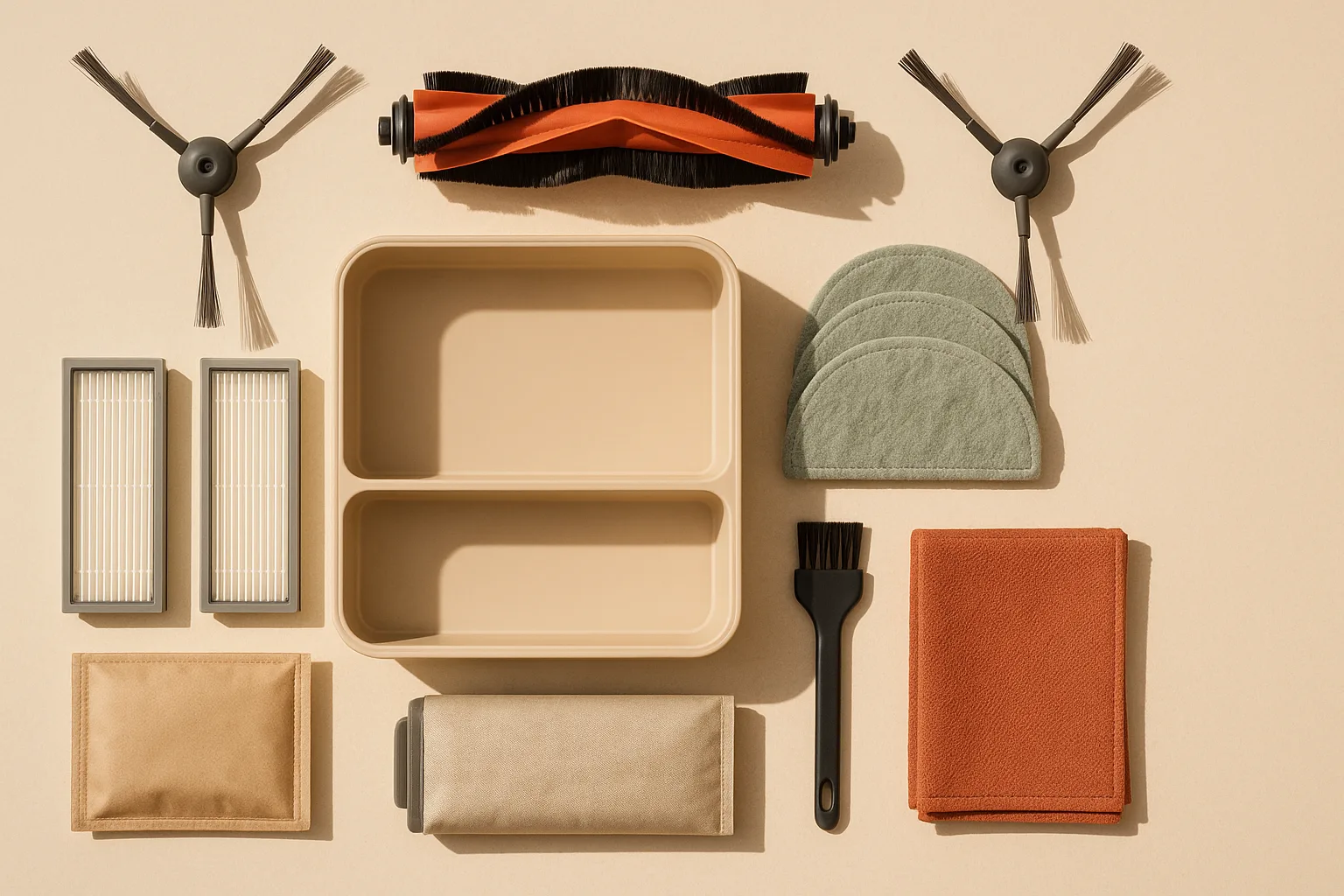
You can handle every routine maintenance task with items you likely already own plus a small stockpile of model-matched consumables. Build your kit around your robot's exact model family — generic "universal" parts are rarely universal in practice.
Maintenance kit checklist:
Tools (non-consumable):
- Sharp scissors or a seam ripper — for cutting wrapped hair off the roller brush without yanking
- Soft-bristle cleaning brush or old toothbrush — for filter housings and dock intake grilles
- Dry microfiber cloths (at least two) — for charging contacts, sensors, and dock bodies
- Small flathead screwdriver — for brush end-cap removal on some roller brush designs
Replacement parts (consumable — buy for your model):
- Replacement filters (2–4 pack, matched to your model)
- Replacement main roller brush (1–2 units; check for rubber multi-surface vs. bristle type)
- Replacement side brushes (pack of 2 or more)
- Replacement mop pads (matched to your robot's pad attachment system)
- Dock dust bags (for auto-empty docks that use them — iRobot 3-packs run $19.99)
Pro Tip: iRobot's official accessory storefront sells brushes, filters, mop pads, and bags filtered by model, which is the easiest way to keep the kit aligned with your exact machine. Roborock and ECOVACS have equivalent pages. Buying OEM (original equipment manufacturer) parts is particularly important for filters — third-party filters often have lower filtration efficiency and may fit loosely, reducing suction.
For the ECOVACS DEEBOT X8 PRO OMNI, your maintenance kit needs to cover both the dust-disposal components and the mopping system, since the dock handles self-washing and hot-air drying of the mop pads.
Weekly robot vacuum cleaning tasks that prevent suction loss
The Vacuum Wars maintenance guide is direct: "check and detangle brushes weekly, clean filters weekly." Those two tasks alone account for most suction-loss complaints on Reddit and in reviews. Both take under 10 minutes combined.
Weekly care step sequence (estimated total: 8–10 minutes):
- Remove the robot from the dock and flip it upside down on a flat surface.
- Detangle the main roller brush and side brush with scissors, then remove loose debris from the brush housing.
- Pull the filter from its housing, tap it firmly against the inside of a trash can, and brush the filter cage and housing walls clean.
- If the robot has a bin (not an auto-empty dock), empty the bin and wipe the interior with a dry cloth.
- Reinstall brush and filter; confirm they seat fully before docking the robot.
Clean the main brush and side brush without damaging bearings
The most common brush mistake is yanking tangled hair — that stresses the end-cap bearings and can crack the brush housing. Instead, use scissors to cut through the hair wrap in one or two places along the brush length, then unwind the cut sections cleanly. As Vacuum Wars says, "check and detangle brushes weekly," which is the cadence that keeps this from becoming a bearing problem in the first place.
No-damage brush cleanup checklist:
- Cut, don't pull: make one lengthwise cut through the hair wrap with scissors
- Remove the end caps if your model allows it (many Roomba and Roborock brushes have removable end caps) to clear hair from the bearing area
- Use a soft brush or dry toothbrush to clean the brush slots in the housing
- Spin the reinstalled brush by hand — it should rotate freely with no grinding
Watch Out: If the brush bristles are splayed outward or the rubber fins on a multi-surface brush are torn, cleaning won't restore performance. That is a replacement signal, not a cleaning problem. Per Vacuum Wars, detangle first — replace only when bristles or performance are visibly degraded.
Side brushes are simpler: remove, cut any hair wrap from the arm bases, and inspect the tips. If two or more arms are bent flat or the brush no longer spins level to the floor, replace it.
Clean or wash the filter the safe way
Vacuum Wars recommends "clean filters weekly." What "cleaning" means depends entirely on whether your filter is washable.
For non-washable filters (most HEPA and foam filters): Tap gently over a trash can, then use a soft brush to sweep the pleats. Do not blow compressed air into the filter — it drives particulates deeper into the media and can rupture fragile HEPA layers. Do not use water under any circumstances.
For washable filters: Rinse under cool running water until the water runs clear. Shake off excess water. Allow it to dry according to the model's manual before reinstalling. iRobot's accessory and parts pages are explicit that you should not assume a filter is washable without model-specific confirmation.
Replace vs. clean — filter decision rule: - Filter appears gray or discolored after tapping: clean it - Filter is torn, has visible holes, or cleaning no longer restores airflow: replace it - Non-washable filter has been in use 2–3 months: replace it regardless of appearance
Monthly robot vacuum maintenance for sensors, wheels, and charging contacts
Monthly maintenance targets the components you can't see working — until they fail. Per Vacuum Wars, "inspect wheels, sensors, and charging contacts monthly." For self-emptying or self-washing systems, the dock's internal paths belong on that monthly list too.
Monthly inspection checklist (estimated total: 12–15 minutes):
- Wheels: Flip the robot and check both drive wheels and the front caster. Remove any wrapped hair from the axles. Press each drive wheel in and release — it should spring back smoothly. A wheel that sticks or wobbles needs closer inspection.
- Cliff sensors (drop sensors): Wipe the small sensor windows on the robot's underside with a dry microfiber cloth. Dirty sensors cause erratic behavior near stairs.
- LiDAR sensor (if applicable): On robots with a top-mounted spinning LiDAR turret (common on Roborock models), wipe the turret window with a dry cloth. Never use liquid on the turret.
- Charging contacts: Wipe the metal charging pins on the robot and on the dock with a dry microfiber cloth. Oxidation or debris buildup causes charging failures that look like battery problems.
- Dock air-intake path: Use a soft brush to clear the intake grille on auto-empty docks. Blocked intake paths reduce emptying effectiveness even when the bag is fresh.
- Mop-washing tray (ECOVACS DEEBOT X8 PRO OMNI and similar): Rinse the water-path tray per ECOVACS' guidance. Built-up detergent residue or mineral deposits affect washing efficiency.
How often to replace mop pads and dock bags on self-emptying systems
Self-emptying and self-washing docks are convenient, but they create a false sense of "set it and forget it." The dock's automation does not eliminate consumable replacement — it changes which consumables you track and at what interval. Vacuum Wars is explicit that self-empty docks and mop-washing stations need their own maintenance.
Two distinct questions live here:
- Do self-emptying robots need bags? — Yes, if the dock uses a disposable bag system (as iRobot's Clean Base and AutoWash docks do). No, if the dock uses a bagless bin that you empty manually.
- Do self-washing docks eliminate mop pad replacement? — No. The dock washes and dries the pad after each run, which dramatically extends pad life, but the pad is still a wear item that degrades over time.
For iRobot owners: the Roomba Combo j9+ AutoEmpty Dock holds debris for up to 60 days under typical conditions. That roughly means one bag per 30–60 days, depending on how much debris your home generates. The 3-pack of Replacement Dirt Disposal Bags runs $19.99 — plan around the dock's capacity and your home's actual debris load instead of treating the bag as a fixed monthly purchase.
For ECOVACS owners: the DEEBOT X8 PRO OMNI's dock washes mop pads at temperatures between 104°F and 167°F and dries them with 145°F hot air, per ECOVACS' blog. That self-maintenance reduces how often you need to intervene, but the dock itself still needs its water path cleaned and the dust-disposal channel cleared.
Cost Snapshot: iRobot dock bags — $19.99 for a 3-pack (~$6.67 per bag). At one bag per 30–60 days, budget according to the dock's fill alerts and the amount of dust and pet hair in the home.
Pro Tip: If you are buying pads or bags together, the robot vacuum accessories affiliate pages from iRobot, Roborock, and ECOVACS make it easy to add the exact replacement set you need without mixing bag families or pad attachments.
Robot vacuum mop pad replacement intervals by usage level
How long a mop pad lasts depends on floor type, usage frequency, and whether you have a self-washing dock. Rather than stating a universal number — which no manufacturer confirms across all models — use this usage-level framework as a starting point, then adjust based on actual pad condition.
| Usage Level | Floor Type | Rough Pad Check Interval | Replace When |
|---|---|---|---|
| Light (2–3 runs/week) | Mostly hardwood, small area | Monthly visual inspection | Thinning, tears, or persistent odor |
| Normal (daily runs) | Mixed hard floors | Every 2–3 months | Reduced mopping performance |
| Heavy / Pets | Large area, daily or 2x daily | Monthly | Grit embedded, surface worn through |
Mop pad drying rule: Whether you hand-wash a pad or your dock auto-washes it, the pad must be dry before it is stored or reinstalled. A damp pad left sitting in the dock tray or in a storage bag will develop mildew within 24–48 hours in a warm home. This is particularly relevant on systems like the ECOVACS X8 PRO OMNI, where the dock's 145°F hot-air drying cycle should complete fully before you remove the pad.
Dock bag and dock air-path maintenance for auto-empty docks
Dock bags are disposable and cannot be cleaned — they must be replaced when full. iRobot sells Replacement Dirt Disposal Bags for select Clean Base and AutoWash docks at $19.99 for a 3-pack. Compatibility is dock-specific, not just robot-specific, so confirm your dock model before ordering.
Dock maintenance checklist:
- Bag change timing: Replace when the bag is full or the robot's app indicates a bag-full status. On the Roomba Combo j9+ system, the dock signals this through the iRobot app. Don't wait for the bag to overflow — a compressed, overstuffed bag can tear during removal.
- Intake path cleaning: After removing the bag, use a soft brush to sweep the intake channel inside the dock. Hair and fine dust accumulate here even with a bag in place.
- Exhaust vent: Wipe the dock's exhaust grille monthly with a dry microfiber cloth. A clogged exhaust reduces emptying power.
- Mop-washing tray (self-washing docks): Rinse the tray with clean water and wipe down the water nozzle area. Mineral deposits from tap water can block nozzles over time — a light wipe monthly prevents buildup.
- Dock exterior: Wipe the charging contacts on the dock with a dry cloth every month.
Watch Out: iRobot's dock bags are only compatible with select Clean Base and AutoWash docks — not every Roomba dock uses a bag. Confirm your dock model before purchasing robot vacuum replacement parts or bags. Ordering the wrong bag family is the most common accessories mistake in online reviews.
When to replace versus clean robot vacuum parts
The core decision rule: clean when the part is dirty, replace when the part is worn. The Vacuum Wars guide frames the consequence of getting this wrong — a robot that has been neglected or maintained with wrong parts will "reduce suction, increase tangles, and spread dirt instead of removing it."
Here are the specific replacement thresholds for each major component:
| Component | Clean It | Replace It |
|---|---|---|
| Main roller brush | Hair/debris tangled but bristles intact | Bristles splayed, fins torn, or bearing grinding |
| Side brush | Hair wrapped around arms | Two or more arms bent flat; brush no longer rotates level |
| Non-washable filter | Dusty but intact; tap clean | Torn, holed, compressed, or in use 2–3 months |
| Washable filter | Discolored but intact; rinse clean | Media torn, or washed so many times it no longer holds shape |
| Mop pad | Surface dirty but fabric intact | Thinning fabric, tears, embedded grit that washing doesn't remove |
| Dock dust bag | N/A — not cleanable | When full, or when app signals bag-full |
The honest trade-off: Replacement parts for premium robots aren't cheap. A multi-surface roller brush for a Roomba j-series or a set of Roborock replacement accessories can run $20–$40 per part. But running a worn brush costs more in motor stress and floor-cleaning quality than the replacement part does. A brush that can't agitate debris forces the robot to make additional passes, consuming battery and reducing effective coverage.
Model-specific examples for Roomba, Roborock, and Ecovacs owners
Parts families differ enough between brands that generic advice can send you in the wrong direction. Here is what maintenance actually looks like for the three dominant platforms, using only manufacturer-confirmed details.
Roomba Combo j9+ (iRobot): The Combo j9+ pairs with the AutoEmpty Dock, which empties the robot's bin for up to 60 days. The dock uses Replacement Dirt Disposal Bags ($19.99 / 3-pack) that are compatible only with select Clean Base and AutoWash dock families — not all iRobot docks. The robot's model number is on the underside near the left wheel; the serial number is behind the bin. Buy robot vacuum replacement parts from iRobot's site filtered by your exact Roomba model. The Combo j9+ also has a retractable mop pad system — check iRobot's accessories page specifically for Combo-series mop pads, which differ from Braava jet pad designs.
Roborock Q Revo: The Q Revo pairs with the Roborock RockDock, a multifunctional dock that includes auto-empty, self-washing mop pads with hot-water cleaning, and drying. Roborock's dock features and compatible replacement parts vary by model and generation — the RockDock configuration for the Q Revo is not necessarily compatible with parts for the S8-series or newer Q Revo Pro variants. Always navigate to Roborock's official accessories page and filter by your model. The robot's model number appears on the underside label and in the Roborock app under Device Info.
ECOVACS DEEBOT X8 PRO OMNI: The DEEBOT X8 PRO OMNI has one of the more complex dock maintenance requirements of any current robot. Its OMNI station handles dust emptying, mop washing (at 104–167°F), and hot-air mop drying at 145°F — all in one unit. That means its maintenance kit needs to cover dust-disposal components (the bag or bagless bin path depending on configuration), the mop-washing water path, and the pad itself. The X8 PRO OMNI's support page is model-specific; use it, not a generic DEEBOT parts search, to confirm what you need. Mop pads are washable and designed for the self-washing dock, but they are still wear items — inspect them for fabric degradation every few months.
Pro Tip: All three brands offer robot vacuum accessories in bundled "replenishment kits" — usually a filter, brushes, and sometimes a side brush set in one box at a modest discount. These are worth buying when you first set up the robot so you have spares on hand when the first replacement interval hits.
Robot vacuum maintenance mistakes that reduce suction and streaking
These are the four errors that show up repeatedly in Reddit threads, one-star reviews, and manufacturer support queues.
1. Washing a non-washable filter. The most common and most damaging mistake. Non-washable filters — including many marketed as "HEPA-grade" — use layered media that collapses when wet. The result is reduced filtration, a musty smell, and in some cases moisture damage to the motor housing downstream. Per iRobot's accessory guidance, do not assume a filter is washable without explicit confirmation from the product's documentation.
2. Reinstalling a damp mop pad. A mop pad that goes back onto the robot wet will deposit moisture on floors (streaking) and can cause mildew in the dock's wash tray within a day or two. On a self-washing system like the ECOVACS DEEBOT X8 PRO OMNI, let the hot-air drying cycle complete fully before removing the pad for storage.
3. Ignoring dock maintenance. Vacuum Wars is direct: self-empty docks and mop-washing stations still need their own maintenance. A clogged dock intake path means the auto-empty function works poorly even with a fresh bag installed. A dirty mop-wash tray means the dock isn't actually cleaning the pad — just wetting and re-depositing whatever was on it.
4. Ordering the wrong replacement part. Because robot vacuum replacement parts are model- and dock-family-specific, buying based on brand name alone causes mismatches. iRobot's accessory store is organized by model for exactly this reason. Always match to your robot's exact model number — and your dock's model number separately.
Robot vacuum maintenance FAQ
How often should robot vacuum brushes be replaced?
Detangle the main roller brush and side brushes weekly — that's cleaning, not replacement. Replace the main brush when bristles are splayed outward or rubber fins are torn (typically every 6–12 months). Replace side brushes when two or more arms are bent flat or when the brush wobbles rather than sweeping (typically every 3–6 months). Heavy-pet-hair homes will hit these thresholds faster.
Can you wash robot vacuum filters?
Only if your robot's documentation explicitly says the filter is washable. Many filters — including those marketed as HEPA — are not washable, and water destroys their filtration media permanently. For non-washable filters, tap out dust weekly and replace on schedule (typically every 2–3 months). For washable filters, rinse under cool water, let them dry according to the model's manual before reinstalling, and replace every 6–12 months when washing no longer restores airflow. Check your model's manual for the specific dry-time requirement.
How long do robot vacuum mop pads last?
There is no single universal answer because it depends on the pad material, your floor area, run frequency, and whether your dock auto-washes the pad. A self-washing dock like the one on the ECOVACS DEEBOT X8 PRO OMNI extends pad life significantly by cleaning and drying the pad after every run. Inspect pads monthly for thinning fabric, embedded grit, or tears. Replace when cleaning performance drops noticeably, regardless of calendar time.
Do self-emptying robot vacuums need bags?
It depends on the dock design. iRobot's Clean Base and AutoWash docks use disposable dust bags — Replacement Dirt Disposal Bags run $19.99 for a 3-pack, and the Roomba Combo j9+ dock can hold debris for up to 60 days under typical conditions. Some other auto-empty docks use a bagless bin you empty by hand. Check your dock's spec page — not the robot's — to confirm which type you have before ordering dock bags.
How do I know what replacement part my robot vacuum needs?
Flip the robot upside down and find the model number (on Roomba, it's near the left wheel; on Roborock and DEEBOT, it's on the underside label). Find the dock model number on the dock's label separately. Go to the manufacturer's official accessories or parts page, filter by your exact model, and match by part name. Do not assume parts are cross-compatible across product families within the same brand — iRobot's accessory listings and ECOVACS' support portal are both organized by model precisely because compatibility is model-specific.
Sources & References
- Vacuum Wars — Robot Vacuum Maintenance Guide — Primary maintenance cadence source covering brush, filter, bin, wheel, sensor, and dock upkeep
- iRobot — Roomba Combo j9+ AutoEmpty Dock Product Page — Source for 60-day dock capacity claim
- iRobot — Roomba j9+ Accessories & Replacement Bags — Source for 3-pack Replacement Dirt Disposal Bags pricing ($19.99)
- iRobot — Robot Vacuum Accessories (model-number location) — Source for Roomba/Braava model-number label location instructions
- iRobot — Parts and Accessories — Source for filter washability policy context
- iRobot — Robot Vacuum Plus Mop Accessories — Source for model-specific accessory compatibility
- ECOVACS — DEEBOT X8 PRO OMNI Support Page — Source for X8 PRO OMNI dock configuration and mop-washing specs
- ECOVACS — DEEBOT X8 PRO OMNI Product Page — Product spec confirmation for self-washing/drying dock
- ECOVACS — How to Clean a Robot Vacuum Cleaner (blog) — Source for mop washing temperature range (104–167°F) and hot-air drying temp (145°F)
Keywords: Roomba Combo j9+, Roomba 105 Vac/Combo + AutoEmpty Dock, Roborock Q Revo, Roborock RockDock, iRobot Clean Base Auto-Fill Dock, ECOVACS DEEBOT X8 PRO OMNI, HEPA filter, washable filter, disposable filter, side brush, main roller brush, mop pad, dock dust bag, charging contacts, LiDAR sensor