At a Glance: what you need before tuning Mixtral
At a Glance: Time: 2–4 hours setup + 12–48 hours training depending on checkpoint and dataset size · Prereqs: Python ≥ 3.10, PyTorch ≥ 2.7, CUDA 12.x, Transformer Engine (preinstalled in NGC PyTorch containers ≥ 22.09), Megatron-Core v0.15+, NCCL with InfiniBand or NVLink fabric · Hardware: minimum 8× H100 80 GB SXM for Mixtral 8x7B; 32× H100 for Mixtral 8x22B with practical batch sizes · Cost: cluster-dependent; budget 100–400 H100-hours for a full supervised fine-tuning run
Megatron-Core is NVIDIA's production distributed training framework. NVIDIA explicitly describes it as "a production-ready framework for training large-scale Mixture-of-Experts models," and its parallelism stack combines expert parallelism (EP) with tensor, data, sequence, and pipeline parallelism. That combination is the structural reason a Mixtral fine-tuning run is not a single-GPU recipe. Mixtral 8x7B has 8 experts per MoE layer; Mixtral 8x22B has 8 experts drawn from a pool of 64. Either architecture demands EP to keep expert weights distributed across devices without replicating the full model on every rank.
Single-GPU fine-tuning of Mixtral with full Megatron-Core MoE semantics — expert parallelism, top-k routing, capacity-controlled dispatch — is not a supported or practical configuration. NVIDIA's own scale references cite Nemotron-4 340B training at 6,000+ H100 GPUs via Megatron-Core. You can fine-tune a quantized Mixtral derivative with a PEFT library on a single GPU, but that is outside the scope of this tutorial.
Prerequisites and version pinning for Megatron-Core MoE
The fastest path to a reproducible environment is the official NGC PyTorch container, which ships Transformer Engine pre-installed. As the Transformer Engine installation docs confirm: "Transformer Engine library is preinstalled in the PyTorch container in versions 22.09 and later on NVIDIA GPU Cloud." Pull a container that satisfies CUDA 12.x and PyTorch ≥ 2.7, then install Megatron-Core from source.
# Pull NGC container (substitute latest nvcr.io/nvidia/pytorch tag for CUDA 12.x + PyTorch ≥ 2.7)
$ docker pull nvcr.io/nvidia/pytorch:24.09-py3

# Inside container: clone Megatron-LM (which vendors Megatron-Core) at the v0.15 tag
$ git clone --branch core_v0.15.0 https://github.com/NVIDIA/Megatron-LM.git
$ cd Megatron-LM
$ pip install -e ".[core]"

# Verify Transformer Engine is visible
$ python -c "import transformer_engine; print(transformer_engine.__version__)"
Pin the environment to these minimum versions:
# environment-pin.yaml
python: ">=3.10"
torch: ">=2.7"
cuda: "12.x"
transformer_engine: ">=1.7"   # ships with NGC 24.09+ containers
megatron_core: "0.15.0"       # branch core_v0.15.0
nccl: ">=2.19"                # required for stable EP all-to-all at H100 scale
Watch Out: The NVIDIA docs fragment installation guidance across Megatron-Core, Megatron Bridge, and Transformer Engine pages. If you install outside an NGC container, pin each dependency explicitly — mismatched Transformer Engine and PyTorch versions produce silent correctness regressions, not clean import errors.
Map Mixtral architecture to Megatron-Core settings
Megatron-Core carries full support for Mixtral MoE models, and the mapping from the Mistral-family architecture to Megatron-Core flags is straightforward once you know the expert topology of each checkpoint.
Mixtral 8x7B: 32 transformer layers, each with 8 experts, top-2 routing, hidden dim 4096, 32 attention heads. Mixtral 8x22B: 56 transformer layers, each with 8 active experts drawn from 64, top-2 routing, hidden dim 6144, 48 attention heads.
The key design constraint: expert parallelism degree must evenly divide the number of experts. For Mixtral 8x7B with 8 experts, EP=8 is natural on a single node of 8× H100. For Mixtral 8x22B with 64 experts, EP=8 or EP=16 are valid choices depending on node count.
# mcore-mixtral-8x7b.yaml — parallelism and MoE settings for Mixtral 8x7B
model_parallel_size: 1          # tensor parallelism (TP); increase to 2 if sequence length is large
pipeline_model_parallel_size: 1 # pipeline parallelism (PP); keep 1 for <32 layers on 8-GPU node
expert_model_parallel_size: 8   # EP degree — one expert shard per GPU on a single 8× H100 node
num_experts: 8                  # matches Mixtral 8x7B expert count
moe_router_topk: 2              # Mixtral uses top-2 routing
moe_token_drop_policy: "probs"  # drop by routing probability, not random
moe_aux_loss_coeff: 0.02        # load-balancing auxiliary loss coefficient; tune per task
sequence_parallel: false        # enable if TP > 1 and sequence length > 4096
data_parallel_size: 4           # derived: total_gpus / (TP × PP × EP) = 32 / (1×1×8) = 4
For Mixtral 8x22B on 32× H100, a workable layout is TP=2, PP=2, EP=8, giving data parallelism of 2. Increase PP to 4 if activation memory is the binding constraint. The Megatron-Core router API dispatches each token to its top-k experts; capacity settings then control what happens to tokens when an expert's queue is full. If you evaluate FSDP with EP or HybridEP alongside Megatron-Core's native layout, keep the same expert topology in mind, because those strategies change memory placement but not the need for balanced routing.
Step 1: prepare the dataset and tokenizer format
Megatron-Core's data pipeline expects pre-tokenized binary datasets built with the tools/preprocess_data.py script. For supervised fine-tuning, format raw data as JSON Lines with input and output fields before tokenization.
# Convert your SFT dataset to JSONL (one sample per line)
$ python tools/preprocess_data.py \
    --input /data/sft_train.jsonl \
    --output-prefix /data/mcore/sft_train \
    --tokenizer-type MistralTokenizer \
    --tokenizer-model /checkpoints/mixtral-8x7b-hf/tokenizer.model \
    --workers 16 \
    --partitions 1 \
    --append-eod
# Outputs: /data/mcore/sft_train_text_document.bin + .idx
Configure dataset and sequence length in your training YAML:
# dataset-config.yaml
data_path: "/data/mcore/sft_train_text_document"
split: "990,9,1"           # train/val/test split
seq_length: 4096           # Mixtral's native context; increase to 8192 if hardware permits
tokenizer_type: MistralTokenizer
tokenizer_model: "/checkpoints/mixtral-8x7b-hf/tokenizer.model"
reset_position_ids: true   # required for packed SFT sequences
eod_mask_loss: true        # mask loss on end-of-document tokens in packed format
Pro Tip: Packed sequence training (multiple SFT samples per sequence up to
seq_length) significantly improves GPU utilization for short-to-medium training examples. Enablereset_position_idsandeod_mask_losstogether to prevent cross-contamination between packed samples.
Step 2: convert the checkpoint into Megatron-Core format
NVIDIA provides a checkpoint converter for Mixtral from Hugging Face format to MCore format. The converter lives under tools/checkpoint/ in the Megatron-LM repository.
# Verify the current Megatron-Core conversion command in the live NVIDIA docs before running it
# Example placeholders: source checkpoint path, target expert parallel size, and save directory must match your topology
$ python tools/checkpoint/convert.py \
    --help
The conversion stage is topology-aware: the expert parallel size you plan to train with must match the way expert weights are sharded at save time, or you need to reshard later with Megatron-Core's distributed checkpoint tools.
Pro Tip: HF-to-MCore conversion is parallelism-topology-specific. If you later change
expert_model_parallel_size(e.g., from 8 to 4 for a smaller node), you must either re-convert or use Megatron-Core's distributed checkpoint resharding utility. The distributed checkpointing system available from MCore v0.8 onward supports loading with a different parallelism layout than the save layout, but this resharding carries a startup-time cost proportional to checkpoint size.Watch Out: Some NVIDIA docs redirect model-conversion guidance for non-Llama/Mistral families to Megatron Bridge. Verify that
llama_mistralis the correct loader for your exact Mixtral checkpoint variant before running conversion. Check the Megatron-LM Llama/Mistral docs at publish time.
Step 3: launch distributed fine-tuning with expert parallelism
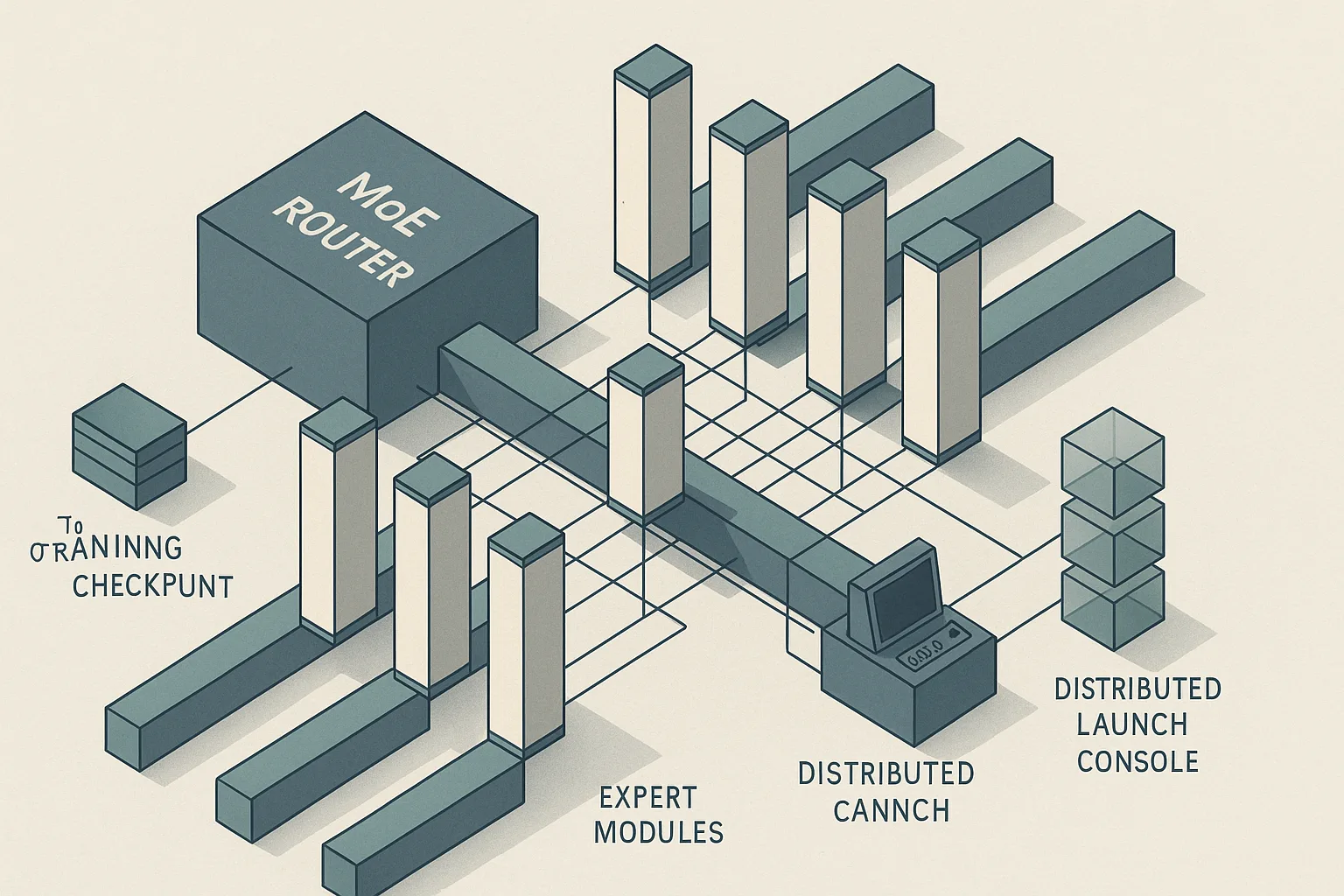
Expert parallelism assigns different expert weights to different GPU ranks, then uses all-to-all (A2A) communication to route tokens from any rank to the GPU holding the relevant expert. As the Megatron-Core MoE docs describe, the stack supports "batch-level overlapping to hide EP-A2A communication" — meaning EP communication is pipelined behind compute rather than blocking it. This makes InfiniBand or NVLink bandwidth the critical hardware dependency for multi-node EP runs.
# Use the current Megatron-Core launch entry point and flags documented for your release
# Keep the topology consistent across load, save, and training ranks
$ torchrun \
    --help
Configure NCCL and parallelism flags in your launch environment or job spec rather than hard-coding them into an unverified snippet:
# nccl-parallel-config.yaml
tensor_model_parallel_size: 1
pipeline_model_parallel_size: 1
expert_model_parallel_size: 8
sequence_parallel: false

# NCCL environment (set in your launch script or container env)
NCCL_IB_HCA: "mlx5"           # specify InfiniBand HCA; adjust for your fabric
NCCL_IB_GID_INDEX: 3
NCCL_SOCKET_IFNAME: "eth0"
NCCL_DEBUG: "WARN"             # use INFO only during setup; WARN for production
NCCL_ALGO: "Tree"              # Tree performs well for all-to-all at moderate GPU counts

# Overlap EP communication with compute
moe_use_overlap: true          # enables batch-level EP-A2A overlap (MCore 0.15+)
For multi-node EP runs, InfiniBand is the practical minimum — PCIe-only cross-node EP will bottleneck on A2A latency and cap training throughput. Within a single node, NVLink handles EP A2A at memory-bandwidth speeds.
Step 4: set router capacity and load-balancing controls
The capacity factor controls how many tokens each expert processes per forward pass. Megatron-Core implements "token drop, with or without padding to capacity" — when tokens routed to an expert exceed its capacity, excess tokens are either dropped or held to the next step depending on configuration.
For Mixtral's top-2 routing, each token consumes capacity from exactly 2 experts. A capacity factor of 1.0 means each expert can handle (batch_tokens / num_experts) × topk tokens — tight and efficient but prone to overflow under routing imbalance. A factor above 1.0 provides headroom at the cost of memory, and the exact value should be checked against the current Megatron-Core release notes before it becomes part of a fixed production preset.
# router-capacity-config.yaml
moe_router_topk: 2
moe_token_drop_policy: "probs"      # drop lowest-probability assignments first
moe_token_dispatcher_type: "alltoall"  # required for expert parallelism
moe_capacity_factor: 1.25           # example only; verify against the release you are deploying
moe_pad_expert_input_to_capacity: false  # false = drop; true = pad with zeros (wastes compute)
moe_aux_loss_coeff: 0.02            # auxiliary load-balancing loss; increase if experts diverge
moe_z_loss_coeff: 0.001             # router z-loss to prevent logit collapse
Watch Out: Three interacting failure modes arise from capacity settings:
- Token dropping: If
moe_capacity_factoris too tight, routed tokens get silently dropped. Loss can decrease while validation perplexity plateaus because the model never sees dropped tokens. Monitor the token-drop rate in training logs.- Expert overflow memory: If
moe_pad_expert_input_to_capacity: truewith a large capacity factor, activation tensors per expert grow proportionally. Larger padding settings can push an 80 GB H100 past its headroom on Mixtral 8x22B.- Router collapse: Without
moe_z_loss_coeff, the router may converge to routing all tokens to one or two experts. Watch per-expert token counts in TensorBoard — a healthy Mixtral router distributes load broadly across experts.
The Megatron-Core router dispatches tokens to top-k experts via the MoE router API; the auxiliary loss and z-loss are the primary levers for correcting load imbalance without architectural changes.
Step 5: verify training health and throughput
After the first 200–500 steps, verify these signals before committing to a full run. There is no public authoritative benchmark table for Mixtral fine-tuning throughput on H100 using Megatron-Core at this time, so treat observability as operational guidance rather than a published target.
| Signal | Healthy range | Action if outside range |
|---|---|---|
| Training loss (SFT, cross-entropy) | Decreasing from step 1–200 | Check data formatting, eod_mask_loss, sequence packing |
moe_token_drop_rate |
Low and stable | Increase moe_capacity_factor gradually if drops persist |
| Per-expert token count (routing balance) | Near-uniform across experts | Increase moe_aux_loss_coeff or moe_z_loss_coeff |
| GPU memory utilization | High enough to keep the model busy without forcing OOM | Reduce moe_capacity_factor or micro-batch size if you see overflow |
| EP A2A communication time | Not dominating the step | Verify overlap is enabled and inspect fabric health |
Pro Tip: Use
--log-throughputin the Megatron-Core launch flags to surface tokens-per-second and model FLOPS utilization (MFU) directly in the training log. MFU that trails expected cluster behavior usually points to IB congestion or a misconfigured NCCL topology.
Common failures when fine-tuning Mixtral in Megatron-Core
Watch Out: Four failure classes account for the majority of broken Mixtral runs in Megatron-Core:
- NCCL hangs on EP A2A: The EP all-to-all collective uses a different communication group than the tensor-parallel or pipeline-parallel collectives. A misconfigured
NCCL_IB_HCAor wrongNCCL_SOCKET_IFNAMEcan deadlock one group while others proceed. Reproduce withNCCL_DEBUG=INFOand inspect which collective hangs. Confirm InfiniBand port speed and GID index match your cluster fabric.- Router imbalance divergence: If the auxiliary loss coefficient is too low, expert utilization can diverge after training starts. The model still runs, but the sparse structure erodes as a small subset of experts receives most tokens. Increase
moe_aux_loss_coeffand restart from the last checkpoint.- Checkpoint topology mismatch: Distributed checkpointing in Megatron-Core stores expert shards by EP rank. Loading a checkpoint saved at one EP layout into a run configured for a different layout requires resharding. Attempting a direct load without resharding produces parameter shape errors or weight misassignment. Use the distributed checkpoint tooling and verify reshape compatibility before any layout change.
- OOM from capacity factor and gradient accumulation interaction: Gradient accumulation over multiple micro-batches compounds the activation memory of padded expert inputs. With
moe_pad_expert_input_to_capacity: true, a larger capacity factor, and deep accumulation, the working set can exceed available HBM on 8x7B. Disable padding first, then tune capacity downward before reducing batch size.Pro Tip: When recovering from an OOM, do not reduce global batch size as the first step — this changes the effective learning rate schedule. Instead, reduce
moe_capacity_factor, then disable expert input padding, then reduce micro-batch size. This order preserves the training dynamics as closely as possible.
Production considerations for repeated fine-tuning runs
Three settings must remain constant across every run in a production fine-tuning pipeline: the parallelism topology (TP × PP × EP × DP), the router configuration (topk, capacity factor, drop policy), and the random seed. Changing any one of these mid-pipeline without a checkpoint reshard invalidates checkpoint compatibility, as Megatron-Core's distributed checkpointing ties shard layout to the parallelism configuration at save time. In larger deployments, the same consistency rules apply whether you are using native Megatron-Core, FSDP with EP, or HybridEP.
Production Note: Three operational practices keep repeated Mixtral fine-tuning runs stable:
- Checkpoint cadence: Save checkpoints on a cadence that is comfortable for your recovery objectives, and make sure object storage or NFS capacity can absorb the resulting shard count. Expert parallel checkpoints are large, so automate pruning of stale artifacts.
- Memory headroom: Reserve enough HBM for NCCL communication buffers and gradient checkpointing overhead. If you drive HBM too close to saturation at step 1, later routing spikes can still trigger OOM.
- Launch reproducibility: Pin deterministic settings where your release supports them and keep the launch environment unchanged across restarts. Accept a throughput penalty only when reproducibility matters more than raw speed.
Run reproducibility in Megatron-Core MoE is sensitive to parallelism layout, router settings, and capacity configuration — NVIDIA's own documentation explicitly flags this. Treat parallelism topology as a contract, not a tunable, once production fine-tuning begins.
FAQ: Mixtral fine-tuning with Megatron-Core MoE settings
Can I fine-tune Mixtral on a single GPU?
No — not with Megatron-Core MoE semantics. Expert parallelism requires that EP degree divides the expert count, and Mixtral 8x7B has 8 experts. A single GPU collapses EP=1, meaning all expert weight matrices must reside in one device's HBM simultaneously alongside activations, gradients, and optimizer state. Even before training state is added, that leaves little room for a full Mixtral 8x7B run on one card. PEFT methods (LoRA, QLoRA) applied via libraries like Hugging Face PEFT can fine-tune a quantized Mixtral on fewer GPUs, but those paths bypass Megatron-Core's MoE infrastructure entirely.
What is expert parallelism in MoE?
Expert parallelism distributes different expert weight matrices across GPU ranks within a parallelism group. During a forward pass, the router selects top-k experts per token; an all-to-all collective then ships each token's activations to the GPU holding its assigned expert, which computes the expert's output, then ships results back. Megatron-Core supports combining EP with tensor, data, sequence, and pipeline parallelism, so a 32-GPU run might simultaneously use TP=2, PP=2, EP=8, and DP=2 in a single job.
What is the capacity factor in MoE?
The capacity factor is a scalar multiplier on the per-expert token budget. At capacity factor 1.0, each expert receives exactly (total_tokens / num_experts) × topk tokens. Any surplus is dropped or padded depending on moe_pad_expert_input_to_capacity. A factor above 1.0 absorbs routing imbalance at the cost of memory; a factor below 1.0 forces aggressive token dropping.
Should I run single-node or multi-node for Mixtral 8x7B?
Pro Tip: For Mixtral 8x7B with EP=8, a single 8× H100 SXM node is the minimum viable unit — EP A2A stays on NVLink and communication overhead is low. Move to multi-node only when your global batch size or sequence length forces it. For Mixtral 8x22B with EP=8 or EP=16, multi-node is required; see Step 3 for NCCL and InfiniBand configuration. Start your topology decisions at Step 3.
Sources and references
- NVIDIA Megatron-Core MoE Features Documentation — Primary authoritative source; describes the production MoE framework, feature set, and best practices
- NVIDIA Megatron-Core MoE API Guide v0.15 — Confirms full Mixtral support, HF-to-MCore checkpoint converter, distributed checkpointing, token-drop mechanics, and EP/TP/PP/DP combination
- NVIDIA Transformer Engine Installation Guide — CUDA 12.x compatibility, NGC container pre-installation details, and pip wheel installation path
- NVIDIA Megatron Bridge v0.1 Documentation — Bare-metal installation prerequisites (Python ≥ 3.10, PyTorch ≥ 2.7), parallelism concepts, and token-dropping load-balancing notes
- NVIDIA Developer: Megatron-Core Overview — Scale references (Nemotron-4 340B at 6,000+ H100 GPUs), production positioning
- Megatron-Core MoE Router API — Top-k routing mechanics and router API surface
- Megatron-Core MoE Utilities API — Token-drop and capacity utilities
- NVIDIA Megatron-Core Llama/Mistral Conversion Docs — Checkpoint conversion guidance for Mistral-family models
Keywords: Mixtral 8x7B, Mixtral 8x22B, Megatron-Core, Megatron-LM, expert parallelism, tensor parallelism, pipeline parallelism, data parallelism, context parallelism, Transformer Engine, FSDP with EP, HybridEP, NCCL, InfiniBand, H100