For most US households, a mid-range robot vacuum and a mid-range cordless stick vacuum land within $100–$200 of each other in total 3-year cost — but how you get there is completely different. The robot vacuum front-loads a higher purchase price and adds ongoing consumables (bags, filters, brush rolls, mop pads) that compound quietly. The cordless stick vacuum trades those dock costs for one probable battery replacement and, more importantly, for your time. Which one is actually cheaper depends on your floor plan, your cleaning frequency, and whether your time has a dollar value you're willing to count.
Robot vacuum vs cordless stick vacuum: 3-year cost at a glance
At a Glance: - Robot vacuum (mid-tier, self-emptying): ~$550–$800 upfront + ~$100–$180/year in consumables = $850–$1,340 over 3 years - Cordless stick vacuum (premium, e.g., Dyson V15 Detect): ~$400–$750 upfront + ~$50–$170/year in filters and batteries = $550–$1,260 over 3 years
For a typical US home using the assumptions in this article, the cordless stick is usually cheaper on pure 3-year cash cost, while the robot can win on convenience if daily cleaning matters more than the extra consumables.
The ranges overlap because choices inside each category matter enormously. A Roborock S-series with a self-emptying dock costs roughly twice what a basic Ecovacs Deebot without a dock costs, and the dock is where most of the recurring spend hides. On the stick side, the Dyson V15 Detect at $749.99 is a premium anchor; Shark and Bissell offer solid cordless options in the $200–$350 range that lower the 3-year total considerably.
| Category | Upfront Price Range | Avg. Yearly Upkeep | 3-Year Total Range |
|---|---|---|---|
| Robot vacuum (basic, no dock) | $200–$500 | $40–$80 | $320–$740 |
| Robot vacuum (self-emptying dock) | $450–$1,100 | $90–$180 | $720–$1,640 |
| Cordless stick vacuum (budget–mid) | $180–$400 | $20–$60 | $240–$580 |
| Cordless stick vacuum (premium) | $500–$750 | $60–$170 | $680–$1,260 |
Consumer Reports tests run time for both cordless stick vacs and robotic vacs as a core lab metric, which matters here: a robot that runs 90 minutes can cover more floor before a recharge, and a stick vac's 60-minute run time determines how many passes you need per session. Both categories are battery-powered, and battery health is the variable that quietly degrades 3-year value in both.
3-year total cost table for robot vacuum vs cordless stick vacuum
This is the table competitors don't show you. Every line item is separated into one-time costs versus recurring costs, and three ownership scenarios — low, mid, and high — are modeled for each category. Best Buy's self-emptying robotic vacuums category explicitly separates self-emptying models from standard robots, which is the right way to frame the cost model: the dock is what changes the math.
Full 3-Year Cost Breakdown — Low / Mid / High Scenarios (US dollars)
Robot Vacuum — Standard (no self-emptying dock)
| Line Item | Low | Mid | High |
|---|---|---|---|
| Purchase price (one-time) | $200 | $380 | $500 |
| Replacement filters (×2/yr × 3 yr) | $24 | $45 | $60 |
| Brush rolls (×1/yr × 3 yr) | $18 | $36 | $54 |
| Side brushes (×2/yr × 3 yr) | $12 | $24 | $36 |
| Battery replacement (yr 2–3) | $0 | $35 | $70 |
| Mop pads (N/A — no mopping) | $0 | $0 | $0 |
| Dock / charger (included) | $0 | $0 | $0 |
| 3-Year Total | $254 | $520 | $720 |
Robot Vacuum — Self-Emptying Dock (e.g., Roomba j9+, Roborock Q Revo)
| Line Item | Low | Mid | High |
|---|---|---|---|
| Purchase price (one-time) | $450 | $700 | $1,100 |
| Replacement filters (×2/yr × 3 yr) | $30 | $54 | $72 |
| Brush rolls (×1/yr × 3 yr) | $24 | $45 | $72 |
| Side brushes (×2/yr × 3 yr) | $15 | $27 | $45 |
| Auto-empty dock bags (~$5 ea, 1–2/mo) | $108 | $180 | $252 |
| Mop pads if combo model (×monthly) | $0 | $72 | $144 |
| Battery replacement (yr 2–3) | $0 | $40 | $80 |
| Dock cleaning solution / maintenance | $0 | $30 | $60 |
| 3-Year Total | $627 | $1,148 | $1,825 |
Cordless Stick Vacuum (e.g., Shark Detect Pro, Dyson V15 Detect)
| Line Item | Low | Mid | High |
|---|---|---|---|
| Purchase price (one-time) | $180 | $450 | $750 |
| Replacement HEPA filter (×1/yr × 3 yr) | $15 | $45 | $75 |
| Brush roll replacement (yr 2) | $0 | $20 | $45 |
| Battery replacement (yr 2–3) | $0 | $80 | $150 |
| Charger / dock (included) | $0 | $0 | $0 |
| Bags (bagless — $0; bagged models vary) | $0 | $0 | $30 |
| 3-Year Total | $195 | $595 | $1,050 |
Pro Tip: The auto-empty dock bag is the sneakiest ongoing cost in robot vacuum ownership. At one bag every 2–3 weeks (typical for a pet household), you spend $100–$180/year just on bags for your dock — before you count a single filter or brush roll.
Robot vacuum upfront price, filters, brushes, mop pads, bags, and dock parts
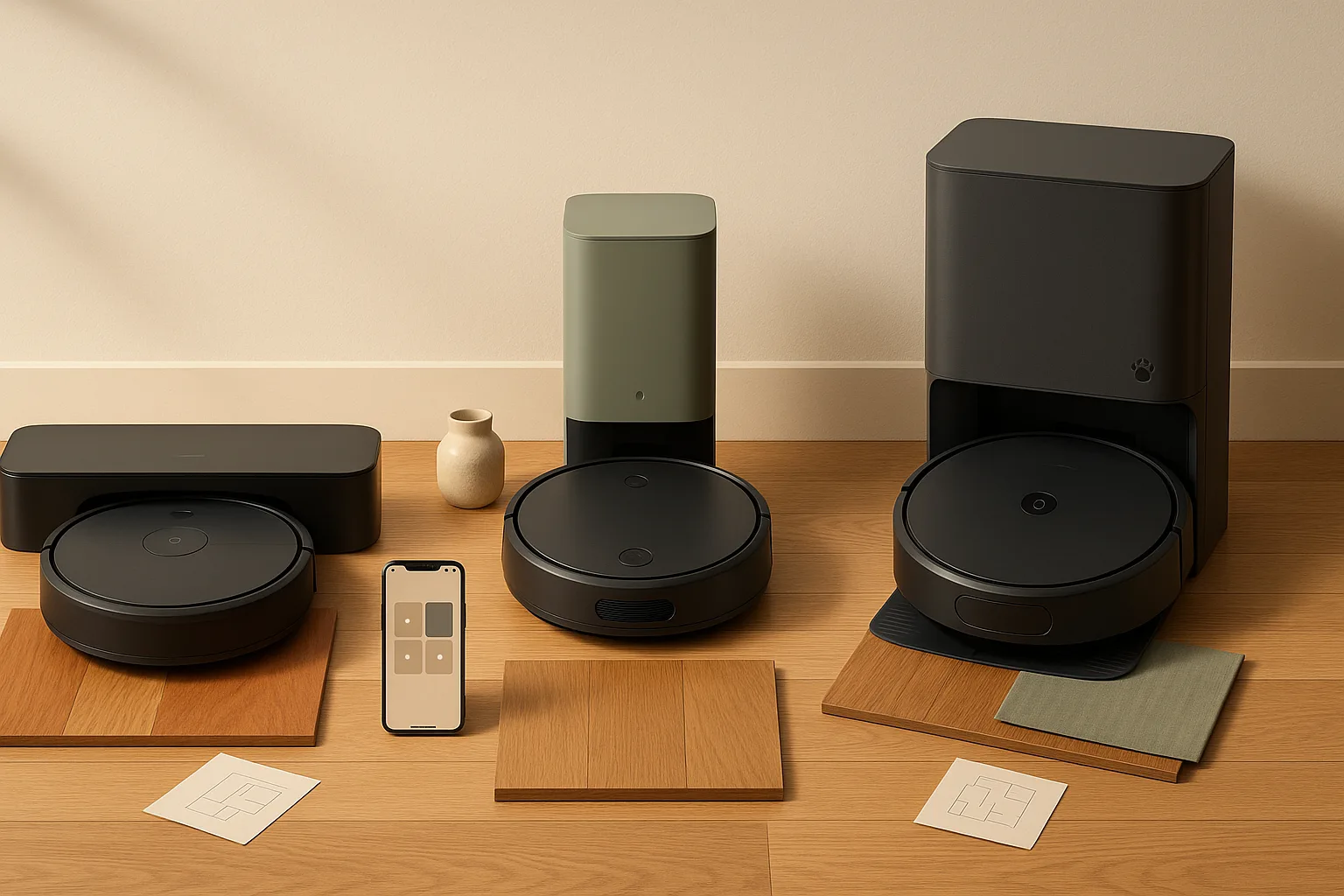
The base robot vacuum purchase price is only the beginning. For a standard robot like the Ecovacs Deebot T20 or a Roborock Q5+, the upfront cost typically runs $300–$550. Add a self-emptying dock and you're at $600–$1,100 for models like the Roborock Q Revo or iRobot Roomba j9+ with the iRobot Clean Base Auto-Empty Dock.
Here's how recurring costs stack up by category:
One-time costs: - Purchase price (robot + dock bundle) - Setup accessories (boundary strips if included)
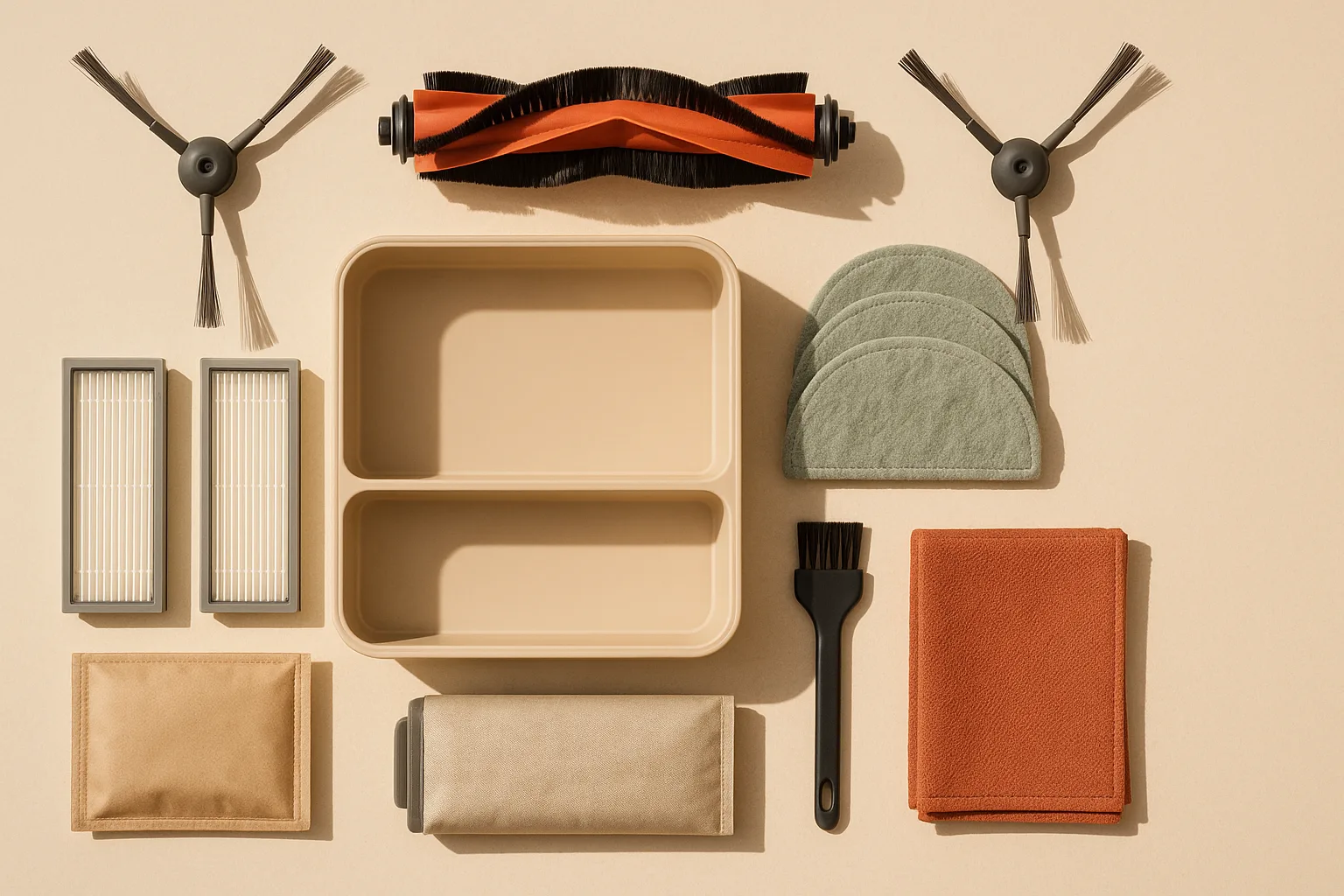
Recurring yearly costs: - Filters: Most robots use HEPA-style filters rated for 2–6 months. Plan for 2–3 replacements per year at $8–$25 each depending on brand - Main brush roll: Replace roughly every 6–12 months at $12–$30 each - Side brushes: Replace every 3–6 months; typically $3–$8 each, sold in pairs - Auto-empty dock bags: If you own a self-emptying dock, budget $4–$7 per bag. A moderately dirty home empties the dock every 10–20 days, meaning 18–36 bags per year - Mop pads: Roborock's Multifunctional Dock 2.0, which handles hot water mop washing, warm-air drying, water tank refilling, and auto dust emptying, requires mopping pads that wear out — disposable pads run $1–$3 each; washable pads need replacement every 3–6 months at $10–$20 per set. Roborock's newsroom describes it this way: “Multifunctional Dock 2.0 offers full suite self-maintenance with 60°C hot water mop washing, 45°C warm air drying, water tank refilling, and auto dust emptying.” - Robot battery: Lithium-ion battery degradation typically becomes noticeable after 18–24 months. Replacement robot batteries run $30–$80 depending on model
Watch Out: Mopping combo models with advanced docks (Roborock S8 MaxV Ultra, Ecovacs Deebot X2 Omni) can push dock-related consumables to $15–$25/month when you factor in mop pads, cleaning solution, and bags. Always calculate dock costs separately from robot costs.
Cordless stick vacuum upfront price, batteries, filters, and charger costs
The cordless stick vacuum's cost model is simpler — fewer moving parts, no dock — but two line items dominate: the battery and the filter.
The Dyson V15 Detect is priced at $749.99 with a 2-year warranty and serves as a realistic premium anchor. Solid mid-range alternatives from Shark or Bissell land at $200–$400. Here's how the recurring costs break out:
One-time costs: - Purchase price (vacuum + wall-mount charging dock, usually included)
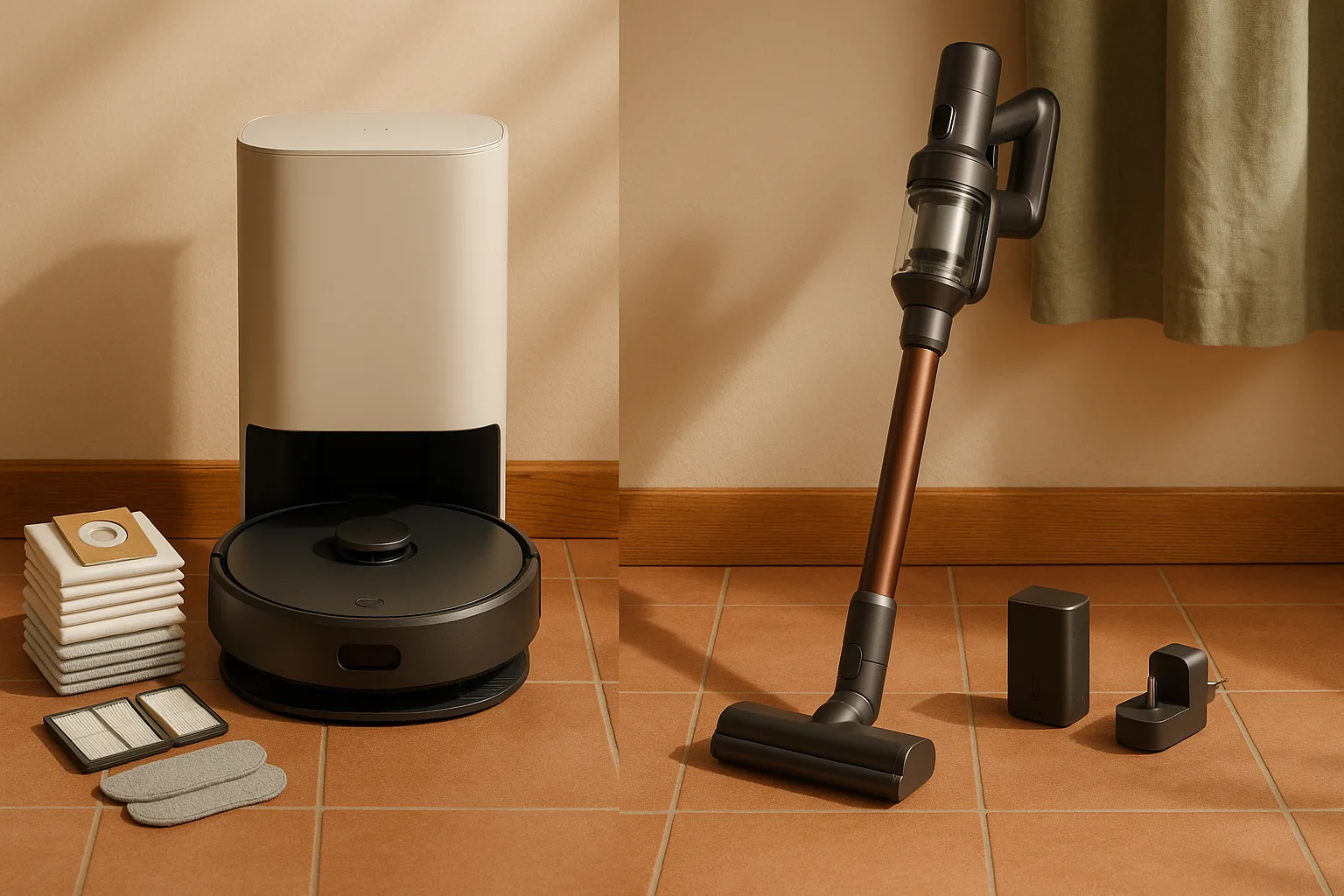
Recurring yearly costs: - HEPA filter: Most cordless sticks need filter cleaning monthly and full replacement every 6–12 months. Replacement filters run $10–$25 each; Dyson-branded filters are at the high end. Dyson explicitly recommends genuine Dyson parts and accessories to maintain intended performance — third-party filters are widely available but void that assurance - Brush roll: Less frequent than robot brush rolls; expect replacement at year 2 or 3 for $15–$45 - Battery: This is the big one. Dyson sells a replacement battery for the V15 Detect and V11 family at $149.99 — and that spare-part battery carries a 1-year warranty, distinct from the 2-year warranty on the vacuum itself. Budget for one battery replacement in years 2–3 for premium models; budget-brand batteries may need replacement earlier - Charger: Typically included and rarely needs replacement unless lost or damaged
Pro Tip: For Dyson owners, budget $150 for a replacement battery no matter what. It's not a question of if — it's when. For a $200 Shark or Bissell, the battery is often $40–$60 to replace, which changes the calculus considerably.
What raises the 3-year cost of a robot vacuum the most
In descending order of cost impact, here are the factors that push robot vacuum ownership costs highest over three years:
1. Auto-empty dock bags (highest impact) If you own a self-emptying dock — and Best Buy's self-emptying robotic vacuums category treats self-emptying as its own product class specifically because it changes the ownership experience — bags are your largest recurring expense. At $4–$7 per bag and 18–36 bags per year, you spend $72–$252 annually just on bags. Over 3 years: $216–$756. For a pet household where the dock empties daily, this skews toward the high end fast. Best Buy says self-emptying robot vacuums can even save you the hassle of dumping the dust in the trash.
2. Mop pad consumption (high impact for combo models) Advanced docks like Roborock's Multifunctional Dock 2.0, which performs 60°C hot water mop washing, 45°C warm-air drying, water tank refilling, and auto dust emptying, put real wear on mop pads. Washable pads degrade faster with thermal washing cycles. If you're running a Roborock S8 Ultra or Ecovacs X2 Omni daily, factor in $5–$15/month in pad-related costs.
3. Brush roll replacement (medium-high impact) Robot brush rolls tangle with hair — human and pet — faster than stick vacuum brush rolls because they run unsupervised and can't self-correct. On a two-dog household, a main brush roll may need replacement every 4–6 months instead of 12. At $12–$30 per roll, that's $48–$90/year instead of $12–$30.
4. Filters (medium impact) Running daily means the filter loads faster. Most robot vacuum manufacturers recommend replacement every 2–3 months with daily use in a pet home. At $8–$25 per filter and 4–6 replacements per year, that's $32–$150 annually — more than most buyers anticipate.
5. Battery wear (medium impact, slower to appear) Robot vacuum batteries typically last 2–3 years before run time degrades enough to matter. A fresh battery often delivers 90–150 minutes; a worn one may drop to 50–60 minutes, meaning the robot can't complete full floor coverage and starts splitting runs. Replacement robot batteries run $30–$80 for most brands.
6. App ecosystem lock-in (low direct cost, high indirect cost) Roomba's iRobot app and Roborock's app are free. But some brands have added premium features behind subscription tiers. Always verify before buying whether the features you care about — scheduling, zone cleaning, no-go zones, auto-empty scheduling — are included in the base app or require a paid plan.
What raises the 3-year cost of a cordless stick vacuum the most
The cordless stick vacuum's cost structure is leaner, but two factors can push 3-year totals higher than buyers expect.
Battery degradation — the primary cost driver Lithium-ion batteries in cordless stick vacuums lose capacity with charge cycles, typically becoming noticeably weaker after 18–24 months of daily use. For a Dyson V15 Detect, that replacement battery is $149.99 from Dyson directly — a significant hit in year 2 or 3. The V15 Detect carries a 2-year product warranty, but Dyson's spare parts (including batteries) carry only a 1-year warranty as separate items, so you're not covered if a replacement battery fails after 12 months.
Filter neglect — the sneaky cost Most cordless stick vacuum owners don't replace filters often enough. A clogged filter drops suction performance, strains the motor, and shortens motor life. Genuine Dyson filters run $15–$25 each. If you're buying third-party filters to save money, Dyson notes that only genuine Dyson parts and accessories ensure the vacuum works as intended — a real consideration if your vacuum is still under warranty.
Recurring cost checklist for cordless stick vacuums: - HEPA filter: Replace every 6–12 months ($10–$25 each) - Brush roll: Replace at year 2–3 ($15–$45) - Battery: Budget one replacement in years 2–3 ($40–$150 depending on brand) - Charging dock: Usually included; replacement if lost/damaged (~$30–$50) - Bags (if bagged model): ~$10–$20/year for bag packs
How much hands-on cleaning each vacuum needs per week
This is where the real comparison lives — and it's where feature-list articles go silent.
Time-on-Task Comparison (typical US home, 1,200–2,000 sq ft, 2 adults)
| Task | Robot Vacuum | Cordless Stick Vacuum |
|---|---|---|
| Pre-clean prep (move objects, clear floor) | 5–10 min/week | 0–5 min/week |
| Active vacuuming time | 0 min (runs autonomously) | 20–40 min/week |
| Bin emptying (non-self-emptying robot) | 3–5 min, 2–4×/week | 1–2 min after each session |
| Filter cleaning/check | 3 min weekly | 3 min weekly |
| Brush roll cleaning (tangle removal) | 5–10 min/week | 2–5 min/session |
| Spot-clean or edge touch-up | 5–15 min/week | Already done in main pass |
| Total weekly hands-on time | ~20–40 min | ~25–50 min |
The numbers are closer than the marketing suggests — especially because robot vacuums require more pre-clean prep (clearing toys, cables, and socks off the floor before a scheduled run) and more bin management when running daily without a self-emptying dock. Add a self-emptying dock and hands-on robot time drops to roughly 10–20 minutes per week.
Consumer Reports says, “For battery-powered vacuums, such as cordless stick vacs, handheld vacs, and robotic vacs, we test the run time of each model.” That matters because run time is the cleanability ceiling for each category.
For busy households, the math is less about minutes and more about interruptions. A robot runs while you're at work. A cordless stick requires you to be present, moving through the house. If your schedule doesn't have a consistent 30-minute cleaning window, the robot's autonomous operation has real practical value that doesn't show up in a minutes-per-week table.
Pro Tip: The biggest time cost for robot vacuum owners is maintenance, not cleaning. Block 20 minutes every 2 weeks to clean the brush roll, check the filter, and wipe the sensors. Skipping this causes performance problems that owners blame on the robot — when the robot is just dirty.
Best value if you are a busy homeowner, pet owner, or apartment dweller
The right vacuum type depends heavily on your floor plan, lifestyle, and what actually accumulates on your floors.
Decision Matrix
| Scenario | Robot Vacuum Wins | Cordless Stick Wins |
|---|---|---|
| Pet hair, daily shedding | ✅ Daily autonomous runs prevent buildup | ✅ Better for deep-cleaning upholstery |
| Multi-story home with stairs | ❌ Robots can't do stairs | ✅ Portable, carry between floors |
| Small apartment (<800 sq ft) | ✅ if budget allows and floors are open | ✅ Faster to just do it manually |
| Open-plan, mostly hard floors | ✅ Ideal robot terrain | ✅ Matches well too too |
| Cluttered floors, kids' toys | ❌ Pre-prep time kills the convenience | ✅ More adaptable to obstacles |
| Mobility limitations | ✅ Autonomous operation removes physical burden | ❌ Requires physical handling |
| Mostly carpet, one floor | ✅ Good for maintenance vacuuming | ✅ Better for deep pile |
Consumer Reports explicitly flags pet hair as a major robot vacuum use case, noting that "robot vacuums can be a great asset when it comes to keeping pet hair at bay." For shedding households, the robot's ability to run daily — before hair accumulates into tumbleweeds — is its strongest practical argument.
Best value if you want the lowest-effort daily cleaning
AffiliateProductCard — robot pick: The Roborock Q Revo and the Ecovacs Deebot T20 Omni are the strongest mid-tier self-emptying options here because they keep the 3-year cost in check while offloading the dirty work to the dock. That dock convenience is exactly why a robot with bags can still beat a cheaper-looking non-dock model in real life: you pay more upfront, but the daily effort stays near zero.
Expected 3-year cost for this profile: $900–$1,200, with auto-empty bags being the dominant recurring line item at roughly $120–$180/year.
Who this fits: Two-income household, pets or kids, open floor plan with mostly hard floors or low-pile carpet, willing to do 10–15 minutes of maintenance per week in exchange for zero daily cleaning effort.
The honest trade-off: You will still need a cordless stick or handheld for stairs, upholstery, and edge cleaning the robot misses. Most robot vacuum households end up keeping both — which is why the "robot vs. stick" framing is a bit misleading. The real question is whether the robot is your primary cleaner or your supplemental cleaner.
Best value if you want quick whole-home cleanups and stairs
AffiliateProductCard — cordless pick: The Dyson V15 Detect is the premium choice with genuine whole-home capability, laser dust detection, and 60-minute run time, while the Shark Detect Pro keeps the battery-replacement hit much lower if you want a cheaper ownership path. That battery cost matters: Dyson's replacement battery is $149.99, so the V15's strong cleaning performance comes with a clear 2- to 3-year cost bump.
Expected 3-year cost for Dyson V15 Detect: $950–$1,100, with the battery replacement at $149.99 being the single largest hit. For the Shark Detect Pro: $400–$600 over 3 years.
Who this fits: Multi-story home, someone who wants one vacuum to do everything, households where cleaning happens in focused sessions rather than continuous autonomous runs, and anyone who hasn't cleared their floors enough for a robot to work reliably.
The honest trade-off: You carry and operate this vacuum every time you clean. If your schedule is erratic or you simply won't do it, the cordless stick's convenience advantage disappears and the robot wins by default — even at higher cost.
Not worth it if your home layout or cleaning habits do not fit the vacuum type
Robot vacuum — not worth it if: - Your floors are consistently cluttered with cables, small items, or pet toys. The robot will get stuck, stop prematurely, or redistribute debris instead of collecting it - You have mostly carpet with high pile. Most robot vacuums struggle on thick rugs and can't deep-clean the way a stick vacuum with a motorized brush roll can - Your home is multi-story and you're not willing to move the robot between floors manually — or buy a second unit - You rent and can't guarantee the robot won't damage baseboards or furniture on mapping runs - You're buying a self-emptying model purely for the dock but your home is small enough that you'd naturally empty a non-self-emptying bin in 30 seconds. The bag cost isn't worth the convenience delta in a 600 sq ft apartment - You want a mopping robot but have thick area rugs throughout — most robot mops can't reliably detect and avoid rugs, and wet mop heads dragged across carpet are a real problem. Consumer Reports tests robot vacuum-mop combos as a separate category for a reason: mopping capability is not a given across all robot vacuums
Cordless stick vacuum — not worth it if: - You want daily cleaning but genuinely won't vacuum daily. The cordless stick's advantage requires consistent use; a robot running on a schedule beats an unused stick vacuum every time - You have mobility limitations that make carrying and operating a vacuum difficult. Cordless sticks have come down in weight, but operating one still requires active physical effort - Your primary cleaning need is maintaining clean floors between deep-cleans. That is exactly the use case robots are built for
How to compare robot vacuum ownership costs before you buy
Before you click buy on Amazon or walk out of Best Buy, run through this checklist. The 20 minutes you spend here saves you from owning a $700 vacuum with $35/month in consumables you didn't budget for.
Regional cost note: U.S. prices, accessory availability, and bundle discounts can vary by retailer, shipping region, and local promotions, so check both national listings and your nearest store before you lock in a model.
Buyer checklist — robot vacuums: - [ ] Search the manufacturer's website for the specific model's replacement filter, brush roll, and side brush. Note the part price and the recommended replacement interval - [ ] If the model has a self-emptying dock, find the dock bag SKU and calculate the annual cost at your expected emptying frequency (1×/week for light use; 4–7×/week for pet households) - [ ] If the model mops, find the mop pad SKU and determine whether pads are washable or disposable - [ ] Check whether the robot's mapping and scheduling features require a paid app subscription or are free permanently - [ ] Search "[model name] battery replacement" on Amazon to verify third-party batteries exist and are reasonably priced — proprietary battery ecosystems can be expensive or discontinued after 2–3 years - [ ] At Best Buy's robot vacuum section and Roomba-specific page, check current pricing on bundles — manufacturers frequently bundle accessories that offset consumable costs in year 1
Buyer checklist — cordless stick vacuums: - [ ] Locate the battery part number on the manufacturer's site and verify it's currently in stock. For Dyson, check the V15 Detect spare parts page directly — the $149.99 battery is a real recurring cost to budget for - [ ] Check whether the filter is washable and reusable (rinse-and-dry) or must be replaced. Dyson V15 filters are washable monthly but still need replacement annually - [ ] Verify filter availability on Dyson's filters page or Amazon — some discontinued models have filters that become scarce - [ ] Confirm the warranty terms: the Dyson V15 Detect carries a 2-year product warranty, but spare parts (including replacement batteries) carry only a 1-year warranty — these are separate coverage periods - [ ] Note Dyson's guidance that only genuine Dyson parts and accessories ensure the vacuum works as intended — factor this into your filter and battery budget rather than assuming you can save money with third-party parts and maintain warranty coverage - [ ] Search Amazon for "[model name] replacement battery" to check third-party options for non-Dyson brands. Shark and Bissell batteries are frequently available at 30–50% below OEM pricing
Watch Out: Discontinued robot vacuum models lose parts availability faster than cordless sticks. If a brand exits the US market or discontinues a platform (as iRobot has done with some older Roomba lines), replacement brushes and filters can become scarce within 2–3 years of discontinuation. Buy current-generation models from brands with demonstrated US market presence.
FAQ: robot vacuum vs cordless stick vacuum cost over 3 years
Are robot vacuums worth it for 3 years?
For most US households that run the robot daily or near-daily, yes — but only if you account honestly for consumable costs before you buy. A basic robot vacuum without a self-emptying dock runs $254–$720 over 3 years, which is competitive with a cordless stick. Add a self-emptying dock and the range jumps to $627–$1,825 depending on the model and how heavily you use it. The robot earns its keep if you'd otherwise skip cleaning days: an autonomous robot running 5× a week genuinely keeps floors cleaner than a cordless stick used twice a week because you didn't feel like it. Consumer Reports continues to test both categories as distinct, current product classes, and both remain valid for different ownership patterns.
Do robot vacuums cost more to maintain than stick vacuums?
Self-emptying robot vacuums typically cost more to maintain than cordless stick vacuums over 3 years, primarily because of auto-empty dock bags. A pet household spending $4–$7 per bag with frequent dock cycles can spend $100–$250/year on bags alone — well above what a cordless stick user spends on filters and brush rolls combined. Standard robot vacuums without a self-emptying dock are more comparable in maintenance cost to cordless sticks, with both categories spending roughly $40–$90/year on filters and brush consumables. The cordless stick's wildcard is the battery replacement: at $149.99 for a Dyson V15 Detect battery, one replacement in year 2 or 3 can erase the cordless stick's cost advantage in a single purchase.
How long do robot vacuum batteries last?
Robot vacuum lithium-ion batteries typically deliver full performance for 18–24 months of regular use, with noticeable run-time degradation appearing in year 2 for daily-use households. A fresh robot battery often provides 90–150 minutes per charge; by year 2–3, the same battery may deliver 50–70 minutes, which on larger floor plans means the robot can't complete a cleaning cycle without returning to charge mid-run. Replacement batteries range from $30–$80 for most robot models. Cordless stick vacuum batteries follow a similar degradation curve — Dyson sells the V15 Detect replacement battery at $149.99, and that battery carries a 1-year warranty as a spare part (distinct from the 2-year warranty on the vacuum itself).
Is a cordless stick vacuum worth it instead of a robot vacuum?
A cordless stick vacuum is worth it instead of a robot vacuum when you have stairs, consistently cluttered floors, a multi-story home, or a cleaning style built around focused weekly sessions rather than daily light maintenance. It's also the better financial choice at the budget end: a $200 Shark cordless with a $50 battery replacement over 3 years costs roughly $280–$350 total — half or less of what a mid-tier robot vacuum costs over the same period. The honest tradeoff is labor: you're doing the cleaning yourself, every time, which works well for households with consistent schedules and less well for households that struggle to make time for cleaning. "Robot vacuums can be a great asset when it comes to keeping pet hair at bay," as Consumer Reports notes — but that asset only pays off if you'd otherwise fall behind on floor maintenance.
Sources & References
- Ecovacs: Robot Vacuum vs Cordless Vacuum — Which to Buy — Primary source framing the robot vs. cordless ownership comparison
- Consumer Reports: Best Vacuums of the Year 2026 — Lab testing methodology for run time across cordless and robotic categories
- Consumer Reports: Best Robotic Vacuums for Pet Hair — Pet-hair performance as a decision factor
- Consumer Reports: Best Robotic Vacuums of the Year — Current robot vacuum category coverage
- Consumer Reports: Best Robotic Vacuum-Mop Combos — Mopping robots tested as a distinct category
- Dyson V15 Detect Cordless Vacuum — $749.99 US price and 2-year warranty reference
- Dyson V15 Detect Spare Parts — Replacement Battery — $149.99 replacement battery; 1-year part warranty
- Dyson Cordless Vacuum Parts & Accessories — Genuine parts requirement for intended performance
- Dyson Cordless Filters — Filter replacement reference for cordless vacuums
- Best Buy: Robot Vacuums Category — US retail availability anchor
- Best Buy: Roomba Vacuums — Roomba-specific shopping path reference
- Best Buy: Self-Emptying Robotic Vacuums — Self-emptying as a defined product feature class in US retail
- Roborock Newsroom: Multifunctional Dock 2.0 Announcement — Dock functions as ownership-cost drivers
Keywords: Roomba, Roborock, Ecovacs Deebot, Shark Detect Pro, Dyson V15 Detect, iRobot Clean Base Auto-Empty Dock, Roborock RockDock, HEPA filter, brush roll, mop pad, dust bag, lithium-ion battery, Amazon, Best Buy